My USB drive suddenly stopped opening after I moved important work files and family photos onto it, and now my computer says it needs to be formatted. I’m trying to find a reliable USB data recovery tool that can recover files from a corrupted flash drive without making things worse. If anyone has used a good recovery program for USB drives, I’d really appreciate the help.
I’ve screwed this up more than once. Deleted the wrong folder, formatted the wrong USB, clicked past the Windows warning half asleep. And with flash drives, Windows does you no favors. Deleted files usually skip the Recycle Bin, so it feels like your stuff got erased on the spot.
If the USB stick is still detected and it was not smashed, soaked, or cooked by bad hardware, I’d start with recovery software before paying a lab. In a lot of cases, the files are still sitting on the storage. The file table is what got damaged, or wiped, or turned into nonsense.
For the easy route, I had the best luck with Disk Drill. I first used it after one of those cheap giveaway thumb drives stopped opening and showed garbage instead of folders. It found a pile of project files I thought were gone.
Why I kept using it for USB jobs:
What helped on flash drives
Most USB drives I’ve dealt with were FAT32 or exFAT. Disk Drill handles both well from what I saw. It does more than read the file system. It also searches by file signatures, so if the drive shows up as RAW or the file system is busted, you still have a shot.
The preview feature saved me time. Big one. I hate sitting through a long scan and finding out the recovered files are broken junk. With preview, you can open photos or inspect docs before restoring them.
There’s also a byte-to-byte image option. If your USB disconnects randomly, freezes Explorer, or takes forever to read, make an image first. Scan the image, not the stick. I learned this late and probably made one dying drive worse by rescanning it too many times. Don’t do what I did.
If you want the heavy tool
R-Studio is the other one people bring up for a reason. I tried it when a partition vanished from a flash drive and the normal tools came up short. It worked, but wow, the interface felt old and dense. Menus everywhere. Terms nobody outside data recovery uses.
Still, if your USB is a mess, missing partitions, broken structure, odd errors, R-Studio is worth a look. I would not hand it to someone who wants a quick undelete and expects a clean wizard. This one takes patience.
Free options, with catches
Recuva
Good for the simple cases. If you deleted files recently and didn’t keep writing to the drive, Recuva sometimes pulls them back fast. It’s light, easy to run, and free for basic stuff.
Where it falls apart, at least for me, is after formatting or RAW damage. Once the file system gets ugly, Recuva starts looking more like a first try than a serious fix.
PhotoRec
This one is ugly but effective. No polished interface. No friendly layout. You work through a text-based tool and sort things out after.
It scans by signature, so it finds a lot. The tradeoff is rough. You lose original names and folder structure in many cases. You end up with heaps of files named things like f12345.jpg, f12346.doc, f12347.mp4. If your budget is zero and your patience is high, it still earns its place. I’ve used it once for an SD card dump and got the files back, but sorting them took forever. Kinda brutal, ngl.
Stuff I wish somebody told me earlier
1. Stop using the USB right away
The second you notice files are missing, unplug it. Don’t browse it. Don’t copy stuff onto it. Don’t run random repair tools yet. Even small writes from the OS can overwrite deleted data. Once those sectors are reused, recovery odds drop hard.
2. Restore to a different drive
This mistake gets people all the time. If you’re recovering from the USB, save the recovered files to your PC’s internal drive or another external drive. Not back onto the same flash drive.
I did this wrong once years ago. You think you’re saving progress. You’re overwriting the thing you’re trying to rescue. Bad scene.
3. Use the trial limit as a test
A lot of freemium tools give you a small free recovery allowance. Disk Drill usually offers a limited amount on Windows, often around 100MB. Use it to recover a few important files first. Open them. Check if the photo renders, if the PDF opens, if the video plays. If those test files look clean, paying for the full run makes more sense.
When software won’t help much
If the drive does not appear at all, not in File Explorer, not in Disk Management, not anywhere, you might be dealing with hardware failure. Different problem. Software won’t do much if the controller is dead or the device won’t initialize.
For most normal USB disasters though, deleted files, accidental format, RAW file system, damaged partition, software recovery is where I’d start. It’s cheaper, faster, and in a lot of cases it works well enough.
Hope your files are still there. I’ve had a few come back from worse.
If Windows says “needs to be formatted,” stop using the USB now. Don’t click format. Don’t run chkdsk first either. I know @mikeappsreviewer mentioned solid app options, but I disagree a bit on Recuva as a first pass here. On a RAW-looking USB, it often wastes time.
My short list:
-
Disk Drill
Best if you want a clean scan, previews, and fast triage. Good fit for photos and office files. Start there. -
UFS Explorer
Less hyped, more technical. Better when the partition table is messed up or the file system is half-dead. Costs more, UI is not pretty, but results are strong. -
DMDE
Cheap and serious. Great for rebuilding partitions and pulling files from damaged FAT/exFAT volumes. Interface is clunky as hell, ngl.
Do this:
- Check if the USB shows in Disk Management
- If it shows with correct size, make an image first
- Scan the image, not the stick
- Recover files to your PC, not back to USB
If you want a decent roundup, this best data recovery software for USB drives and external storage page is worth a look.
If the drive drops in and out, gets 0 bytes, or vanishes from Disk Management, skip software and go to a lab. At tht point, DIY gets risky fast.
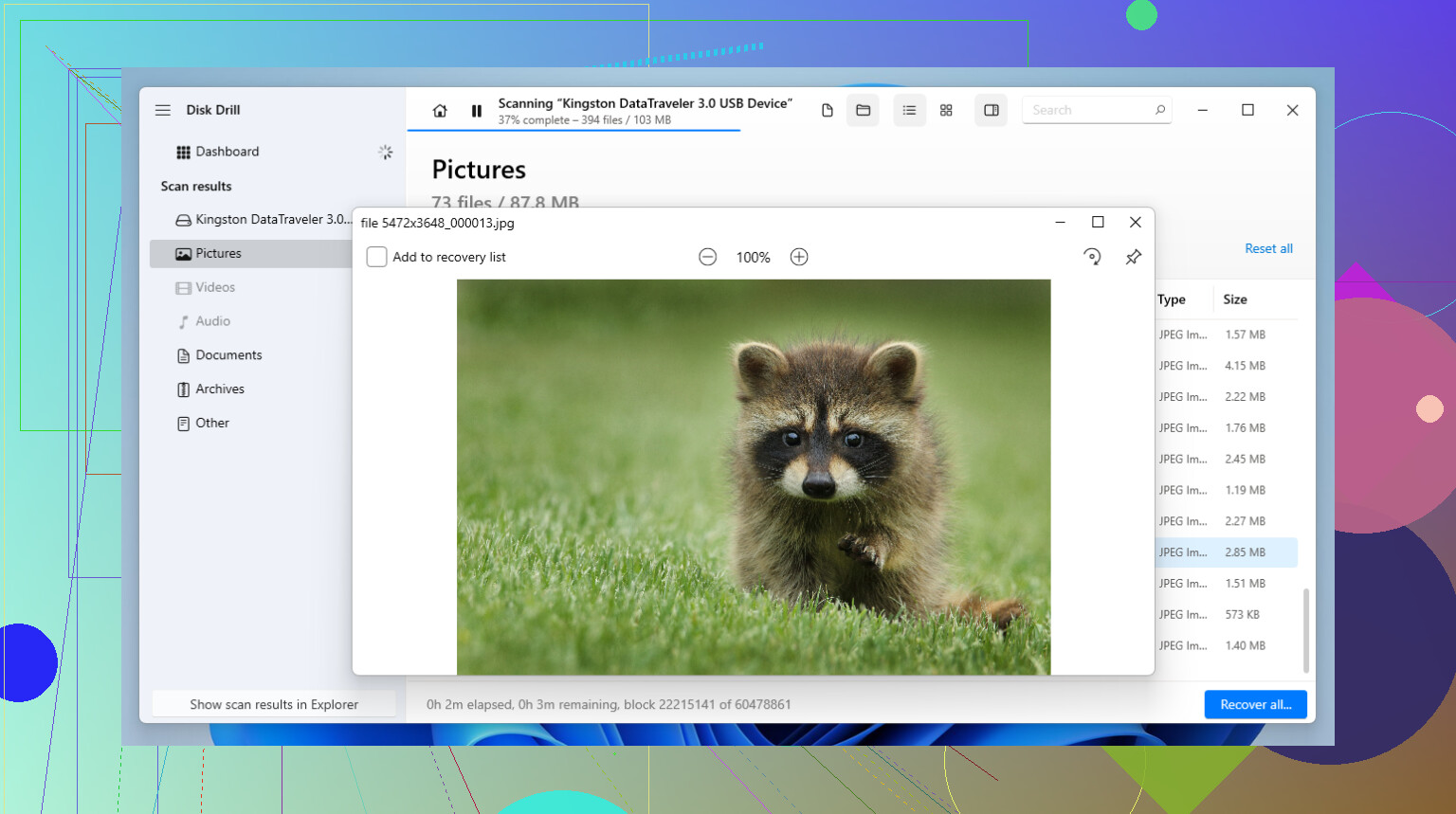
If Windows is saying the USB “needs to be formatted,” I’d actually be a little more cautious than @mikeappsreviewer on quick-fix tools. And I mostly agree with @byteguru, but I don’t think everyone needs to jump straight into super nerdy apps unless the first pass fails.
For a reliable USB data recovery tool, Disk Drill is probly the easiest place to start. It’s good at scanning flash drives that turn RAW or lose their file system, and it’s way less annoying to use than stuff like DMDE or UFS Explorer if you just want your photos and work docs back without a weekend-long crash course.
My take:
- Disk Drill: best balance of easy + effective
- PhotoRec: great if you want free, but the file names/folders usually come back as a total mess
- DMDE: strong tool, but not beginner-friendly at all
- R-Studio: powerful, but honestly overkill for a lot of USB cases
One thing I’d add that hasn’t been stressed enough: if the USB is still showing the correct capacity in Disk Management, there’s a decent chance this is logical corruption, not total death. That’s where software recovery still has a real shot.
Also, ignore Windows asking to format it. Don’t click it. Don’t let error-checking “fix” it either. Windows loves pretending it’s helping while making recovery harder. Kinda impressive, really.
If you want a solid step-by-step USB drive file recovery walkthrough, that should help too.
Short version: use Disk Drill first, recover to another drive, and if the USB keeps disconnecting or stops appearing in Disk Management, stop DIY stuff becuase that’s when labs start making more sense.
One small disagreement with @byteguru and @jeff: I would not jump straight to DMDE or UFS Explorer unless you’re comfortable reading partition layouts and hex-ish info. Great tools, sure, but easy to make bad calls when stressed.
My pick for a normal person is Disk Drill first.
Pros
- very easy to scan a USB stick
- good preview support for photos/docs
- handles RAW-looking volumes better than basic undelete tools
- lets you scan an image instead of the failing USB
Cons
- not the cheapest option
- deep scans can return lots of duplicate/junk results
- less surgical than DMDE for partition repair work
Where I agree with @mikeappsreviewer: Recuva is usually too lightweight for the “needs formatting” situation.
If you want a second opinion after Disk Drill, then try R-Studio or DMDE. If the flash drive keeps disconnecting, none of these are the real answer and software can make things worse.