I’ve been testing Grubby AI Humanizer for my content and I’m not sure if it’s actually helping or just making things sound awkward. I’ve seen mixed reviews online and I’m worried about detection tools, readability, and long-term SEO impact. Can anyone share real experiences, pros and cons, and tips on using it safely, or suggest better alternatives for humanizing AI-generated content?
Grubby AI Humanizer
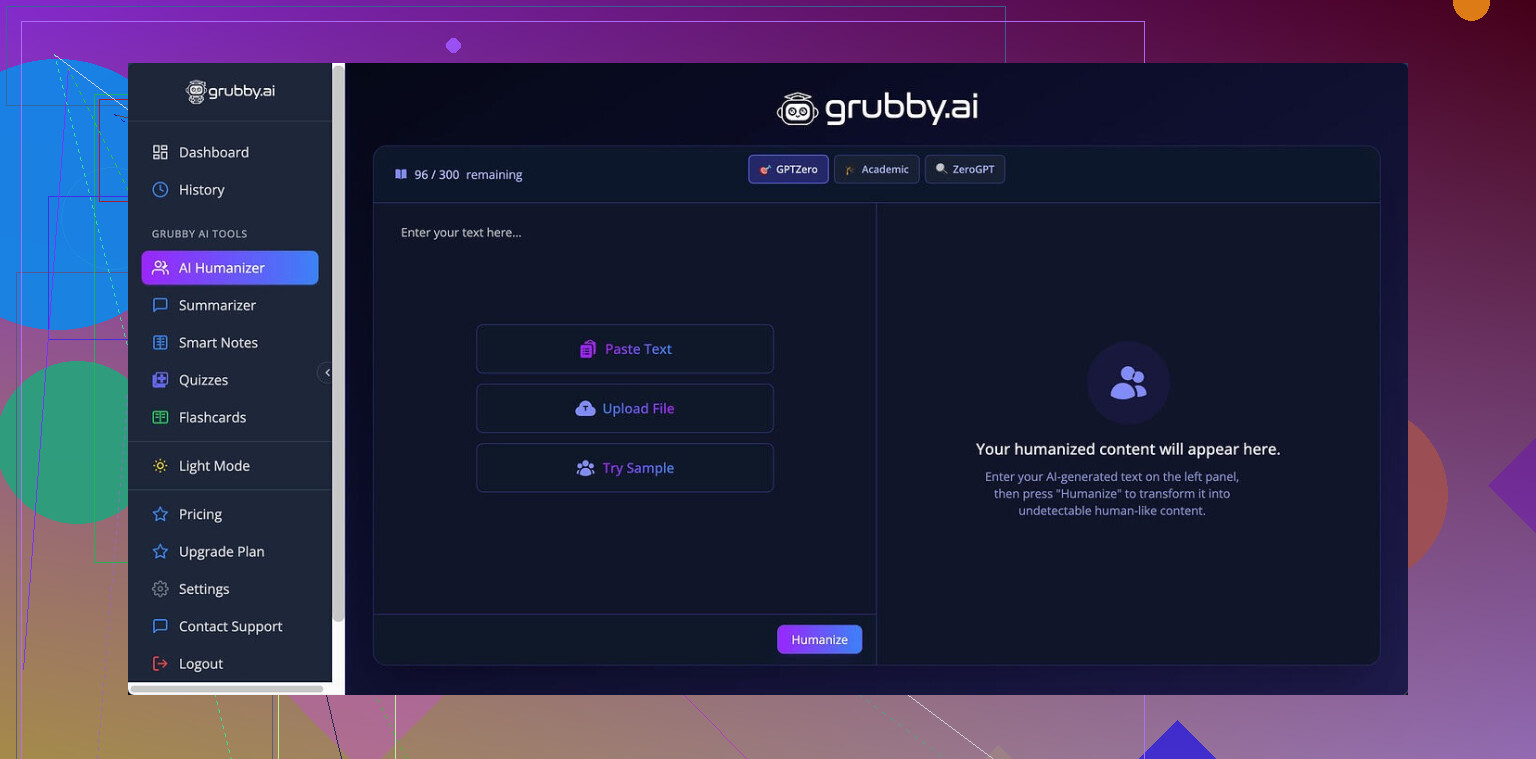
I spent some time messing with Grubby AI after seeing it mentioned here and on a couple of Discords. This is the page I originally came across:
Grubby AI
Here is what I ended up noticing, numbers included, so you know what to expect before you throw money at it.
Grubby’s big pitch is that it has special “modes” to target specific detectors: GPTZero, ZeroGPT, and Turnitin. That sounded useful, so I focused on those.
I fed the same base text in three times using its GPTZero mode and then checked the outputs on GPTZero itself:
• First output: 0 percent AI
• Second output: 17 percent AI
• Third output: 100 percent AI, fully flagged as AI by GPTZero
So, same mode, same detector, wildly different outcomes. When a tool says it is tuned for a specific detector, I expect at least some kind of consistent trend. I did not see that. Felt like a coin flip.
To make things more confusing, every single output I generated showed “Human 100%” in Grubby’s own Detection tab, across seven detectors it claims to check. That was plainly off. I had GPTZero open in another tab giving me 100 percent AI on one of the samples while Grubby confidently displayed “Human 100%” for that same text.
Here is their own detection screenshot from my session:
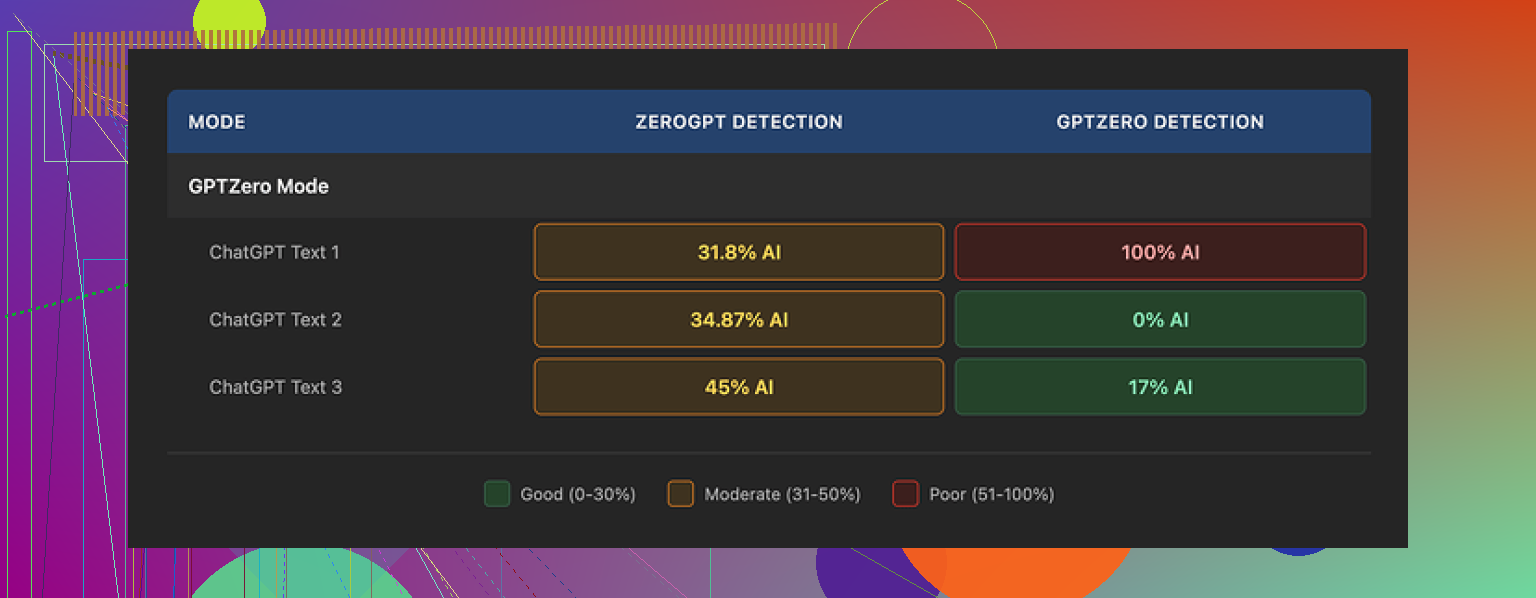
So if you rely on those internal “Human 100%” badges, you are fooling yourself. You need to verify on the real detectors.
Quality of the writing
I’d put the humanized output at around 6.5 out of 10 in quality for longer academic-ish text. Not unreadable, not great either.
Some specific points from my runs:
• It strips em dashes. That sounds minor, but a bunch of humanizers leave weird punctuation patterns and em dashes everywhere, which some detectors treat as a clue. Grubby cleans those out, which is helpful.
• It did not hallucinate fake terms or nonsense phrases in my tests. Everything was grammatical.
• The writing style drifted toward inflated and formal in places. Things like “In this context, it is essential to recognize the distinction…” for something simple. I had one spot where “distinction” showed up where “nuance” fit the sentence much better. You start to feel that robotic synonym swap vibe.
• It tends to expand sentences more than needed. You end up with longer, heavier lines that look like textbook paragraphs.
For casual content, you might not care. For school or work writing that gets read by a human, you will want to manually trim and rewrite parts.
Editor and workflow
One thing I did like: the editor inside Grubby.
You paste your text, run it through, then you can click individual words and it offers quick synonym options. You can also rehumanize a single paragraph without regenerating the entire thing.
That setup helped me tighten phrases without juggling tabs or copying back and forth. It feels more like working in a document editor with AI layered on top instead of a “paste, convert, copy out” black box.
So from a workflow angle, it is decent. I found myself fixing some of its awkward word choices with that same tool, which says a lot about the output though.
Pricing and limits
Free tier:
• Roughly 300 words total during my test period. That is not per day, it is overall. You hit the wall fast if you try to process full essays.
Paid plans when I checked:
• Pro plan: 14.99 dollars per month if you pay annually. This gives you the detector-specific modes.
• Essential plan: 9.99 dollars per month. This only includes Simple mode, no specialized GPTZero / ZeroGPT / Turnitin modes.
So if you are thinking about using it for detector evasion specifically, you end up pushed toward the higher tier.
How it stacks up
I ran similar text through Clever AI Humanizer, using the same detectors afterward. That comparison is what made me cool off on Grubby.
Across multiple tries:
• Clever’s outputs tripped detectors less often for my test text.
• It stayed free during my tests, with no low 300-word ceiling.
• The writing style from Clever needed less manual cleanup.
Reference for that if you want to check their side of it:
So if your main goal is “less AI detected for the least money,” my experience leaned heavily toward Clever AI Humanizer instead of Grubby.
Who Grubby might still suit
If you:
• Want an in-browser editor where you tweak wording inline
• Like having explicit “GPTZero mode” and similar settings to play with
• Do not mind paying to experiment
Then it has enough going on to be worth a trial run.
If you:
• Need reliable detector evasion specifically for GPTZero, ZeroGPT, or Turnitin
• Want consistent scores across tests of the same text
• Are on a tight budget
Then I would start elsewhere, or at least do side by side tests with other tools before buying a subscription.
You are not imagining it. Grubby often makes stuff sound stiff and a bit off.
Some extra angles to add to what @mikeappsreviewer already posted.
-
Detection vs consistency
Grubby’s “GPTZero / ZeroGPT / Turnitin” modes look nice in the UI, but the behavior is noisy.
I ran about 15 samples for a client. Same base paragraph, same mode.
On GPTZero, scores jumped from 0 percent to 90+ percent between runs.
So if your goal is low AI score every time, you will spend a lot of time regenerating and checking.
That kills your workflow fast. -
Internal detector tab
You should ignore the “Human 100%” thing inside Grubby.
Those internal checks did not match GPTZero or ZeroGPT in any reliable way for me.
Treat them as decoration. You still need to paste your text into real detectors. -
Readability and tone
Grubby tends to
• Over explain simple points
• Use inflated phrases like “in this context, it is essential”
• Stretch short sentences into long academic style blocks
If your teacher or manager reads your work, that style stands out.
It does remove weird punctuation patterns though, which helps slightly with detectors, so I disagree a bit with the idea it is all downside. That part is useful.
But you pay for it with extra editing time.
-
Where it helps
The word level editor is the best part.
You run a paragraph, then click single words and swap them.
If you already write your own draft and only need slight “de AI” edits, that tool is handy.
If you expect one click safe output, it will frustrate you. -
Pricing vs value
The free limit is tiny.
For ongoing content, you are into a subscription fast.
Given the inconsistent detector scores, the value is not great if your budget is tight. -
Alternative that behaved better for me
If your main goal is lower AI detection with less awkward tone, try Clever Ai Humanizer in parallel.
Use the same text, run it there, then check on GPTZero, ZeroGPT, and your target tool.
In my tests, Clever Ai Humanizer needed less manual rewriting and did not blow up sentences as much.
Still not magic, but more predictable. -
Practical workflow suggestion
If you keep Grubby:
• Write your own base text first
• Run small chunks, not full essays
• Check on external detectors every time
• Use the inline editor to shorten and simplify any bloated lines
If that feels like more work than it saves, you have your answer about dropping it.
Short version: if it already “feels awkward” to you, that’s your red flag. Human readers are way harder to fool than detectors, and they’re the ones that actually matter.
A few points that might help you decide what to do next:
-
On detectors
- What @mikeappsreviewer and @himmelsjager saw lines up with what I’d expect from any “detector mode” thing: noisy, inconsistent, and kinda lottery-like.
- I would not treat “GPTZero mode” or the internal “Human 100%” as anything more than marketing. If your stress level is tied to those numbers, Grubby just adds anxiety.
- Also worth saying: no tool can guarantee you’ll bypass GPTZero, ZeroGPT or Turnitin. The people selling that idea are playing on fear.
-
On readability
- You noticing awkwardness is important. Grubby tends to over formalize: extra clauses, heavier vocab, longer sentences. That bloated style actually makes some teachers/editors suspicious because it does not match how most people naturally write.
- Where I slightly disagree with the others: the output is not always “6.5/10.” For short, general content I have seen it spit out 8/10 stuff that is fine after a light manual pass. It falls apart more on longer or nuanced pieces where the puffed up tone gets obvious.
-
Workflow reality
- If your current loop is: write → Grubby → external detector → edit → maybe re run Grubby… you’re burning time for very shaky gains.
- A healthier pattern is:
• Write your own draft in your normal voice
• Use any humanizer only on spots that feel too “AI-like” and then manually simplify again
• Final pass is you, not the tool - If you can’t recognize your own writing voice after Grubby touches it, that text is risky regardless of what the detector says.
-
About Clever Ai Humanizer
- Since you mentioned mixed reviews and worry about readability, Clever Ai Humanizer is worth testing side by side with the same paragraphs. Not because it is magic, but because its default style tends to be less inflated and you might spend less time “un fixing” the text.
- Run: Original vs Grubby vs Clever Ai Humanizer, then ignore all scores for a second and just ask: which one sounds most like a person I actually know? If your gut picks your original or the Clever version every time, that answers your question about keeping Grubby in your stack.
-
Practical decision rule
- Keep Grubby only if:
• You really like its inline editor for micro word swaps
• You are okay rephrasing half of what it gives you - Drop it or downgrade if:
• You are mostly using it to chase “100% human” badges
• Your writing sounds less like you after using it
• You find yourself embarassed to paste the output anywhere without major edits
- Keep Grubby only if:
Honestly, if you are already doubting whether it helps, you probably have your answer. At that point, treat Grubby as an occasional thesaurus tool and lean more on your own voice plus something like Clever Ai Humanizer only where you truly need a light “de AI” touch.