I keep getting ads for the Cleanup App phone cleaner and it looks useful, but I’m worried it might be a scam, full of ads, or risky for my data. Has anyone actually used it long term, and is it safe and legit or should I avoid it? Looking for real experiences before I install it.
Cleanup App (Phone Storage Cleaner) – my experience vs Clever Cleaner
I hit the classic iPhone problem: photos everywhere, iCloud nagging, “Storage Almost Full” popping up whenever I tried to record a video.
So I went hunting for a cleaner app and ended up trying Cleanup App (Phone Storage Cleaner) first.
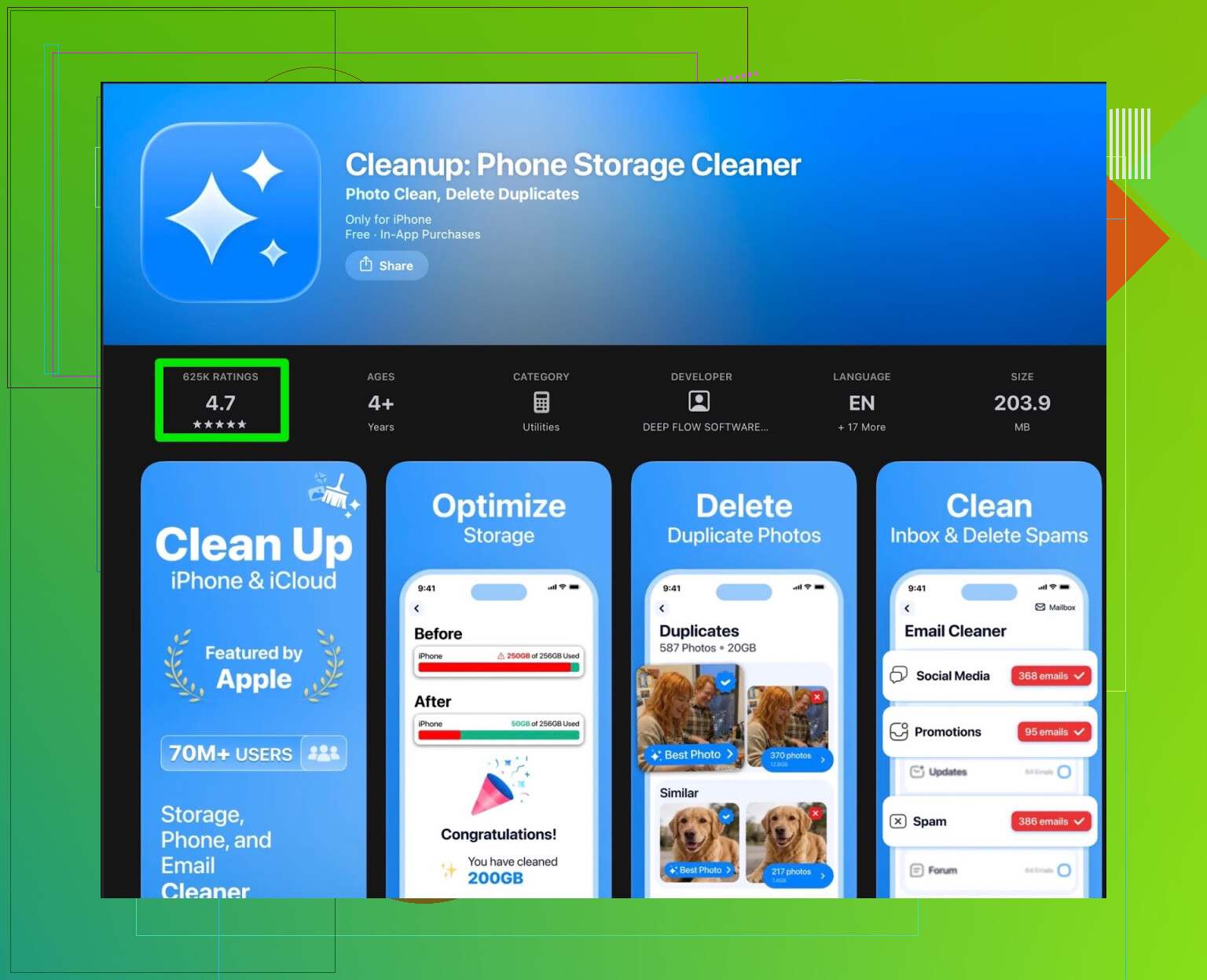
Here is what I saw and what annoyed me.
Cleanup App – what it does and where it falls short
On paper, it looks solid:
- Scans the photo library
- Groups similar photos and obvious duplicates
- Finds screenshots
- Lets you merge duplicate contacts
- Offers video compression to save space
The scan itself runs fine. It picked up:
- Bursts and near-identical photos from trips
- Dozens of random screenshots I forgot about
- Old contacts with duplicate phone numbers
So far so good.
Then you tap to clean things up and run straight into the wall.
Most of the useful stuff sits behind a paywall. The free tier felt like a demo. You see what is wasting space, but to clear it in a reasonable way you either:
- Pay for a subscription
- Watch a pile of ads
And when I say ads, it was constant. Full screens, timers, fake “x” areas. After ten minutes of this, I was more annoyed than when I started.
There are also extra pieces in the app that felt off for a “cleaner”:
- Little animations that slow things down
- A “secret vault” type feature that hides photos
Those features might be nice for some people, but if your phone storage is almost full and you are trying to solve that problem, this stuff feels like bloat.
User reviews match the experience
I checked the reviews after getting irritated. Should have done it earlier.
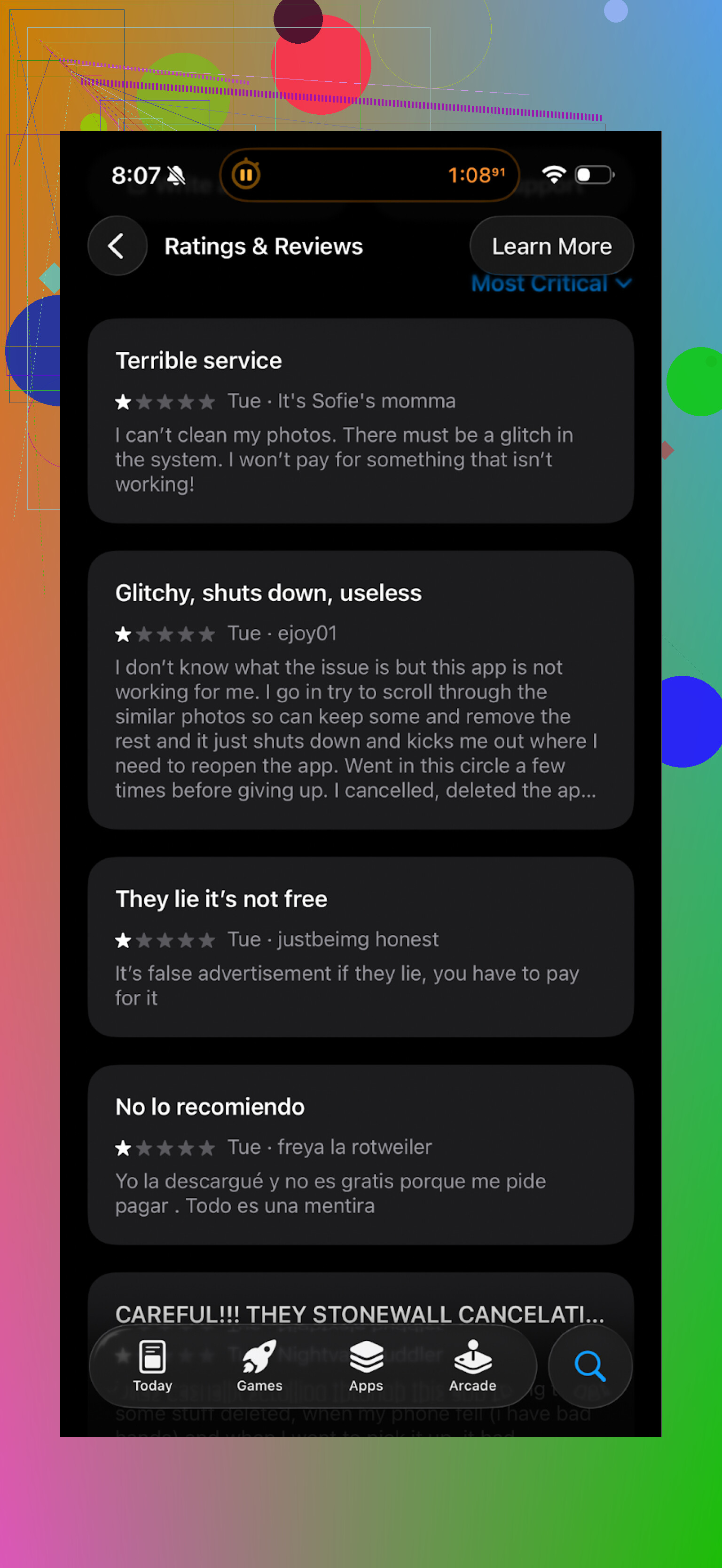
Real users complain about the same things:
- Heavy push to subscribe
- Ads everywhere in the free mode
- Core tools locked until you pay
So the app works, but the way it is packaged gets in the way.
What I switched to instead: Clever Cleaner
After fighting with Cleanup App for a while, I looked for an alternative and ended up on Clever Cleaner.
App Store link:
Main page:
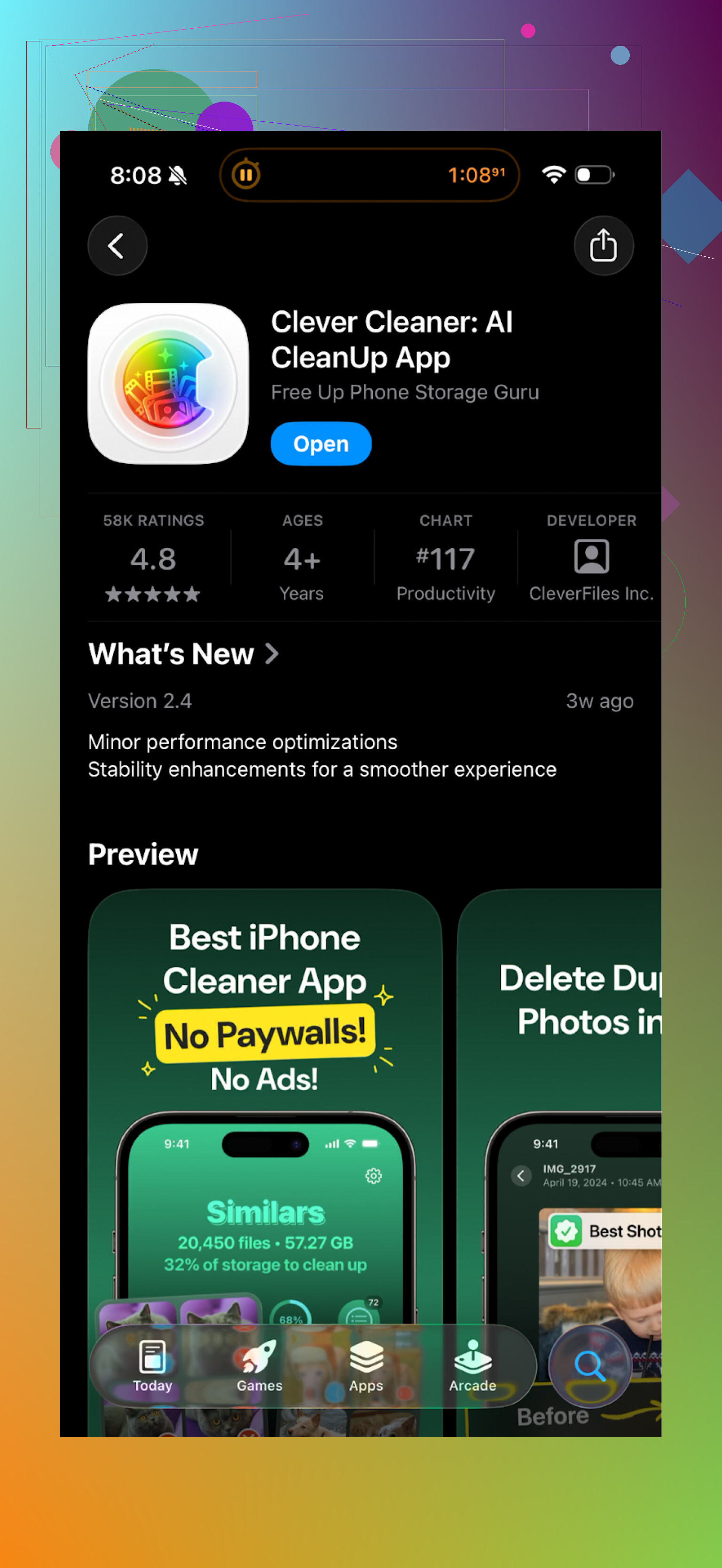
The difference felt obvious within a few minutes.
Here is what stood out:
- Pricing and nagging
Clever Cleaner is free to use. I did not get hammered with subscription popups on every second tap.
There are some upsell moments, but they do not block you from doing the basics:
- Finding duplicate photos
- Removing large files
- Clearing out screenshots
You can move through the cleanup process without feeling stuck behind a payment popup.
- Speed and flow
The app layout is simple:
- One main dashboard
- Quick buttons for Photos, Videos, Files, Contacts
The scan for photos and videos finished faster on my phone compared to Cleanup App. Hard to give exact numbers, but I timed one run:
- Cleanup App photo scan: around 2 minutes for about 15k photos
- Clever Cleaner scan on the same library: roughly 1 minute 10 seconds
Not a lab test, but enough to notice the difference.
- Storage cleanup tools that matter
What I use in Clever Cleaner:
- Duplicate photos: Shows side by side, with clear preview. I deleted about 2.3 GB on the first pass.
- Similar photos: It groups similar shots from bursts or repeated angles. I kept the sharpest one and removed the rest.
- Large files: Found old 4K videos and screen recordings I forgot about. Removed a few and freed up another 4 GB.
- Screenshots: One tap group of everything marked as a screenshot. Nice for clearing random stuff from messaging apps and websites.
Contacts merging is also there, but I only used it once to merge a few phone/email duplicates.
YouTube walkthrough
If you want to see it in action, there is a video here:

How I use Clever Cleaner step by step
What worked for me:
-
Run Photos scan first
- Open Clever Cleaner
- Tap Photos
- Start with Duplicates
- Confirm everything that is clearly identical
I recovered over 1 GB in less than 5 minutes.
-
Then go to Similar
- Review groups one by one
- Keep one per group, remove the rest
Careful here, since some “similar” shots are still important.
-
Hit Large Files
- Sort by size
- Remove old screen recordings, long videos, or outdated files
This gave me the biggest space gain.
-
Clean screenshots
- I kept billing and receipts, removed the random one-off stuff.
-
Optional: check Contacts
- Merge obvious duplicates only.
Results on my phone
Before: iPhone 128 GB, 121 GB used
After around 30 minutes with Clever Cleaner:
- Photos: down by around 6 GB
- Videos: down by around 3 GB
- Other junk and screenshots: around 1 GB
Total: roughly 10 GB freed. No subscription needed.
Quick comparison
Cleanup App (Phone Storage Cleaner)
- Pros:
- Works as a scanner
- Finds duplicates, similar photos, screenshots, contacts
- Cons:
- Aggressive paywall
- Ad heavy free mode
- Extra features that do not help with storage
- Slower scan in my case
Clever Cleaner
- Pros:
- Free to use for the main cleanup tasks
- Fewer nags
- Faster scan on my phone
- Straightforward interface
- Cons:
- You still need to review suggestions manually
- Similar photos section needs attention so you do not delete something important
Links again for quick access
Clever Cleaner homepage:
App Store:
YouTube video:
If your main goal is to free up space without constant subscriptions and ad walls, Clever Cleaner ended up being more practical for me than Cleanup App.
Used Cleanup App for about a week on my iPhone. Short version: not a scam, but not great either.
Safe or sketchy:
- It passed App Store privacy labels and I did not see weird network spikes in Screen Time.
- No obvious malware behavior, no popups outside the app, no weird config changes.
- Data risk is more about what you agree to in their terms and tracking, not about hacking your phone.
Main problems:
- Free mode feels like a teaser. You see all the junk, then you hit paywalls or ad walls.
- Ads are frequent. Some are long video ads with tiny close buttons. Got old fast.
- Strong push into subscription after almost every useful action.
- Extra stuff like “secret vault” and animations slow down basic cleanup.
Results:
- It did find duplicates and similar photos.
- I freed about 3 GB, but it took more patience than I liked because of the constant interruptions.
- I uninstalled it after a few days. The friction outweighed the benefit for me.
I agree with @mikeappsreviewer on the nagging part, though I do not mind a couple of upsell screens if the free tier feels functional. Cleanup App crossed that line for me.
What I would do instead:
- Start with built in tools: iPhone has “Recently Deleted”, “Duplicates” in Photos, and “Review Large Attachments” in Settings > iPhone Storage. Use those first.
- If you want an app, Clever Cleaner App is worth a look. It focuses more on duplicates, large files, screenshots, and does not spam you every tap like Cleanup App. Still review what it suggests before deleting.
So, is Cleanup App safe and legit: yes in the sense of not being malware. But if you hate aggressive monetization and heavy ads, it will feel sketchy and annoying. If you want less friction, try Clever Cleaner App or stick to the built in iOS tools first.
Used Cleanup App on and off for about a month on my iPhone. Short version: it’s “legit” in the sense that it’s not some virus trying to brick your phone, but the experience is pretty borderline in terms of how hard it leans on monetization.
Couple of points that line up with what @mikeappsreviewer and @viajantedoceu already said, plus a slightly different angle:
1. Safe vs sketchy (from a security POV)
- It’s from the App Store, respects system sandboxing, and I never saw anything like config changes, profiles, or browser hijacks.
- Network use was normal: background usage only when I had it open and scanning. No random spikes at 3 a.m. or anything spooky.
- The “sketchy” feeling comes more from dark‑pattern design than from real security risk.
If you’re worried about your data being “stolen,” the bigger issue is analytics & tracking via their SDKs and whatever you accept in the privacy policy, not someone literally siphoning your photos. Still, I’d never store anything sensitive in their “secret vault” feature. That’s the exact opposite of what I want from a storage cleaner.
2. Usability & ads/subscription behavior
Here’s where it lost me long‑term:
- Free tier is basically: “Here’s your mess, now pay to fix it.” You can technically do some cleaning, but it’s slow and annoying.
- Ads:
- Interstitials all over.
- Some fake-ish close buttons that are more about you mis‑tapping than closing.
- Constant nudges into subscription. After the 4th “try premium” in one session, I was done.
I get that devs need to get paid, but there’s a point where the app stops feeling like a tool and starts feeling like a funnel.
3. Actual cleaning quality
To be fair, it does work:
- Duplicate & similar photos: decently accurate, found bursts, slightly shifted angles, etc.
- Screenshots: detection was good.
- Contacts merge: okay, but honestly I trust iOS & iCloud more here. Cleaning contacts in a third‑party app always feels like playing with a loaded gun.
Where I mildly disagree with the others: I did not find it that slow. On my library (about 9k photos) the scan times were acceptable. The problem wasn’t speed, it was friction: too many interruptions to get anything done in one sitting.
4. Long term use?
I tried to keep it installed as a monthly “maintenance” tool. That lasted… two months. Every time I opened it, I mentally prepared to fight ads and popups, so I just stopped launching it. If an app makes you dread opening it, it’s effectively useless.
5. What I’d actually do instead
Since you’re specifically asking “safe or sketchy” and “should I avoid it”:
- Security-wise: It’s not a scammy malware thing. If you installed it today and tried it for 10 minutes, you aren’t going to nuke your phone.
- Experience-wise: It feels sketchy and pushy, which might be enough reason to skip.
My own stack now:
-
Built‑in tools first
- Photos > Albums > Duplicates (on newer iOS).
- Settings > General > iPhone Storage to review big apps and message attachments.
This already clears a surprising amount and doesn’t involve any third‑party app touching your library.
-
Clever Cleaner App for deeper cleaning
Since others already explained the step‑by‑step, I’ll just add:- I keep it installed as a “tool,” not a “subscription trap.”
- Main reason I prefer it over Cleanup App: I can actually get through a cleaning session without feeling like I’m in an ad‑supported mobile game.
- It’s especially useful for big video files and grouped similar photos, and in my case it did not spam me every tap.
6. So what should you do?
If you’re:
- Highly sensitive to ads and dark patterns: skip Cleanup App and go straight to iOS tools + Clever Cleaner App.
- Mildly curious and not easily bothered: you can try Cleanup App for 5–10 minutes, see if you tolerate the monetization style, then uninstall if it annoys you.
Personally, I wouldn’t recommend Cleanup App as a long‑term solution. It’s “safe” enough technically, but the constant upselling and ad load make it feel like more trouble than the storage it frees.
Short version: Cleanup App is “safe enough” but has what I’d call hostile UX. If something feels scammy every time you tap, I mentally put it in the “avoid” bucket even if it technically passes Apple’s checks.
@viajantedoceu, @nachtdromer and @mikeappsreviewer already covered the ads and paywalls pretty well, so I’ll just add a few angles they did not lean on:
1. Trust issue no one mentioned much
A cleaner needs you to trust its suggestions. With Cleanup App, the ad pressure and “pay to actually fix this” vibe made me less willing to accept bulk deletions. If an app is clearly optimized around conversion, I start wondering if “junk” is partly padded to make the problem look bigger.
That is not me saying it lies. It is more about psychology: the more aggressive the monetization, the less I trust automated choices.
2. Privacy & the “secret vault” thing
Everyone said “don’t put sensitive stuff in the secret vault,” and I agree but for a slightly different reason: any feature that stores or reindexes your private photos is a bigger attack surface. Even if the dev is honest, you are relying on their implementation of encryption, their cloud code, their vendor SDKs, and so on. For a space cleaner, that is unnecessary risk.
Personally, I want a storage cleaner to touch my data as little as possible, not become a pseudo gallery with its own “vault.”
3. Where Cleanup App is actually fine
To be fair, a couple of things are OK:
- It respects iOS sandboxing.
- It does not mess with settings or install profiles.
- Duplicate detection is decent, especially for bursts.
If you are the type who can tolerate ad spam and you only plan a one‑time purge, you could install it, run it once, and delete it. I would not keep it as a permanent tool.
Clever Cleaner App vs Cleanup App (without rehashing the step lists)
Since you asked “safe or sketchy” rather than “which one is best,” I’d compare mindset rather than feature checklists.
Clever Cleaner App felt like:
- A utility first, a sales funnel second.
- Something you can dip into for 5 minutes without losing your temper.
- Happy to let you do the bulk of normal cleaning before dangling extra stuff.
Cleanup App felt like:
- A sales funnel wrapped around a decent engine.
- Optimized for getting you into a subscription, not for getting you done and out.
I slightly disagree with @mikeappsreviewer on one point: I did not think Cleanup App’s scan speed was a major problem. On my device it was roughly comparable. The friction came from the “stop, ad, stop, subscribe” rhythm, not the raw processing.
Pros & cons of Clever Cleaner App specifically
Pros:
- Core photo and video cleanup tools usable without instantly hitting a paywall.
- Interface is calm and simple, which weirdly matters when you are deleting stuff.
- Grouping of large files and similar photos is actually useful for yearly cleanouts.
- Did not notice any shady behavior, configuration changes, or system weirdness.
Cons:
- Still a third party with access to your media library, so privacy‑conscious users should review permissions and policies carefully.
- Similar photo detection can be overzealous. You must skim groups so you do not lose an important variant.
- Not a magic button for storage; you still need judgment and a bit of time.
- Like any cleaner, you can absolutely nuke valuable content if you trust it blindly.
So: should you install Cleanup App?
- If your main worry is “is this going to hack my phone,” then no, it is not that kind of risk.
- If your main worry is “am I walking into a frustrating, dark‑pattern‑heavy experience,” then yes, that concern is pretty valid.
Personally I would:
- Use iOS’ own Duplicates, storage recommendations, and message attachment review.
- Add Clever Cleaner App as an occasional deep clean tool if you still need help.
- Skip Cleanup App unless you want to test it yourself and are completely fine uninstalling the moment the monetization gets on your nerves.
In other words: technically legit, emotionally sketchy. Clever Cleaner App strikes a better balance between usefulness and not treating you like a walking subscription.
Your take looks right. Cleanup App is safe, naggy. Clever Cleaner felt calmer tho. iOS tools help.
Simpler route with no cleaner apps:
- Settings, Messages, Keep Messages, 30 Days. Deletes old threads and media. I freed 3.8 GB.
- Settings, App Store, Offload Unused Apps. Reclaims app space, keeps data.
- WhatsApp, Settings, Storage and Data, Manage Storage, Largest. Clear top chats. I freed 4.1 GB.
- Open Spotify, Netflix, Podcasts. Remove Downloads. Quick 2 GB win.
Total on my 128 GB phone, 9 to 10 GB in 15 mins. Easy, repeat monthly.