I keep seeing ads for Walter Writes AI and I’m tempted to try the paid plan for blog posts and product descriptions, but I’m not sure if it’s really better than other AI tools. If you’ve actually used it for real client work or your own site, how accurate is it, how good is the writing quality, and is it worth the cost long term? Any honest pros, cons, or examples of where it helped or failed would really help me decide before I spend money on it.
Walter Writes AI review, from someone who actually sat and fought with it
Walter Writes AI Review Screenshot
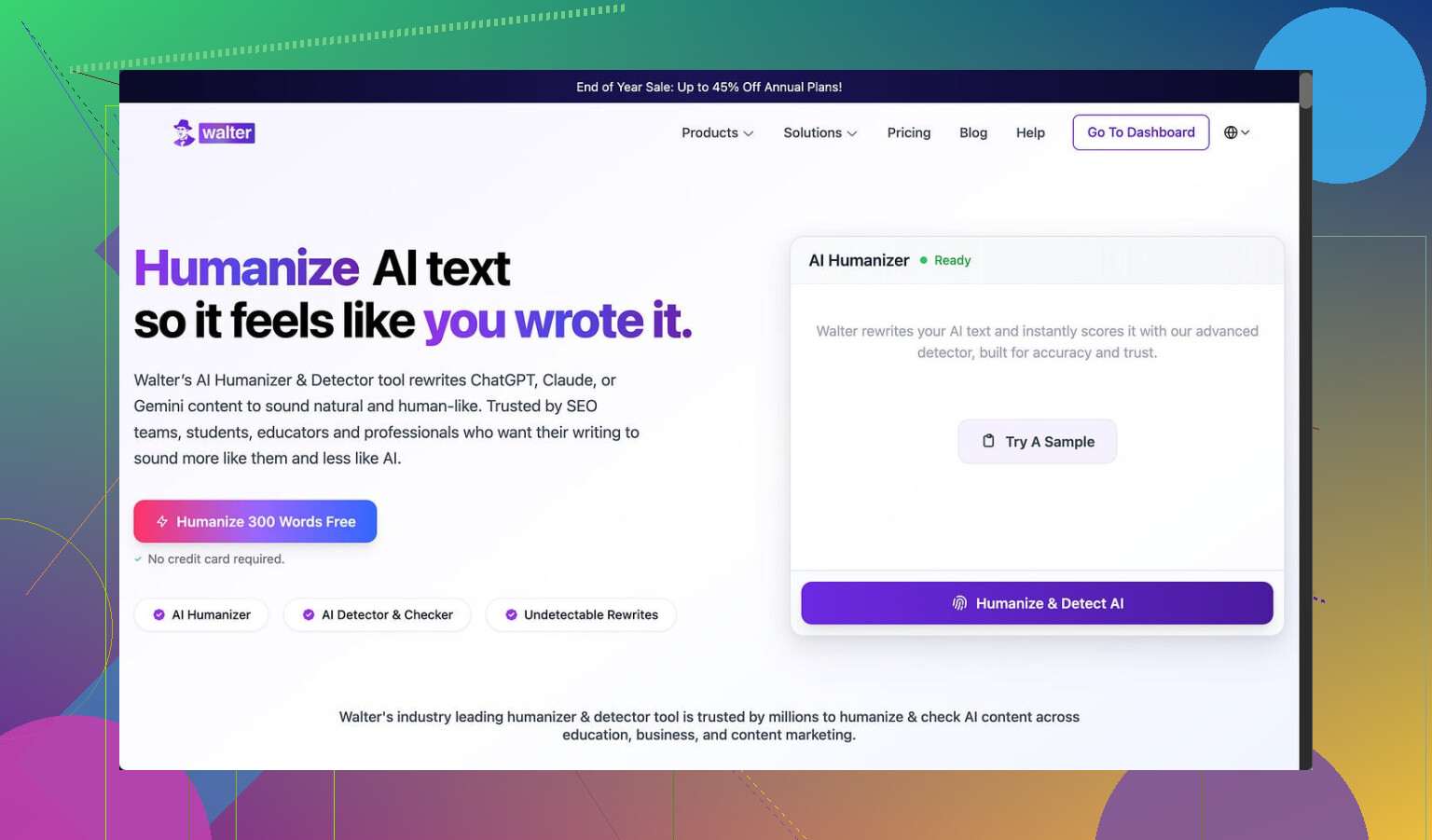
I spent part of an afternoon testing Walter Writes AI against a few detectors, and my results were messy.
I only used the free version, which locks you into the “Simple” mode. The site hints that “Standard” and “Enhanced” levels exist behind the paywall, and those are supposed to have stronger bypass behavior. So keep that in mind while reading this, I did not touch any paid features.
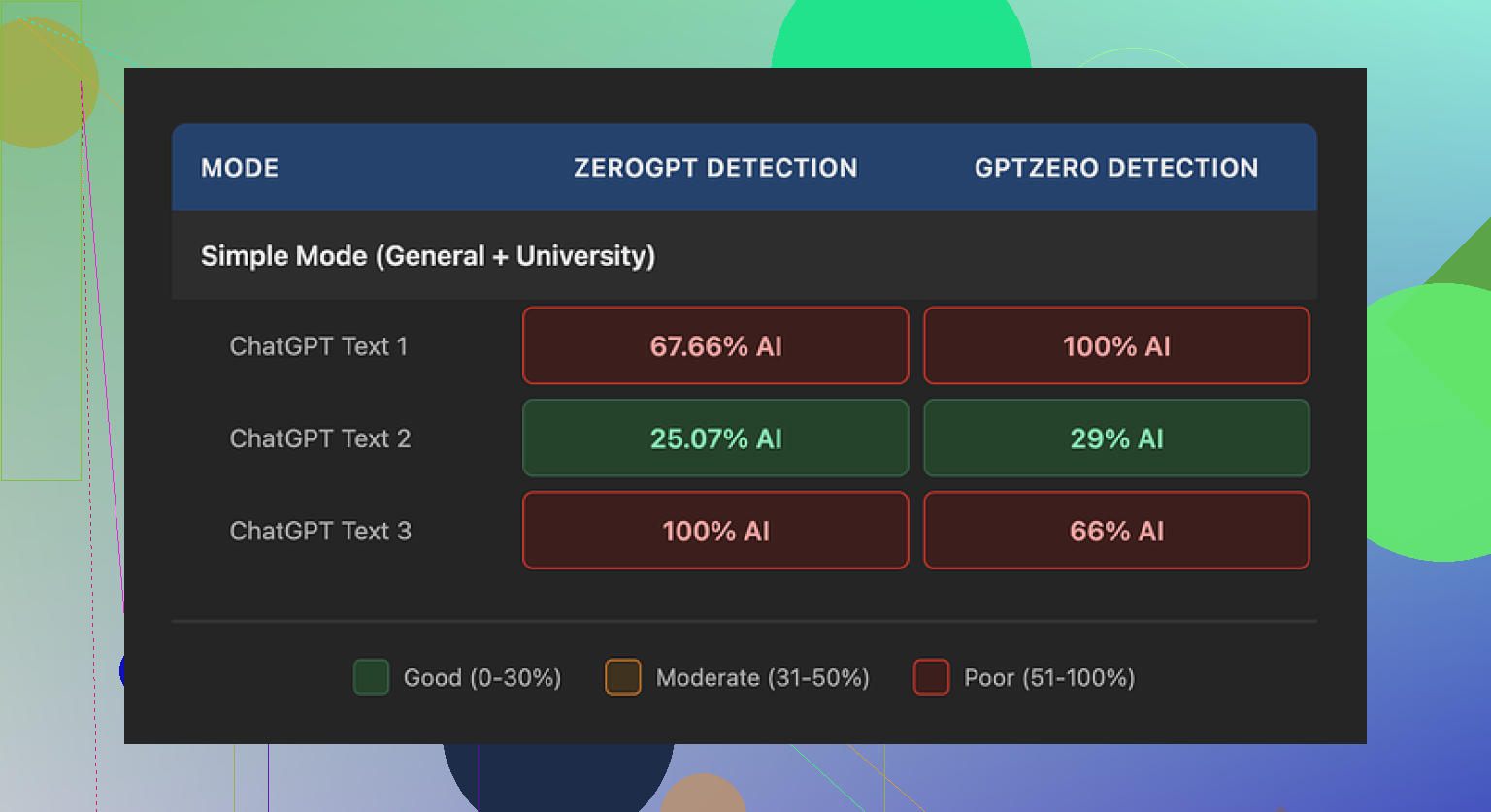
Here is what I saw:
• One sample came back with 29% AI on GPTZero and 25% on ZeroGPT.
For a free humanizer, that is on the better side. Most of the free ones I tried sit closer to “obvious AI” territory.
• The other two samples went straight to 100% AI on at least one detector.
Same kind of original content, same mode, totally different scores. Felt random.
Walter Writes Detector Results Screenshot
Where it went weird for me
The scoring was not the only problem. The writing style looked off in a few specific ways.
Here are the patterns I kept noticing:
- Semicolon spam
It kept dropping semicolons in places where a normal writer would use a comma or a period.
Example pattern, not the exact text:
“Climate change affects many regions; it changes weather; it impacts crops.”
You read that and your brain goes, “Okay, a model did this.”
- Repeated filler terms
In one sample, the word “today” showed up four times in three sentences. It felt like:
“Today we see more storms today than before, and today’s climate is different from what we knew today.”
Nobody writes like that on purpose unless they are trying to fill some word quota.
- Overloaded parentheses
Another thing I noticed was constant parenthetical clarifications, like:
“Extreme weather events (e.g., storms, droughts) create challenges for communities (e.g., farmers, coastal residents).”
One of those is fine. Having this style repeat across the text in multiple places is a strong AI tell. The pattern felt consistent enough that detectors are probably trained on something similar.
Pricing and limits
This was the part that pushed me away from testing the paid tiers.
Here is the basic breakdown from what I saw on the site:
• Starter plan:
• Starts at 8 dollars per month if you pay annually
• Around 30,000 words per month
• Unlimited plan:
• About 26 dollars per month
• You get “unlimited” words on paper
• Each individual submission is capped at 2,000 words
So even on the highest tier you cannot drop a big report or a long article in one pass. You have to chop it into pieces and run them bit by bit. That is slow and also risks tone drift between chunks.
Free tier details:
• Total of 300 words, not 300 words per day or per month.
• After that, you are done unless you pay.
Refund and data handling
This is the part that made me close the billing tab.
The refund policy had strong wording about chargebacks, with talk of “legal action” if you try to dispute a payment. I do not know if they ever follow through, but that kind of tone for a small SaaS tool feels off.
On data retention, I did not see a clear, simple statement like:
“We delete your text after X days”
or
“We store your text for training” or “we do not.”
It felt vague enough that I would not feed it anything sensitive.
What worked better for me instead
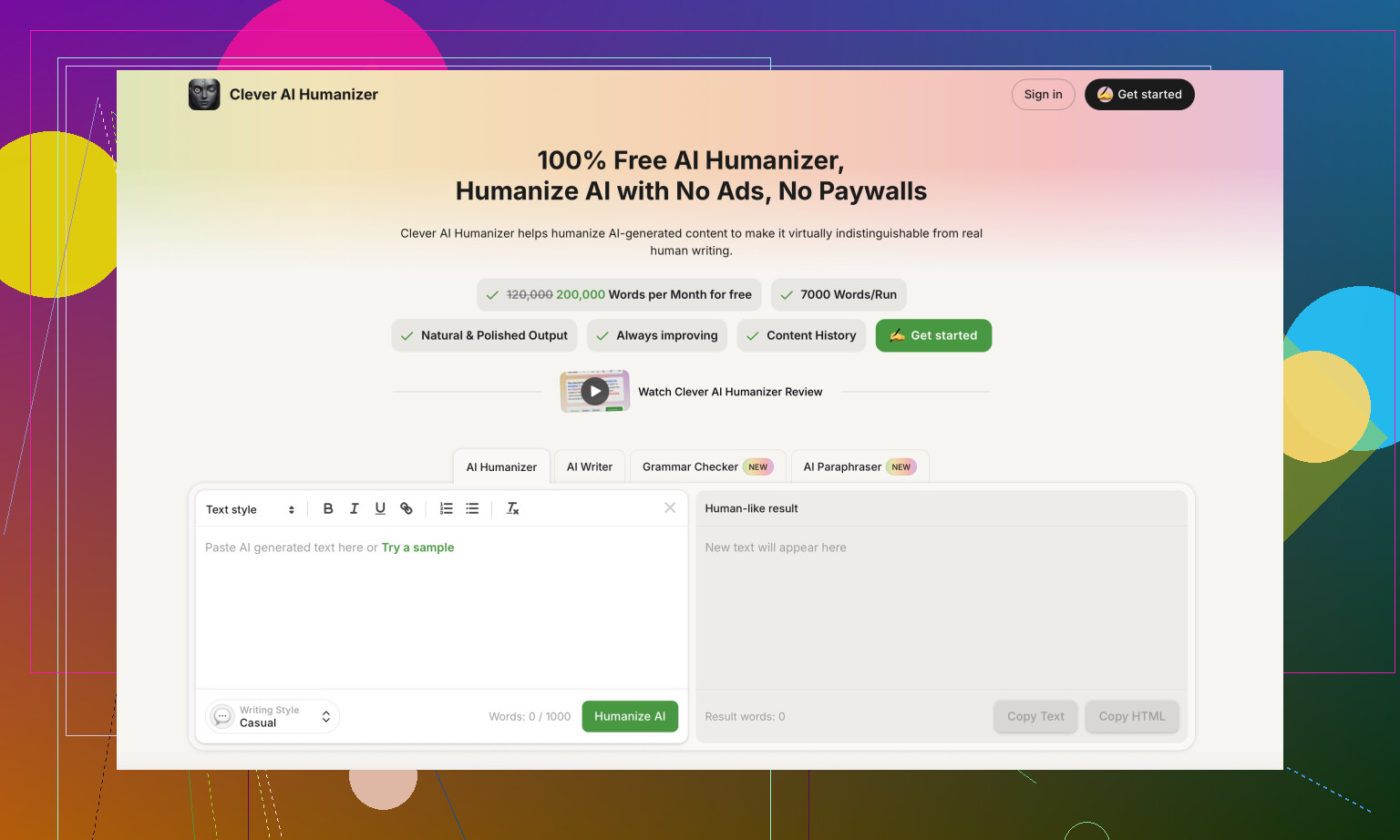
During this whole rabbit hole, I ended up trying Clever AI Humanizer and had better luck.
My experience there:
• Output looked closer to how an unpolished human writes.
• It did not fall into the same repeated structures over and over.
• I did not pay anything to use it.
Link here:
If you want step by step help, someone posted a walkthrough on Reddit that I used early on:
Humanize AI (Reddit Tutorial)
There is also a separate Reddit post where someone reviewed Clever AI Humanizer specifically and shared their scores:
Clever Ai Humanizer Review on Reddit
Video review
If you prefer to watch how someone else tests tools, there is a YouTube review here:

How I would decide between them
If you are thinking about paying for Walter Writes AI, I would do this first:
- Use the free 300 words on content similar to what you plan to use it for.
- Run the output through at least two detectors, for example GPTZero and ZeroGPT.
- Check if the writing style is something you are comfortable editing.
- Read their refund and data policy slowly before adding a card.
If you are short on budget or just testing the waters, I would start with Clever AI Humanizer and see if the output passes your own eyeball test and whatever detectors you care about.
For me, Walter Writes AI felt inconsistent on scores, robotic in style, and a bit heavy-handed on the policy side. So I moved on.
I used Walter Writes AI for actual client stuff for about a week, paid tier, mostly blog posts and ecommerce descriptions. Short version: it works, but I dropped it.
Here is what stood out for me, trying not to repeat what @mikeappsreviewer already covered.
- Output quality for blogs
For 800 to 1,200 word posts, Walter liked to play it safe.
Pros:
• Structure is clean. Intro, body, conclusion, subheads. Easy to skim.
• It follows prompts about tone fairly well. “Casual” vs “professional” comes through.
Cons:
• It repeats phrases across posts. I kept seeing the same sentence shapes over and over. Clients started saying “this feels samey.”
• It struggled with niche info. I had to feed it lots of detail, or it defaulted to generic content.
• SEO wise, it hit keywords, but overdid them. I spent time dialing back keyword stuffing so it did not look spammy.
-
Product descriptions
Better fit here than for long blogs.
• For short bullets and 100 to 200 word descriptions, output was ok after light edits.
• It pushed too many “benefit” phrases like “perfect for anyone who…” which I had to trim for specific brands.
If your store has strict voice guidelines, you will still rewrite a fair chunk. -
Detector evasion
I tested some of the paid tiers on GPTZero and a few web detectors.
Results for me:
• Some pieces scored under 40 percent AI, some went straight to 90 to 100.
• I did not find a consistent pattern across topics.
If your clients are paranoid about detectors, you should not rely on Walter alone. For that goal, I had better luck sending my own AI drafts through Clever AI Humanizer, then editing by hand. -
Workflow and speed
The 2,000 word cap per submission on the higher plan slowed me down.
Long posts had to be split. That caused:
• Tone drift between sections.
• Repeated intros when I tried to generate in chunks.
For batch work, I found it easier to use a more general LLM, generate the whole draft, then run sections through a humanizer if needed. -
Pricing vs value
The starter plan price is not awful, but:
• You hit word caps fast if you do client blogging.
• You still spend time editing awkward phrasing and repetitive patterns.
For similar money, you can pair a general model with Clever AI Humanizer and get more flexible output. -
Policy and trust
I had the same reaction as @mikeappsreviewer to the refund wording. It felt hostile.
I also did not see clear rules on data retention. I stopped running anything sensitive or under NDA through it. For client agency work, that is a dealbreaker.
Where I slightly disagree with @mikeappsreviewer
They found the style too robotic in most cases. My take is a bit softer. For simple ecommerce descriptions and low stakes niche blogs, Walter is usable with 20 to 30 percent edit time. It is not total garbage.
But “better than other AI tools” for blogs and product pages, as their ads imply, did not hold up for me.
Practical suggestion for you
If you want to test without wasting money:
• Use the tiny free limit to check style fit for your niche.
• Then do this comparison for one article:
- Generate a draft with your usual AI tool.
- Humanize that with Clever AI Humanizer.
- Generate the same article with Walter paid trial or a single month.
- Time your edits on both versions and see which one hits client-ready faster.
If Walter does not save you edit time or detector stress, it is not worth keeping for client work.
Used it for paid client stuff for about 2 weeks. Short version: I’d treat Walter as a “maybe” for low‑stakes copy, not as your main workhorse.
Couple of things I saw that line up with @mikeappsreviewer and @ombrasilente, and a few places I see it a bit differently.
1. Is it “better” than other AI tools for blogs?
Not in my experience.
- Structure is fine: it can spit out a standard 1k‑word blog with headings, intro, conclusion.
- The problem is voice. After 4–5 posts, everything started to sound like the same blogger who just discovered content marketing yesterday. Clients noticed the “samey” vibe pretty fast.
- It also has that “padding for length” habit. Paragraphs that say the same thing twice with slightly different wording. Looks fine to a skim reader, but when you edit, you realize half the draft is fluff.
I actually disagree a bit with @ombrasilente on it being “ok with 20–30% edits” for blogs. For me it was closer to 40–50% once I cut repetition and generic filler. At that point, it stopped saving me meaningful time versus just using a general LLM and tightening it myself.
2. Product descriptions were… tolerable
This is the one use case where I didn’t hate it.
- For short, punchy descriptions and bullets, it’s workable.
- It does over‑lean on “perfect for anyone who…” and “ideal for everyday use,” which reads like stock Amazon filler. You’ll be pruning those a lot.
- If your brand voice is pretty loose or it is a mass‑market store, you can get away with lightly editing. For specialized or more premium brands, I ended up rewriting every second sentence so it didn’t sound like generic dropshipping copy.
3. Detector angle
If part of your motivation is “I want safer content for AI detectors,” I would not anchor your entire workflow on Walter.
My experience was similar to what the others reported: wildly inconsistent. One piece looked semi‑human to some detectors, another screamed “100% AI” for no obvious reason. Same plan, same mode, same general topic.
I’m slightly more forgiving on this than @mikeappsreviewer though. Detectors themselves are noisy and can contradict each other. So I don’t blame Walter alone. But if a client is twitchy about AI checks, you’ll want a second step.
This is where Clever AI Humanizer actually did pull its weight for me. I’d generate with whatever main model I liked, then run tricky sections through Clever AI Humanizer and clean up by hand. The text felt a lot more like actual human drafts instead of that “AI pretending to be human” vibe. If you care about that side of things, it’s worth slotting into your stack.
4. Word caps and workflow pain
The 2,000 word ceiling per submission on the upper plan is more annoying than it looks on the pricing page.
- Long posts have to be chunked. Chunking = tone shifts + repeated mini‑intros + extra stitching work.
- For agency work where you’re turning out several 1k–2.5k word pieces per day, this quickly becomes friction. You’re babysitting the tool instead of just drafting.
Honestly this was the tipping point that pushed me back to a standard LLM plus a humanizer.
5. Policy / trust side
Here I’m fully in the same camp as the other two:
- The refund / chargeback language reads like it was written by someone who has been burned too many times and decided to yell at every future customer. Red flag imo.
- Data retention is not spelled out cleanly. If you do anything under NDA, or even mildly sensitive B2B stuff, I’d be very cautious about dropping that into Walter.
6. So, should you actually pay for it?
If I were you, I’d think in terms of what exactly you’re trying to optimize:
- If you want: “One tool that writes my blog posts and product copy better than my current AI stack” → Walter did not clear that bar for me. Editing cost + caps + style quirks killed it.
- If you want: “A semi‑cheap helper for basic product blurbs where I don’t care about serious voice or detectors” → You could get some value, but I’d only keep it if it clearly saves you time vs what you use now.
Given your use case (blogs + product descriptions for real clients), I’d personally:
- Stick with your main AI writer of choice.
- Add Clever AI Humanizer as a dedicated humanization layer when you need detector‑friendlier or more “rough human” style text.
- Use Walter’s tiny free allowance just once to see if you like its feel. If you don’t immediately go “ok this saves me editing time,” don’t bother paying for a month.
Walter is not total trash, but it’s also not the magic upgrade the ads make it sound like. For client work where your name is on the line, I’d treat it as experimental, not foundational.
Short take: Walter Writes AI is “usable but awkward.” It’s not total junk, but it is not the upgrade the ads are selling.
Here is how I’d slice it, trying not to retread what @ombrasilente, @jeff and @mikeappsreviewer already unpacked.
Where Walter is OK
- Short product blurbs
For 50–150 word descriptions and bullet lists, it’s fine. You still trim clichés like “perfect for anyone who…” but you can get something serviceable quickly. - Basic blogs in non‑sensitive niches
If you are doing low‑stakes, informational content where no one cares about deep expertise or a strong brand voice, it can draft a passable outline and body that you then reshape.
Where it falls apart
- Voice & repetition across clients
After several pieces, the “house style” becomes obvious. Same transitional phrases, same rhythm, similar sentence templates. If you juggle multiple brands, they start to sound like one blogger with different logos. I think @jeff is a bit harsher than it deserves here, but I lean closer to that side than to “20% edit and ship.” - Long form workflow
That per‑submission cap means chunking long posts, which leads to tone drift and stitched‑together sections. The friction adds up if you write for a living. - Detector behavior
I wouldn’t rely on it for “detector safety.” Scores are too random across pieces and tools. And, honestly, detectors themselves are noisy, so promising “bypass” is a red flag to me in general.
Policy / trust
I actually disagree slightly with how lightly some people gloss over this. For client work, the aggressive refund language and hazy data handling are not small details. That is “do not put NDA material here” territory.
Where Clever AI Humanizer fits
If you are comparing stacks, not just single tools, Clever AI Humanizer is more interesting than Walter for a lot of workflows.
Pros
- Good for “rough human” style
It tends to break that overly clean AI cadence. Effects like slightly uneven sentence lengths and less obvious template usage make the text feel more like a real draft you would get from a junior writer. - Flexible stack component
You can pair it with whatever main model you already like, instead of locking into Walter’s particular quirks. That is useful if you already have a workflow with a general LLM that your clients are happy with. - Detector reality check
It will not magically “beat” everything, but compared to Walter’s inconsistent behavior, it often yields text that looks less like a polished AI essay and more like typical human web copy, which is usually enough for sanity checks.
Cons
- Still needs an editor brain
It will not solve bad prompts or weak structure. You still own outlining, fact checking and brand voice. If you want a one‑click publish button, this is not it. - Occasional over‑casual tone
Sometimes it swings a bit too far into chatty or informal phrasing, which you then have to pull back for more corporate clients. - Not a full content suite
It is a “layer,” not a blog CMS or SEO platform. If you want templates, briefs, built‑in keyword planning and so on, you will combine it with other tools.
How I would actually use these
If I had your use case (blogs + product pages for real clients):
- I would not make Walter my main writer. At best I would keep it as a backup for simple product copy if you already paid for a month.
- I would keep my primary drafting tool as a general, higher quality model, then use Clever AI Humanizer on sections where detector anxiety or “too AI‑clean” style is a problem.
- I would treat what @ombrasilente, @jeff and @mikeappsreviewer wrote as three data points in the same direction: Walter is functional, but the editing load plus policy weirdness cancels most of its supposed advantage.
If a new tool does not clearly reduce your edit time or client friction within a week, it probably does not deserve a permanent spot in a professional workflow. Walter did not clear that bar for me. Clever AI Humanizer, as an add‑on layer, actually did.