Walter Writes AI review, from someone who actually sat and fought with it
Walter Writes AI Review Screenshot
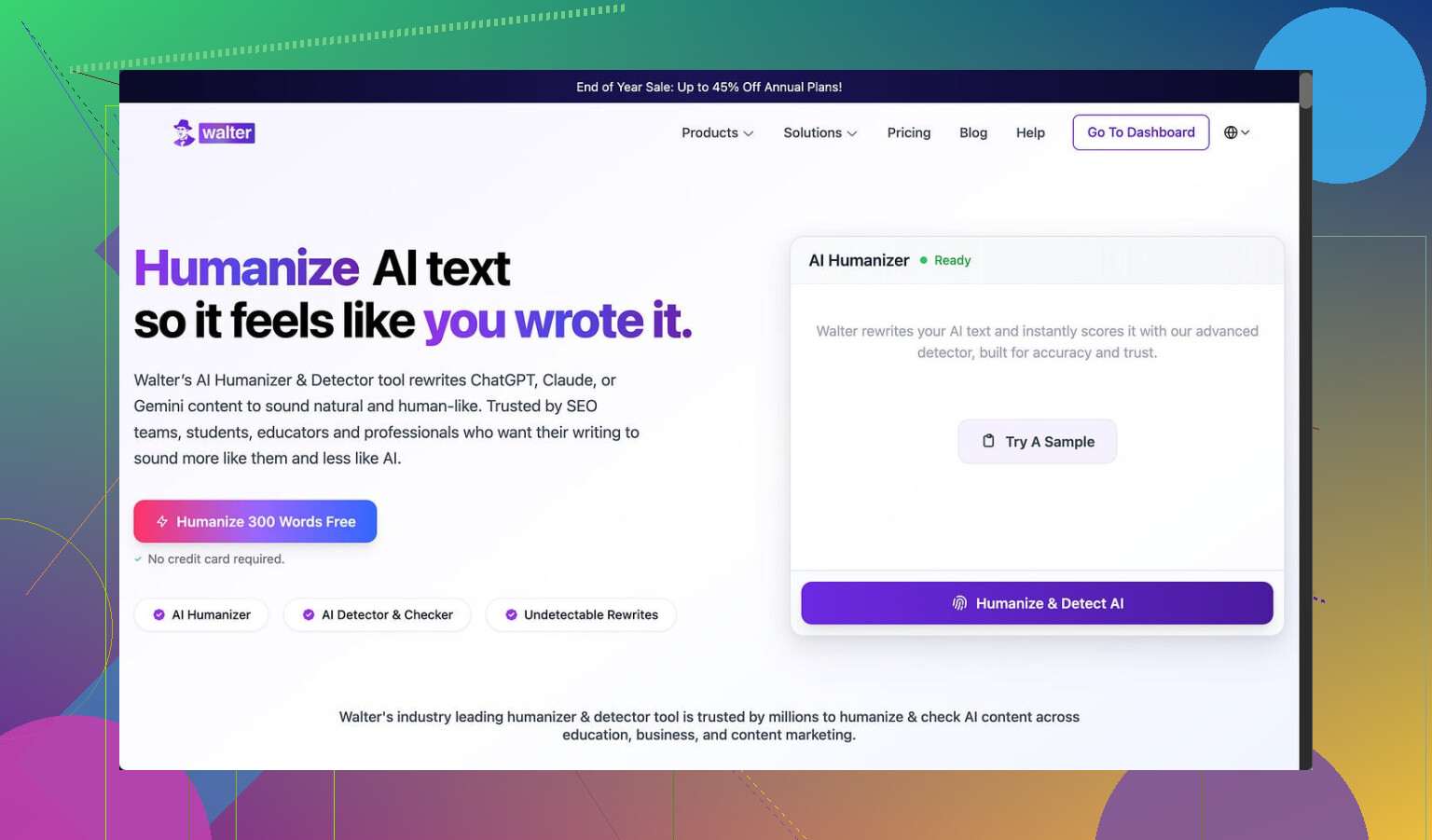
I spent part of an afternoon testing Walter Writes AI against a few detectors, and my results were messy.
I only used the free version, which locks you into the “Simple” mode. The site hints that “Standard” and “Enhanced” levels exist behind the paywall, and those are supposed to have stronger bypass behavior. So keep that in mind while reading this, I did not touch any paid features.
Here is what I saw:
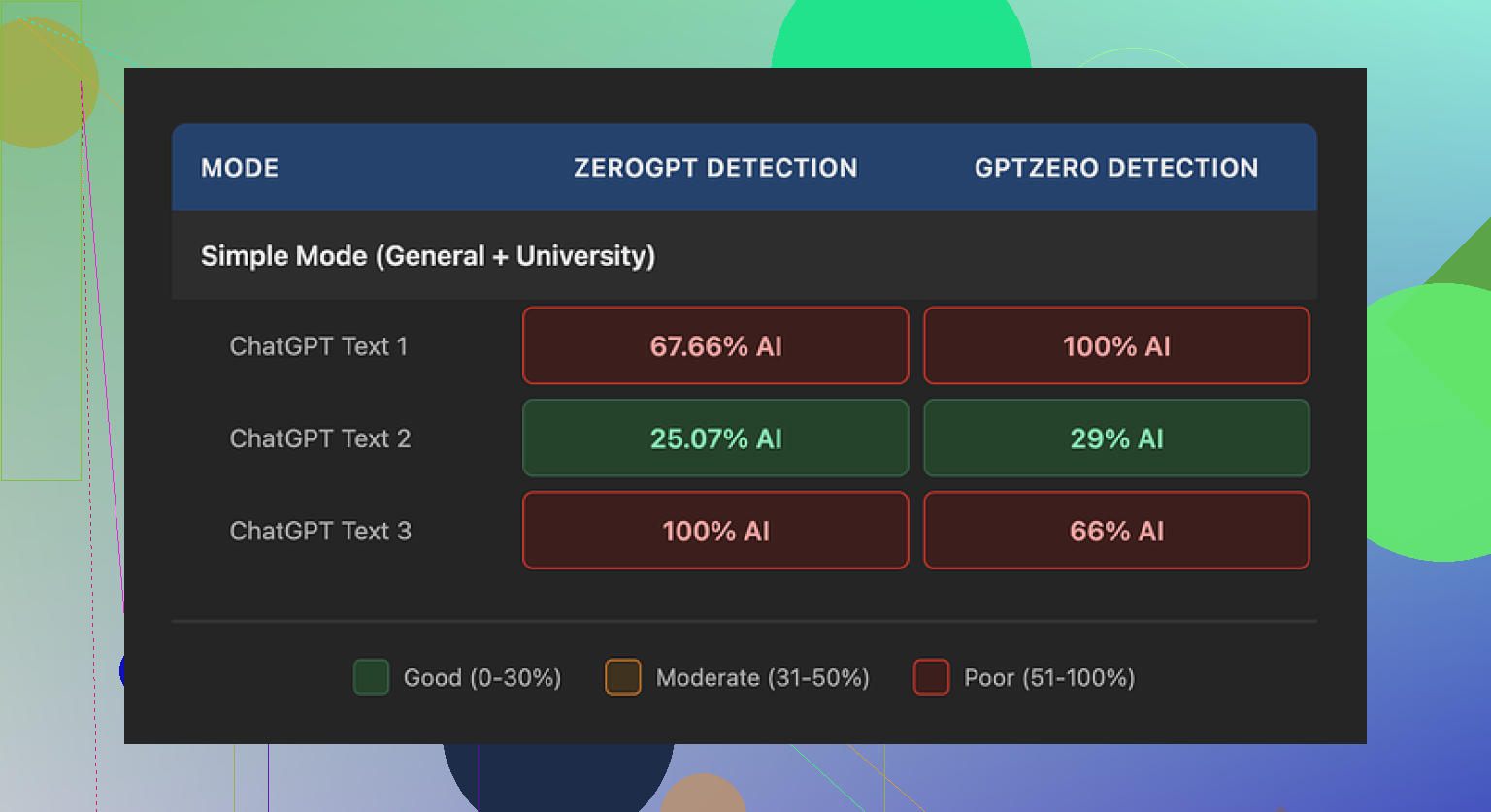
• One sample came back with 29% AI on GPTZero and 25% on ZeroGPT.
For a free humanizer, that is on the better side. Most of the free ones I tried sit closer to “obvious AI” territory.
• The other two samples went straight to 100% AI on at least one detector.
Same kind of original content, same mode, totally different scores. Felt random.
Walter Writes Detector Results Screenshot
Where it went weird for me
The scoring was not the only problem. The writing style looked off in a few specific ways.
Here are the patterns I kept noticing:
- Semicolon spam
It kept dropping semicolons in places where a normal writer would use a comma or a period.
Example pattern, not the exact text:
“Climate change affects many regions; it changes weather; it impacts crops.”
You read that and your brain goes, “Okay, a model did this.”
- Repeated filler terms
In one sample, the word “today” showed up four times in three sentences. It felt like:
“Today we see more storms today than before, and today’s climate is different from what we knew today.”
Nobody writes like that on purpose unless they are trying to fill some word quota.
- Overloaded parentheses
Another thing I noticed was constant parenthetical clarifications, like:
“Extreme weather events (e.g., storms, droughts) create challenges for communities (e.g., farmers, coastal residents).”
One of those is fine. Having this style repeat across the text in multiple places is a strong AI tell. The pattern felt consistent enough that detectors are probably trained on something similar.
Pricing and limits
This was the part that pushed me away from testing the paid tiers.
Here is the basic breakdown from what I saw on the site:
• Starter plan:
• Starts at 8 dollars per month if you pay annually
• Around 30,000 words per month
• Unlimited plan:
• About 26 dollars per month
• You get “unlimited” words on paper
• Each individual submission is capped at 2,000 words
So even on the highest tier you cannot drop a big report or a long article in one pass. You have to chop it into pieces and run them bit by bit. That is slow and also risks tone drift between chunks.
Free tier details:
• Total of 300 words, not 300 words per day or per month.
• After that, you are done unless you pay.
Refund and data handling
This is the part that made me close the billing tab.
The refund policy had strong wording about chargebacks, with talk of “legal action” if you try to dispute a payment. I do not know if they ever follow through, but that kind of tone for a small SaaS tool feels off.
On data retention, I did not see a clear, simple statement like:
“We delete your text after X days”
or
“We store your text for training” or “we do not.”
It felt vague enough that I would not feed it anything sensitive.
What worked better for me instead
During this whole rabbit hole, I ended up trying Clever AI Humanizer and had better luck.
My experience there:
• Output looked closer to how an unpolished human writes.
• It did not fall into the same repeated structures over and over.
• I did not pay anything to use it.
Link here:
If you want step by step help, someone posted a walkthrough on Reddit that I used early on:
Humanize AI (Reddit Tutorial)
There is also a separate Reddit post where someone reviewed Clever AI Humanizer specifically and shared their scores:
Clever Ai Humanizer Review on Reddit
Video review
If you prefer to watch how someone else tests tools, there is a YouTube review here:

How I would decide between them
If you are thinking about paying for Walter Writes AI, I would do this first:
- Use the free 300 words on content similar to what you plan to use it for.
- Run the output through at least two detectors, for example GPTZero and ZeroGPT.
- Check if the writing style is something you are comfortable editing.
- Read their refund and data policy slowly before adding a card.
If you are short on budget or just testing the waters, I would start with Clever AI Humanizer and see if the output passes your own eyeball test and whatever detectors you care about.
For me, Walter Writes AI felt inconsistent on scores, robotic in style, and a bit heavy-handed on the policy side. So I moved on.