My iPhone says storage is full even after I deleted a lot of photos, apps, and files. I already emptied Recently Deleted, but the system storage still seems high and I can’t install updates or save anything new. What could still be taking up space, and how do I actually free up iPhone memory?
I hit this on my own phone and the alert made no sense at first. I had already deleted a bunch of stuff, yet the 'iPhone Storage Full' message kept showing up. The part most people miss is simple. iOS is usually talking about storage space, not working memory.
What the alert is talking about
On iPhone, storage and RAM are two different things. RAM is for whatever is running right now. Storage is the phone's long term space, photos, videos, apps, downloads, message attachments, all of it. When iOS says the phone is full, it means storage.
Why deleting files often does nothing right away
This tripped me up too. In Photos, when you delete images or videos, they do not leave the device right then. They move into Recently Deleted and stay there for 30 days. So your phone still counts those files against storage until you remove them from there too.
What I did:
- Open Photos
- Go to Albums
- Scroll to Recently Deleted under Utilities
- Tap Select, then Delete All
Until you do that, the space has not come back. iOS keeps holding it.
Other spots where the missing space goes
Open Settings, then General, then iPhone Storage. Wait a bit. The colored graph needs a moment to settle. If you see a big chunk called System Data or Other, it is often cached junk, temp files, Siri voices, and app leftovers. I saw mine shrink after a restart, so yeah, sometimes the phone needs a nudge before it recounts things right.
A few places worth checking:
- Messages. In iPhone Storage, open Messages and check Review Large Attachments. Old videos in text threads pile up fast. Mine had a few huge clips I forgot about.
- Safari. Go to Settings, Safari, then Clear History and Website Data. This cleared a chunk on my phone.
- Apps you barely use. In iPhone Storage, try Offload Unused Apps. It removes the app itself but keeps your data for later.
One thing I would not trust
If you see a storage warning inside Safari, or while some random video page is open, and it has a countdown or says your SIM is damaged, ignore it. That is not an Apple alert. It is scam junk. A real storage notice shows up as a normal iOS system message or inside Settings. I would not press anything on those browser popups.
Where the built in tools fall short
Apple shows how much space each app uses, but not much more than that. You do not get a clean way to sort your photo library by biggest file size. You also do not get a solid view of near-duplicate shots unless you go hunting by hand, wich gets old fast.
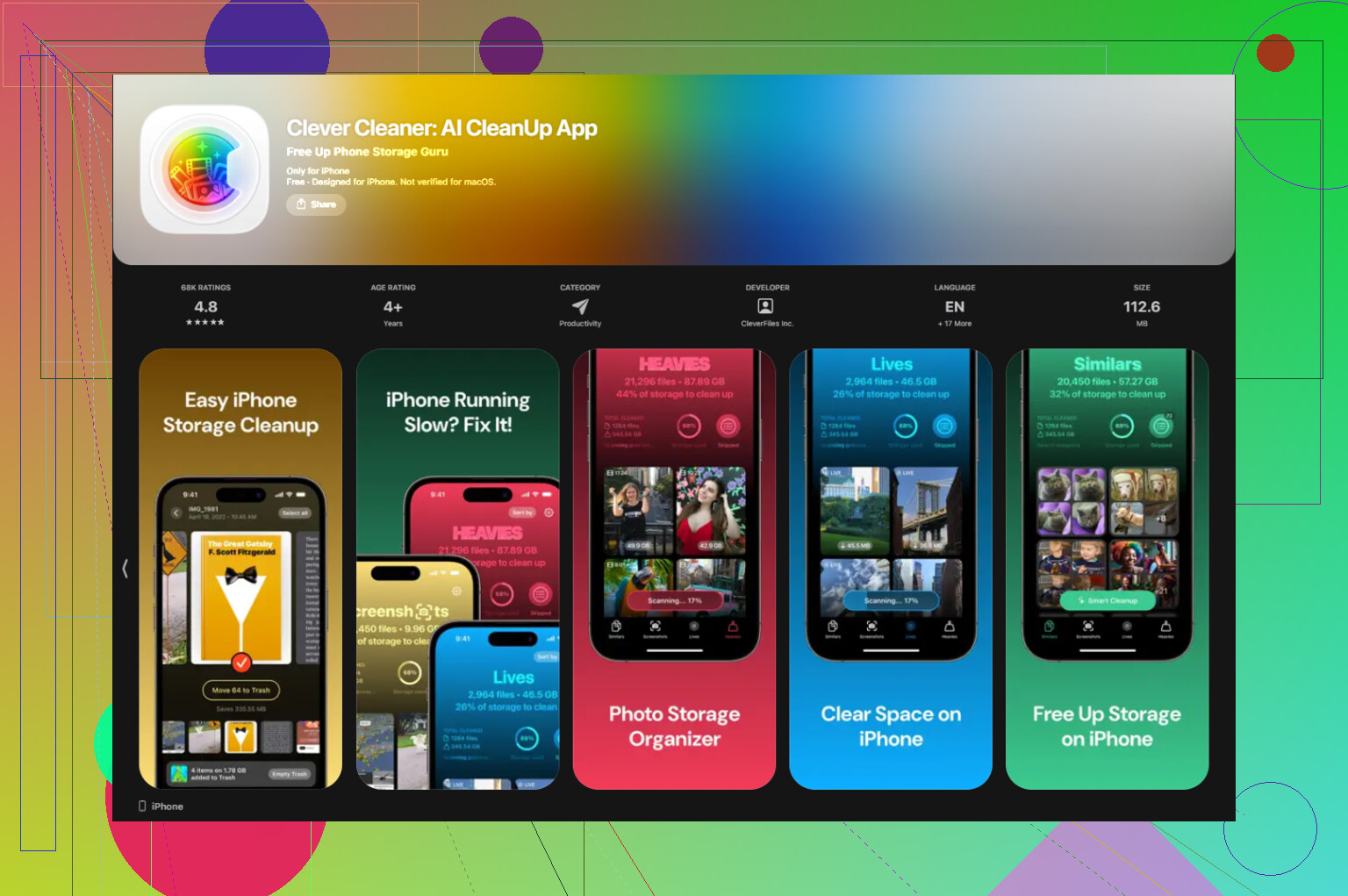
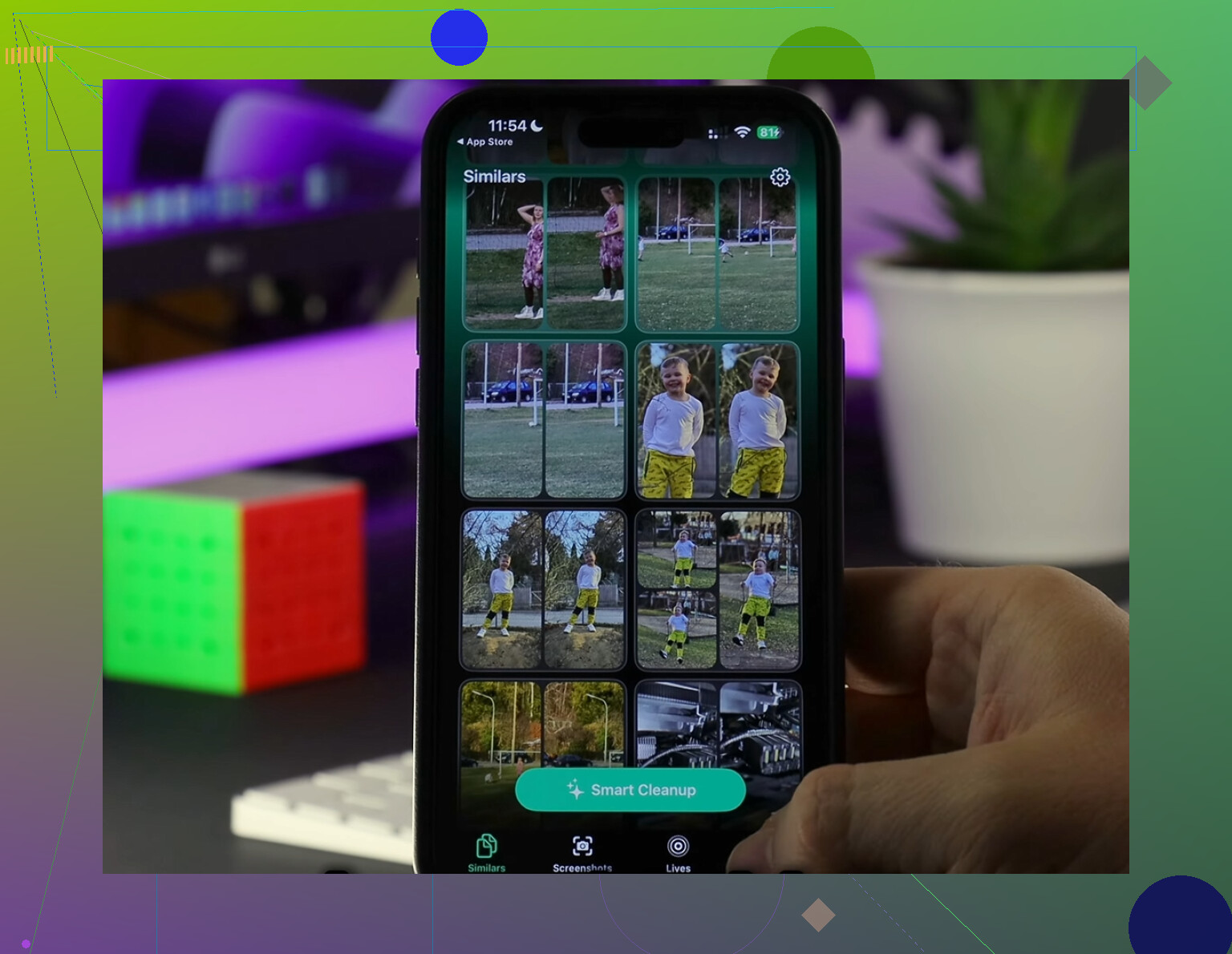
Clever Cleaner filled that gap better than I expected. It is free, no ads, no subscription wall. I used the Heavies section first, and it put the largest media files at the top right away, mostly 4K clips and screen recordings I forgot existed. The Similars section grouped near-matching photos together and marked one as the best pick, so I could clear repeated shots in batches instead of opening them one by one. It also shows file sizes before deletion, which I liked. Nothing I saw suggested uploads to some server. The cleanup stayed on-device.
After I cleared about 12GB there, then emptied Recently Deleted, the warning stopped coming back. My phone felt less sluggish too.
If the warning stays even when free space shows up
I have seen cases where Settings reports free storage, but the alert still hangs around. When that happens, it looks more like a sync or indexing bug than a real storage problem. The last thing I would try is a full backup to iCloud or a computer, then erase the phone, then restore from backup. It is annoying, yeah, but it forces iOS to recount everything from zero. For phantom storage issues, this tends to be the fix people land on after everything else fails.
If you already cleared Recently Deleted and storage still looks wrong, I’d look at stuff iOS hides badly.
First, check downloaded media inside apps. Netflix, Spotify, YouTube, Podcasts, Audible, Google Drive, Files, even Maps offline data. Those chunks get huge, and deleting the app does not always clear every cached file right away. Same with message apps like WhatsApp and Telegram. Their media folders eat gigs fast.
Second, Photos with iCloud turned on gets weird. If Optimize iPhone Storage is off, your phone keeps full copies. If it’s on, iOS still needs temp space for syncing and indexing. I’ve seen System Data stay bloated for a day or two after mass deletion. Annoying, but normal-ish.
Third, updates need breathing room. iOS often wants 5GB to 10GB free before installing. So if you freed 2GB, it still fails.
I slightly disagree with @mikeappsreviewer on restarts fixing much. Sometimes yes. Often no. What helped me more was deleting any old iOS update file in Settings, General, iPhone Storage, look for iOS update, then remove it and retry later.
If you want a faster way to find the biggest photo and video junk, Clever Cleaner is solid. It helps sort heavies and duplicates without the usual paywall junk. This review is useful too, see why Clever Cleaner is a truly free iPhone cleaner app.
If System Data stays huge for days, backup, erase, restore. Dumb fix, but it works more often then people want to admit.
What usually gets people here is that iPhone storage does not update in real time, and sometimes it lies a little before it catches up. I mostly agree with @mikeappsreviewer and @hoshikuzu, but I’d push one extra angle: sometimes the space is being held by background processes, not your actual files anymore.
A few things they didn’t really dig into:
- Mail app cache can get stupidly huge, especially with big attachments. If you use the built-in Mail app, removing and re-adding the account can clear a ton of hidden junk.
- Voice Memos keeps deleted recordings in its own recently deleted area too.
- Files app has its own trash, plus local “On My iPhone” folders that people forget exist.
- If you use iCloud Drive, Dropbox, or Google Drive, locally cached copies can still sit there after you think stuff is gone.
Also, “System Data” is often inflated by indexing after mass deletion. That can take hours, sometimes a full day. Not great, but kinda normal. I don’t totally buy the restart advice as a magic fix either. Sometimes it helps, sometimes it does basiclaly nothing.
What I’d do is:
- Check Files, Mail, Voice Memos, and offline downloads
- Leave the phone charging on Wi-Fi overnight
- Recheck storage the next day
- If it’s still broken, backup and restore
If you want to find giant photos/videos faster, Clever Cleaner is worth a look since it surfaces the biggest junk way faster than Apple does. Also, this step-by-step iPhone storage cleanup guide might help.
One angle I think @hoshikuzu, @espritlibre, and @mikeappsreviewer only partly covered: snapshots and logs.
If you use iCloud Backup, Finder, or old iTunes backups, failed backup temp files can linger. Also, analytics logs and crash logs sometimes stack up when an app goes nuts. Not usually massive, but on a nearly full phone they matter. Same for GarageBand, iMovie, and other Apple apps that quietly store project data inside the app container.
I also disagree a bit with the “just wait overnight” advice. Sometimes iOS does recalculate later, sure. Sometimes it never does until you force a change.
What I’d check that is less obvious:
- Settings > Privacy & Security > Analytics & Improvements > Analytics Data
- GarageBand, iMovie, Clips, Podcasts saved projects/downloads
- Books app downloaded PDFs and audiobooks
- Notes with big scans or attachments
- Third-party camera apps with private in-app galleries
If storage is bugged, try this weird fix:
- Start recording a 4K video until the phone says storage full
- Stop, then reboot
- Recheck storage
That sometimes forces iOS to flush temp space accounting.
If you want to cut through photo clutter faster, Clever Cleaner is useful. Pros: easy heavy-file spotting, duplicate cleanup, simpler than Apple’s tools. Cons: still mainly a media cleaner, so it will not fix broken system storage by itself, and you should review suggestions before deleting anything.
So yeah, deleted stuff is only part of the story. Hidden app data, cached projects, and bad storage accounting are usually the real culprit.