I’m trying to access a USB-only device remotely over the internet using either Tailscale or plain WireGuard as the VPN layer. I’d like the remote USB device to show up as if it were plugged directly into my local machine, mainly for a legacy app that only works with local USB. Has anyone set up a stable “USB over VPN” workflow like this, and what tools, configs, or pitfalls should I know about (latency, bandwidth, security, OS compatibility, etc.)? I’m looking for something I can leave running long term without constant manual fixes.
Short answer. Yes, you can make a USB only device work over Tailscale or WireGuard, but not by VPN alone. You need USB over IP software on top.
Think of it like this.
Tailscale or WireGuard gives you a secure Layer 3 network.
Your USB gadget needs something that speaks USB over TCP.
Typical setup:
-
On the remote side
• Plug the USB device into a machine that runs a USB over network server.
• That host is part of your VPN (Tailscale or WireGuard).
• It shares the USB port over TCP to a specific IP and port. -
On your local side
• Your PC joins the same VPN.
• Run the USB over network client.
• It connects to the remote host IP (the VPN address) and maps the device.
• The OS sees it as if it is plugged in locally.
Tools that work well:
• USB Network Gate
Cross platform, supports Windows, macOS, Linux.
Lets you share a USB device on the remote machine and connect from your local machine.
Works fine over VPN if you point it at the remote VPN IP.
Good when the USB device is picky, like some dongles or industrial gear.
• Linux only options
• usbip (in the kernel, but a bit finicky, and latency sensitive).
• Some people use it over WireGuard and it works for simple devices like HID or basic serial.
• Other third party USB over IP tools
They all follow the same pattern.
Server side software exposes the device, client software mounts it.
Things to watch out for:
• Latency
USB protocols expect low latency and steady timing.
Over the internet with 50 to 100 ms latency, webcams, sound cards, or high speed storage perform badly or fail.
Simple devices like dongles, serial converters, printers, barcode scanners often work fine.
• Bandwidth
High speed USB traffic over a VPN link eats bandwidth.
If the device streams data (video, audio), performance drops hard over slow links.
• Tailscale vs raw WireGuard
Both behave the same for this use.
Your USB software simply targets the VPN IP of the remote host.
Tailscale gives easier mesh networking and NAT traversal, which helps if both sides sit behind routers.
• Security
Treat USB over IP like exposing a raw device.
Limit who can reach the server IP and port inside the VPN.
Do not open it to the public internet.
Example working setup:
Remote:
• Raspberry Pi with WireGuard or Tailscale.
• USB Network Gate server installed.
• USB dongle or instrument plugged into the Pi.
• Pi shares that specific USB port.
Local:
• Laptop on Tailscale or WireGuard.
• USB Network Gate client installed.
• Connect to the Pi VPN IP, select shared device.
• Laptop sees the dongle as local. License software runs fine.
If you want a simple USB over IP VPN solution that plays nicely with Tailscale or WireGuard and hides most of the messy parts, USB Network Gate is one of the easiest options to start with.
For more detail on getting USB devices working through a VPN tunnel and what setups are stable, this guide helps a lot:
USB over VPN for stable remote device access
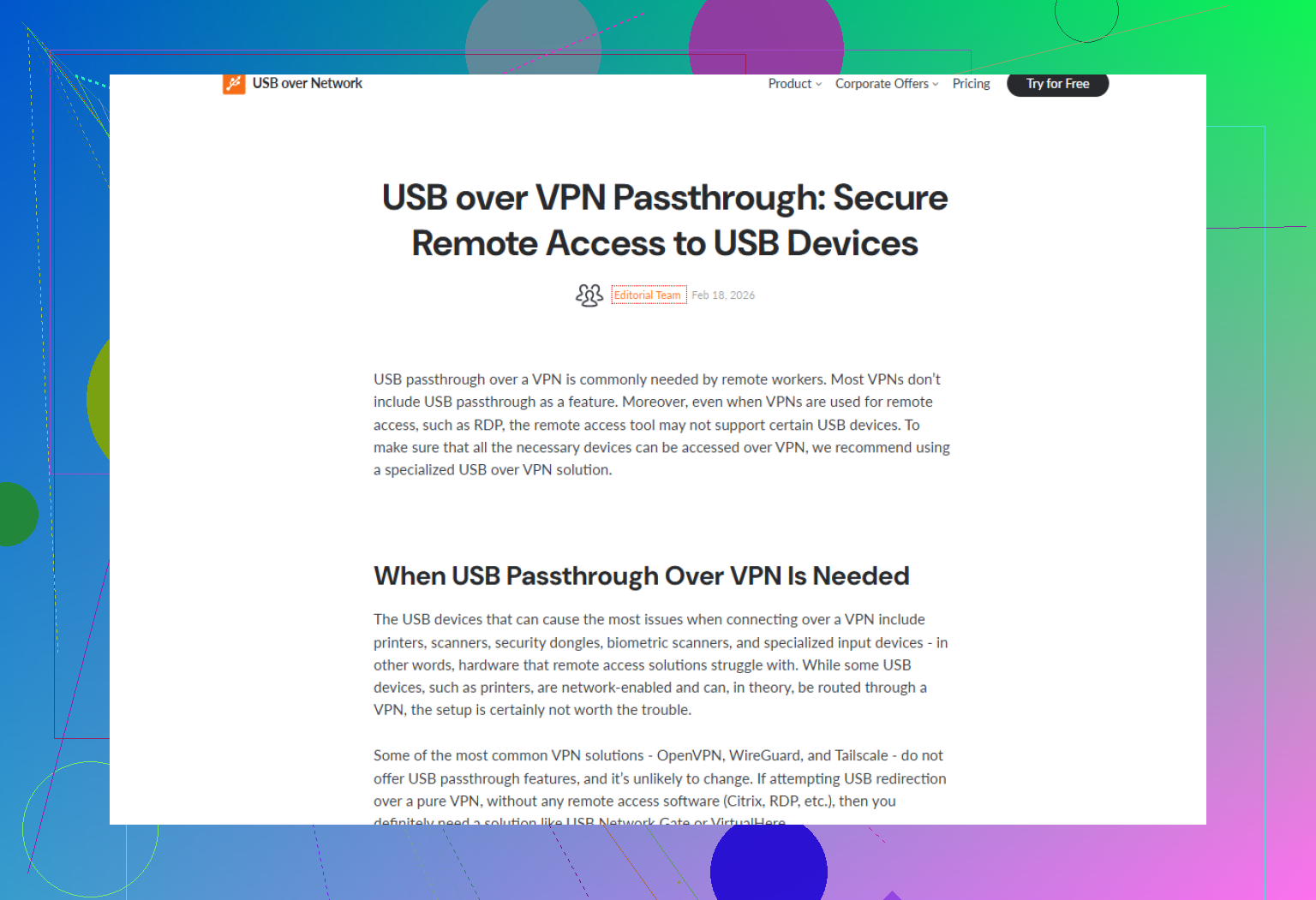
Short version: VPN alone is not enough, but you can get “USB over VPN” working with Tailscale or WireGuard if you layer the right USB-over-IP solution on top.
@sognonotturno already covered the classic “USB server + USB client over VPN” pattern and mentioned USB Network Gate, usbip, etc. I mostly agree, but I’d add a few twists and a couple of caveats where I’m a bit less optimistic than they are.
1. VPN ≠ USB tunnel
Tailscale / WireGuard only give you IP connectivity. They do not magically forward raw USB packets. So yeah, you must have something in the middle that:
- On the remote host:
- Talks to the USB device locally
- Encapsulates the USB traffic in TCP or a similar protocol
- On your local machine:
- Receives that traffic
- Presents a “virtual USB controller / device” to your OS
Without that extra layer, no VPN will ever make the device appear as if it’s truly local.
2. Where I slightly disagree
Some people say “it works fine for simple devices” like that’s a guarantee. That’s optimistic.
You really have three axes that can bite you:
-
Protocol chatter & latency sensitivity
- License dongles, HID, basic serial usually survive 30–80 ms of latency.
- Some “simple” USB devices still use very chatty control transfers and get flaky once RTT jumps.
-
Driver quirks
- Windows drivers in particular can be super picky.
- If the USB-over-IP tool doesn’t fully emulate what the driver expects, you get random disconnects or “device malfunctioned” errors.
-
Error recovery
- On a noisy WAN link, if the USB bridge software doesn’t handle packet loss gracefully, the whole device can drop and re-enumerate at the worst time.
So: “works” is often true, “works reliably for production use” is a different bar.
3. Tooling, with a different angle
Instead of repeating the same list, here’s how I’d choose between the options.
A. “I just want this to work and not be my new hobby”
Use USB Network Gate. Yeah, it’s commercial, but:
- It handles the USB-over-TCP translation in a way that plays nice with most OS drivers.
- It tends to be less brittle on Windows compared to totally DIY setups.
- It works nicely over Tailscale or WireGuard:
- Remote host runs the USB Network Gate server
- Local host runs the client
- You point the client at the VPN IP, not the public IP
If you’re trying to make a license dongle or proprietary industrial widget usable over the internet, this is the practical choice. You care more about it not breaking in the middle of the day than about shaving 3 ms of latency.
If you want to grab it, check out
get USB Network Gate for remote USB device sharing
and pick the build for your OS.
B. “I’m on Linux and enjoy pain / tinkering”
You can go with usbip or similar kernel-level options:
- Pros:
- Native to Linux
- Can be very efficient
- Cons:
- Awkward tooling, weird errors
- Sensitive to latency and packet loss
- Debugging is… not fun
Over Tailscale or WireGuard it’s still just IP traffic, so in theory it’s fine. In practice, I’d only trust it for:
- USB serial adapters
- Simple HID-style stuff
- Low-traffic control interfaces
Try it for webcams or storage over a longer-latency link and you’ll probably regret your life choices.
4. Tailscale vs WireGuard in this context
Here they’re honestly almost identical from the USB layer’s POV:
- USB-over-IP traffic just goes to the VPN IP
- Both give you encrypted tunnels at Layer 3
- Performance is roughly comparable
Where I’d push back a bit on the usual take:
- Tailscale is very nice if you hate dealing with static IPs, firewalls, and port forwarding. Its NAT traversal tends to “just work”, especially if both ends are behind routers you do not fully control.
- Plain WireGuard is better if you want:
- Full manual control
- No external coordination service
- Tight, minimal footprint on something like tiny embedded Linux boxes
For a USB bridge, if you plan to manage more than 2 or 3 machines, Tailscale’s convenience starts to matter more than any theoretical micro-gain from raw WireGuard.
5. What typically works well vs badly
Realistically:
Often works OK:
- License dongles
- USB serial adapters
- Barcode scanners
- Simple printers
- Measurement instruments that send small bursts
Often painful or disappointing:
- Webcams
- USB audio interfaces
- High-speed storage
- Anything isochronous / heavily real-time
Your “I want it to look like it’s plugged in locally” wish is conceptually right, but physics and TCP don’t care about wishes. Over a 60–100 ms internet link, some USB protocols are just not happy, even if the software is perfect.
6. Concrete layout that tends to be stable
Different from the earlier example, here’s how I’d actually deploy this long-term:
-
Remote side
- Small Linux box (Pi, Intel NUC, whatever) physically next to the USB device
- Runs:
- Tailscale or WireGuard
- USB Network Gate server
- That box is dedicated to a few USB devices so OS updates and random reboots don’t mess with production gear
-
Local side
- Main workstation or laptop
- Runs:
- Same VPN client
- USB Network Gate client
- You connect to the remote box’s VPN IP, map the device, and let your normal app use it
Treat the “USB host box” like an appliance. Once it’s stable, do not constantly tinker with it.
7. Bottom line
- Yes, you can absolutely work with a USB-only device over Tailscale or WireGuard.
- No, the VPN alone will not do it; you need a USB-over-IP layer.
- For something you rely on, especially on Windows, using USB Network Gate over the VPN is usually the least painful route.
- Expect good results for low-bandwidth, low-real-time devices; be very skeptical about real-time or high-throughput devices over a typical internet link.
VPN can absolutely be part of this, but it is just plumbing. The real trick is choosing how to virtualize USB on top of it, and that’s where I slightly diverge from what @sognonotturno outlined.
1. You have two architectural choices
A. USB-over-IP that mimics “real” USB
This is the approach @sognonotturno focused on and is what gives you the “shows up like it’s plugged in” experience.
Typical pattern:
- Remote box:
- Physically connected to the USB gadget
- Runs something that exports the device over TCP
- Local box:
- Runs a client that:
- Receives that TCP stream
- Creates a virtual USB device / controller that the OS treats as local
- Runs a client that:
VPN (Tailscale or WireGuard) is just the secure pipe those TCP packets go through.
B. Protocol-level forwarding instead of USB-level forwarding
This is where I disagree a bit with the general “always use USB-over-IP” push.
If the device ultimately exposes a higher level protocol (serial, GPIB-over-USB, a vendor API over a COM port, etc.), then:
- Forward that protocol, not USB itself:
- Expose a remote serial device via
socat,ser2net, or a custom daemon - For instruments: use the vendor’s TCP-friendly protocol directly if available
- Expose a remote serial device via
Advantages:
- Less sensitive to USB quirks
- Often more resilient to latency
- Easier to debug with generic tools (tcpdump, Wireshark, telnet)
Drawback:
- You lose the “OS thinks it’s a generic USB device” illusion
- Apps that hard-require a specific USB VID/PID or driver may not work
If your device is essentially just a USB-serial adapter or something that shows up as a COM port, I would not start with USB-over-IP. I’d tunnel the serial protocol via VPN and only drop down to USB-level solutions if that path fails.
2. USB Network Gate vs DIY / open tools
I agree with @sognonotturno that USB Network Gate is the pragmatic choice for many setups, but it is not magic and it is not the only sane option.
USB Network Gate: pros
- Cross platform:
- Windows, macOS, Linux, some server flavors
- Relatively smooth with cranky Windows drivers
- Nice for “business-critical license dongle” use cases
- Plays fine over Tailscale and WireGuard:
- Just point the client at the VPN IP of the remote host
- Reasonable at handling random NAT / firewall situations when used together with a VPN
USB Network Gate: cons
- Paid software:
- Licensing can get annoying if you have many endpoints or dynamic environments
- Closed source:
- You cannot easily debug weird fringe issues
- No patching or customizing behavior for oddball hardware
- Still constrained by physics:
- High RTT or jitter internet links will break some device classes no matter how polished the product
Use it when:
- You have to support Windows hosts
- You care about stability more than “pure FOSS”
- The device is nontrivial (dongles, specialized instruments, printers with ugly drivers)
Skip it and go with native tooling when:
- Everything is Linux
- The device is simple (HID, serial, low-traffic control)
- You’re comfortable with
usbip,vhci-hcd, and debugging kernel logs
3. Latency & reliability: where things actually break
I am a bit more pessimistic than some “it works fine for simple stuff” claims:
- Over ~50–80 ms RTT:
- Control-heavy devices start acting weird
- Over unstable Wi Fi or congested links:
- USB-over-IP sessions can drop and cause the device to re-enumerate mid use
That is not a VPN issue. It is a combination of:
- How USB-over-IP software retries and recovers
- How finicky the device driver is about short hiccups
Because of this, I would strongly avoid:
- Webcams
- Real time audio
- High speed storage
over USB-over-IP, regardless of whether you use USB Network Gate, usbip, or something else, especially if the path is “real internet” and not a low-latency private WAN.
4. Tailscale vs WireGuard: subtle differences in practice
Technically:
- Both provide encrypted IP tunnels
- To your USB tooling, they look identical:
- You connect client → server via a private IP
Practically:
- Tailscale:
- Great if you cannot or do not want to manage port forwarding and static IPs
- Auto mesh, easy ACLs, quick to onboard multiple users and machines
- Plain WireGuard:
- Better for minimal embedded boxes where you want:
- No external coordination service
- Fully deterministic config
- Very tight resource usage
- Better for minimal embedded boxes where you want:
I tend to pick:
- Tailscale when hanging random laptops, desktops, and small Linux boxes together with minimal human babysitting
- WireGuard when building a controlled, small number of peers where I own the routers and IP plan
In both cases, USB-over-IP just works on top, so the choice is really about your network management tolerance.
5. What I’d actually deploy, with a twist
For a long term, low pain setup:
- Put a small machine directly next to the USB device:
- Raspberry Pi / NUC / small industrial PC
- Connect the device to that box only
- On that box:
- Run Tailscale or WireGuard
- First choice:
- If the device is serial or HID-like:
- Expose it as TCP (ser2net / custom daemon)
- If the device is serial or HID-like:
- Fallback:
- If you need full USB semantics:
- Use USB Network Gate or
usbipdepending on OS / budget
- Use USB Network Gate or
- If you need full USB semantics:
- On your workstation:
- Also run the VPN
- Connect to:
- The TCP service for protocol-level forwarding, or
- The USB Network Gate client for full USB virtualization
Critical point where I differ a bit from the “just use USB-over-IP” mindset: always ask if you can lift the abstraction one layer up. Life is usually easier when your network is forwarding “serial over TCP” instead of pretending the internet is a USB cable.
6. Device types: sanity check before you commit
Good candidates for USB-over-VPN with USB Network Gate or similar:
- License dongles
- USB serial converters
- Barcode scanners
- Low-traffic test equipment
- Some printers and labelers
Bad / risky candidates:
- Webcams and capture devices
- Low-latency audio interfaces
- External SSDs or HDDs
- Anything that relies on isochronous transfers
If you’re in the first category, running USB Network Gate over Tailscale or WireGuard is a very reasonable, relatively boring solution. If you are in the second category, consider different hardware or a redesign. VPNs and USB bridges cannot fight latency and jitter forever.