I’m trying to choose between Leonardo AI and Eltima AI Headshot Generator for generating professional headshots for my portfolio and social media profiles. I’ve tested both, but I’m getting mixed results in terms of realism, consistency, and price. Can anyone share real-world experiences, pros and cons, and which one you’d trust for client-facing images?
If you’re torn between Eltima AI Headshot Generator and Leonardo AI, the question is not “which is better,” it’s “what do you need the pictures for.”
I went through both. One feels like a headshot tool that happens to use AI. The other feels like an art machine that you can try to bend into doing portraits of yourself.
Eltima AI Headshot Generator is the first type.
Eltima AI Headshot Generator – made for photos of you
https://apps.apple.com/us/app/eltima-ai-headshot-generator/id6746581022
Eltima AI Headshot Generator is built around your face, not around prompts.
You feed it a bunch of selfies, it builds a model of your face in the background, then you pick scenes and styles and it keeps your identity pretty stable across all of them. You do not sit there juggling long prompt strings trying to “coax” your own nose into existence.
Youtube walkthrough:

What stood out when I tried it:
-
It needs multiple selfies of you
The more variety you give it (angles, lighting, different shirts), the better it locks on to your features. If you upload 5 nearly identical bathroom selfies, the output looks worse. With 15 to 20 mixed shots, the resemblance gets a lot closer. -
Templates and scenes instead of prompts
You pick from stuff like “corporate studio”, “tech office”, “lifestyle outdoor”, “city street”, “casual indoors”, etc. No prompt engineering.
Good if you hate typing paragraphs into a prompt box and then getting a guy who looks like your cousin instead of you. -
Different formats and styles
You can get 1:1, 4:5, 16:9 type crops, so you do not have to crop LinkedIn photos manually. I used square for Slack, vertical for job platforms, wider shots for site team pages. -
Studio-style portraits without booking anything
The “studio” setups look like someone paid for a photographer and a backdrop. Light, depth of field, outfit tweaks. That kind of thing would usually cost you a session.
Not photojournalism quality, but more than enough for work profiles.
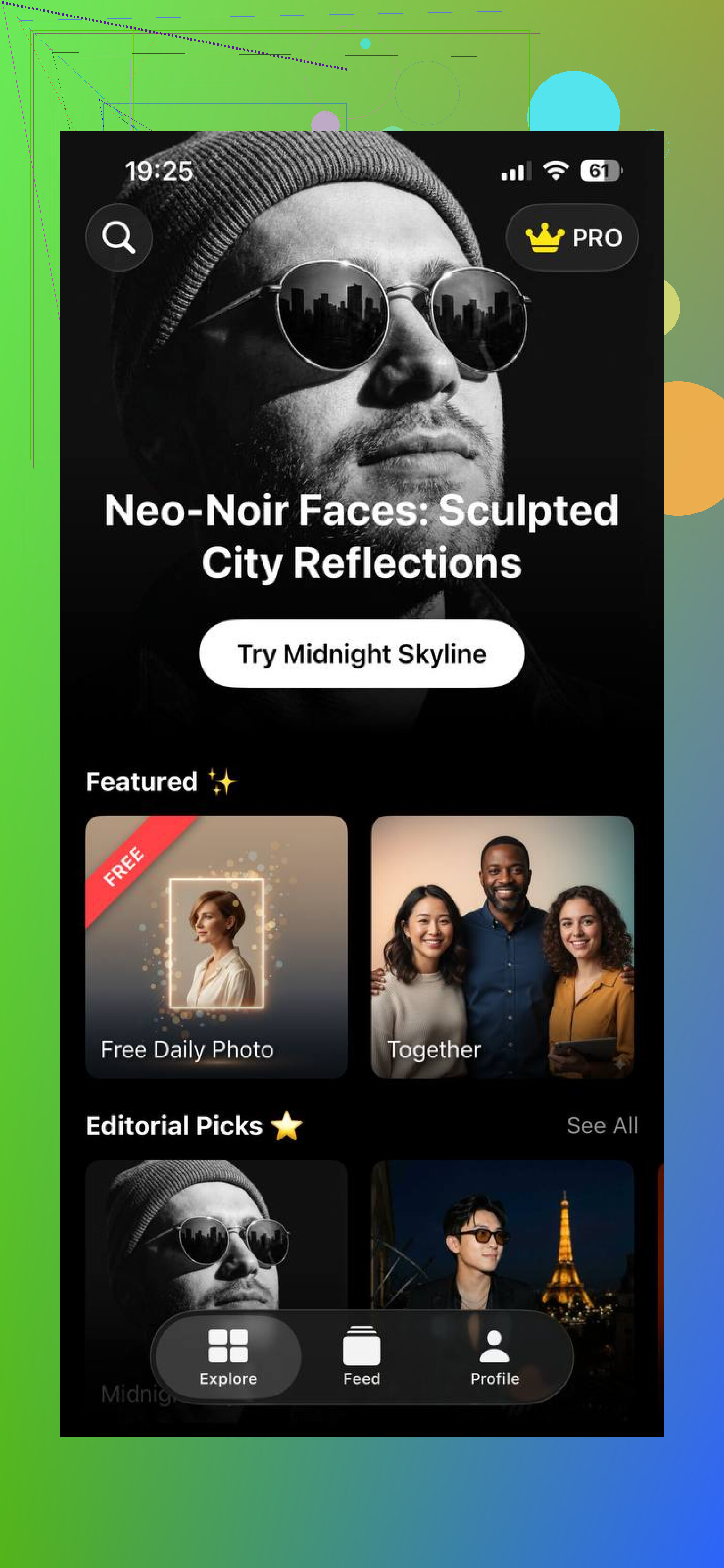
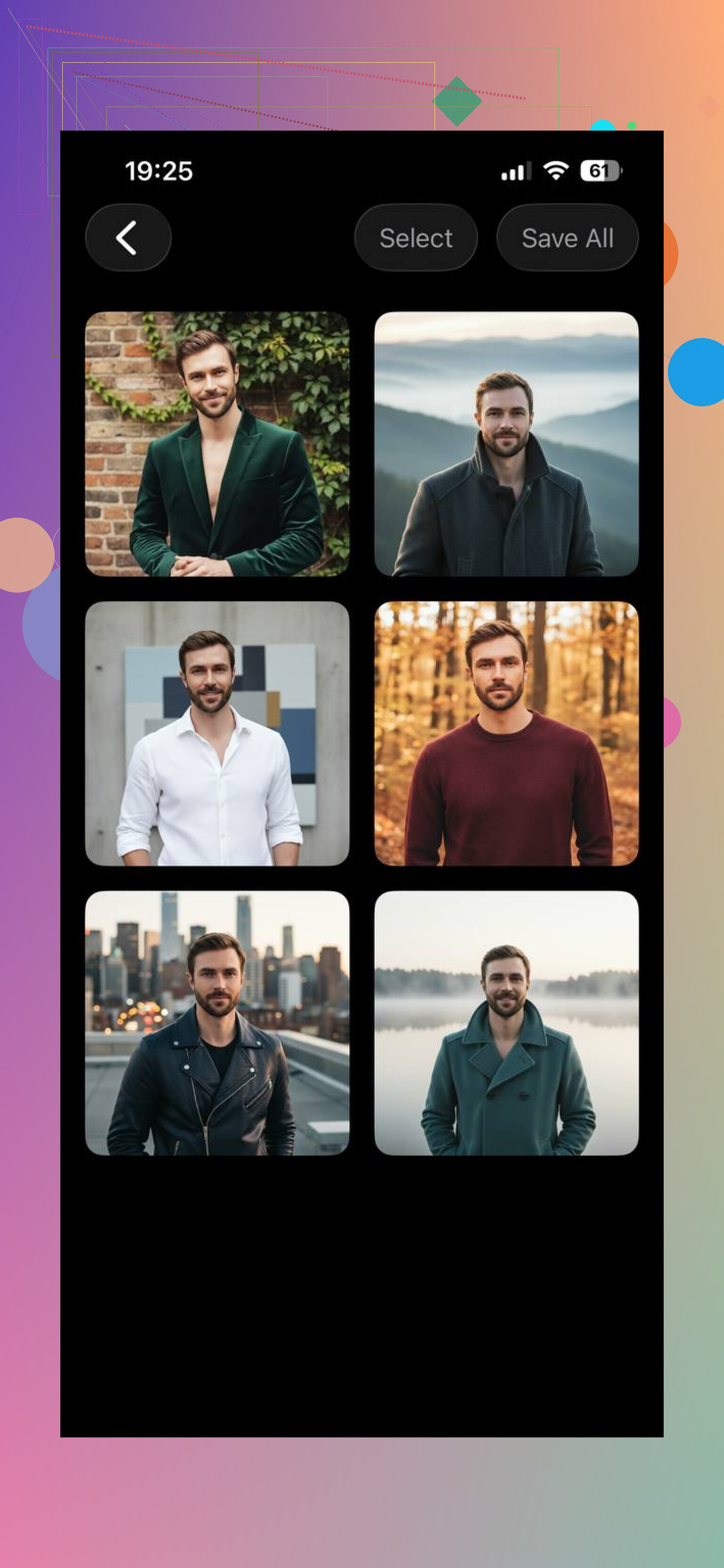
The important bit is the training step on your selfies. That is what makes specialized headshot tools feel consistent. You get “this is me in different outfits and settings”, rather than “sometimes this resembles me, sometimes it is a stranger with my haircut.”
On top of that, there are themed packs. I saw:
- Lifestyle looks
- Travel or outdoors settings
- More urban or city-type scenes
- A few more formal “office” versions
So if you want one clean LinkedIn shot plus some more relaxed social media versions, you do not need to start over. Same face, different vibe.
From skimming user threads and my own run with it, the pattern is pretty clear. Tools built around face accuracy tend to give more usable outputs for profiles. The more general art tools do interesting stuff, but they miss your likeness often enough that you stop trusting them for serious use.
Leonardo AI – strong for art, not aimed at real headshots
Leonardo AI is fun if you like messing with prompts and tweaking visual styles. The whole thing is built around text, models, and styles, not your actual face.
Here are the examples from the original post:
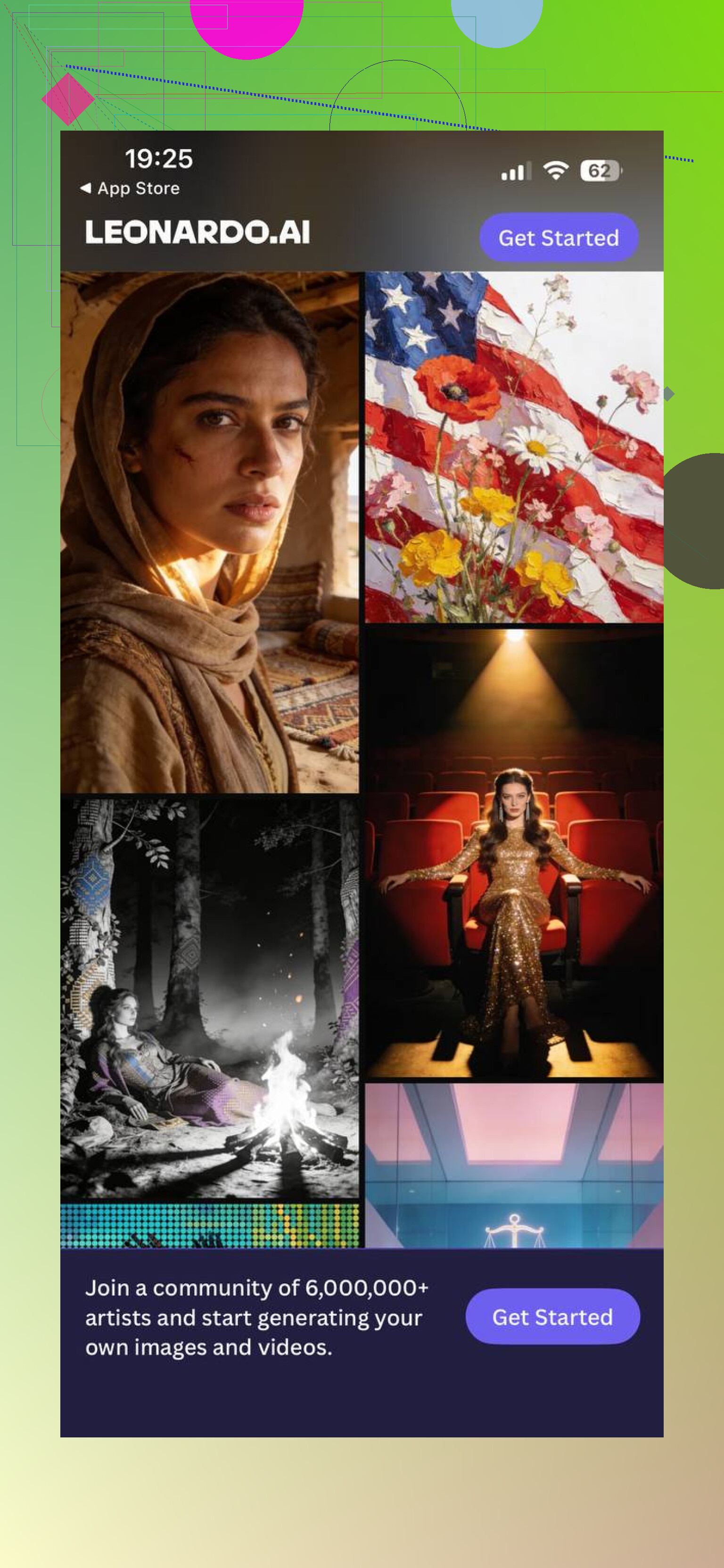
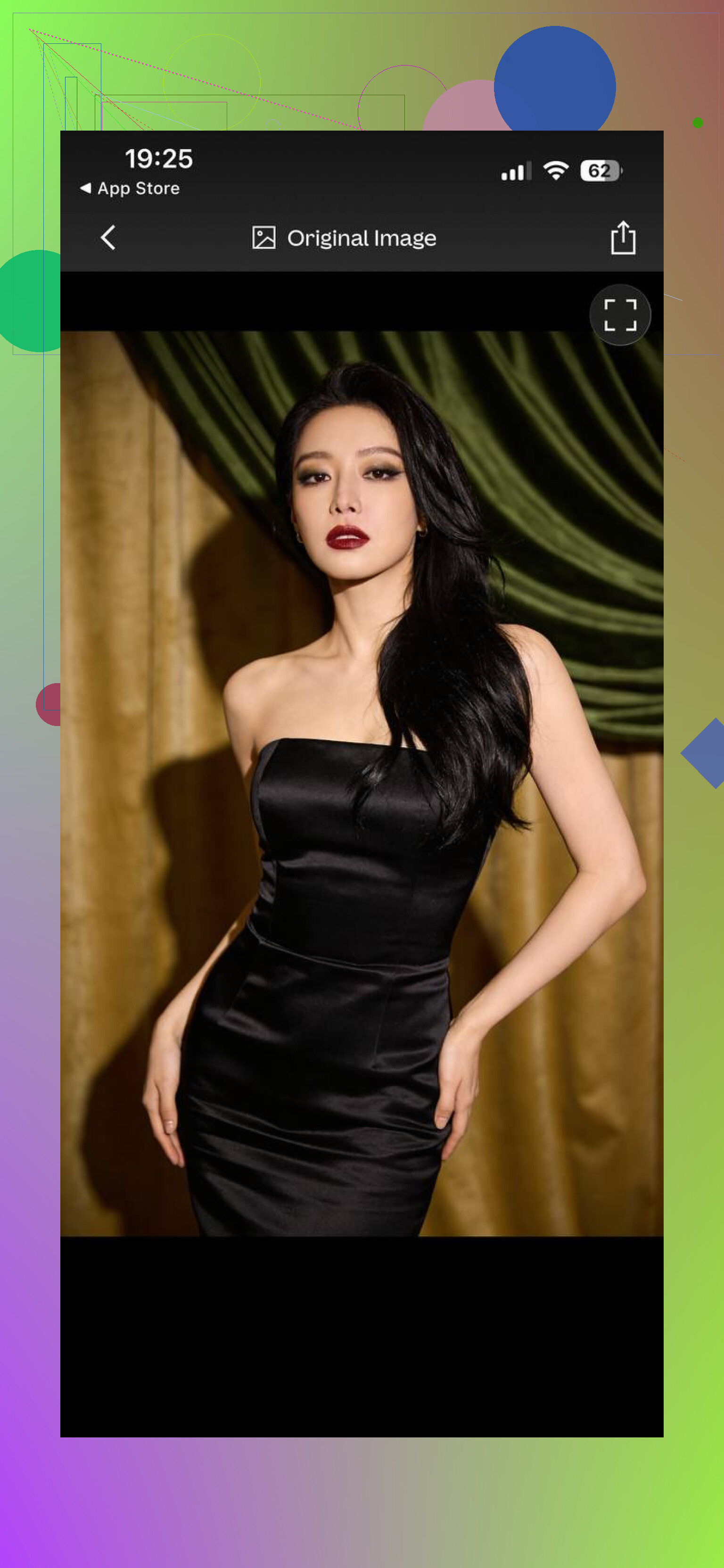
How it works in practice:
- You describe what you want, in text
- You pick a model or style preset
- You iterate and re-generate until you like it
This is great for:
- Concept art
- Stylized portraits
- Thumbnails and banners
- Marketing visuals
- Fantasy or sci-fi characters
It is not tuned for:
- Keeping your actual face identical across many images
- Building a private model out of your selfies as the core flow
You can try to “force” it to do so. For example, upload a reference, add lots of detail in the prompt, play with weights. It still takes trial and error, and even then your face might shift a bit between outputs. Sometimes the eyes change, sometimes the jawline, sometimes it ages you 10 years.
It also needs an account and login before you generate images, which some people do not like for quick one-off tasks.
If you want:
- Fantasy characters of “you as a mage”
- Anime version of yourself
- Cool poster-like avatars
Leonardo works alright.
If you want:
- LinkedIn headshot
- CV or resume portrait
- A clean, realistic personal photo for job applications or your own site
You will likely waste more time adjusting prompts and re-running generations, and still not get a stable likeness across multiple shots.
What people usually miss in this comparison
Most of the “which is better” debate ignores the actual purpose of the tools.
They are built with different goals.
- Eltima AI Headshot Generator is aimed at realistic personal photos you can use in professional or semi-professional contexts.
- Leonardo AI is aimed at creative image generation, variety of styles, and art tasks.
When you look at them only through the “headshot” lens, tools like Eltima tend to win because they put face accuracy at the center of the process. The training on your own selfies is not a gimmick. It is the whole point.
If your goal is art, neat textures, stylized posters, or heavily edited portraits, then the flexibility of something like Leonardo matters more and the face mismatch is not a big deal.
What I would pick for different use cases
For creative work:
- Custom thumbnails
- Stylized portraits for content
- Fantasy or sci-fi characters
- Experimental visuals for marketing
I would lean Leonardo. It lets you iterate, switch models, and treat images as a playground.
For realistic self images:
- LinkedIn profile
- Resume or CV
- Team page on a company website
- “Real person” photo on a portfolio or personal brand page
I would go with Eltima AI Headshot Generator:
My main difference in day to day use:
With Leonardo, I kept typing, tweaking, regenerating, and rejecting outputs. Half the time I got nice images that did not look like me. The other half, the lighting or framing was not suitable for anything formal.
With Eltima AI Headshot Generator, I dumped a pack of selfies, waited for the model setup, then clicked through styles. Output was not perfect on every shot, but a bunch of them were good enough for immediate use. No long prompt strings, no twenty failed attempts to fix my chin.
So if your goal is a headshot that your coworkers and hiring managers recognize, Eltima AI Headshot Generator fits the job better.
I’d pick based on how “real” you need the shots to look and how much time you want to babysit the process.
Quick take:
• For LinkedIn, CV, portfolio “this is my face” shots → Eltima AI Headshot Generator
• For stylized, creative or semi‑cartoony portraits → Leonardo
You said you are getting mixed results on realism, so here is where I think they differ in a useful way, without rehashing what @mikeappsreviewer already covered.
- Consistency of your face
Eltima AI Headshot Generator
• Trains on your selfies, so once it locks on, your nose, jaw, eyes stay close across a batch.
• Good if you need 10 to 20 usable images with the same identity.
• If your results look off, the fix is usually: upload more varied selfies, remove low‑quality ones, avoid sunglasses and heavy filters.
Leonardo
• Even with a reference image and prompts, your face tends to “drift” between generations.
• Good for one cool profile picture, not great when you want a matching set.
• To tighten likeness, you need prompt tweaks, style changes, image strength sliders, etc. Time sink.
If you want speed and consistency, Eltima AI Headshot Generator wins here. If you enjoy tweaking, Leonardo is workable but fiddly.
- Realism and “hire‑able” look
Eltima AI Headshot Generator
• Tends to produce cleaner, more “corporate photographer” style shots.
• Backgrounds, lighting, posing look a bit curated, which is exactly what recruiters expect.
• Weak spot: sometimes skin looks too smooth or teeth too perfect. You might need to toss 20 to 30 percent of outputs.
Leonardo
• Strong at stylized looks, punchy colors, more dramatic lighting.
• For strict professional use, it is easy to slip into “AI art” territory where people notice.
• You can get realistic results, but it takes trial and error and some prompt skill.
If you are updating LinkedIn and portfolio for hiring managers, I’d trust Eltima more.
- Control vs effort
Eltima AI Headshot Generator
• Low effort. Upload, wait, pick styles, export.
• Less control over micro‑details. If you dislike the haircut or outfit in a template, you mostly regenerate or try another pack.
• Good if you want to be done in under an hour.
Leonardo
• High control if you know what words to use.
• You can define outfits, accessories, background context, mood.
• Cost is time. You end up in a prompt‑tweak‑reroll loop. Great for creative projects, not so great if you are tired and just need a decent headshot tonight.
Here I slightly disagree with @mikeappsreviewer on one thing. If you do want a hybrid look like “professional but a bit stylized” for social media banners, Leonardo can make nicer, more branded visuals. But I would still pair it with at least one Eltima headshot for the formal stuff.
- How I’d split your use case
You mentioned “portfolio and social media profiles.” I’d treat those differently.
For portfolio and LinkedIn style profiles
• Run Eltima AI Headshot Generator with a few selfies, mix clothing, background, and lighting.
• Toss any output where the eyes look weird or the smile feels off.
• Pick 1 to 3 neutral shots for CV, personal site, LinkedIn.
For social media
Here I would not lock myself to one tool.
Option A, safe:
• Use the same Eltima AI Headshot Generator headshot everywhere for recognizability.
• Crop differently for Instagram, Twitter, etc.
Option B, more fun:
• Use one Eltima AI Headshot Generator image for “serious” places, like LinkedIn and portfolio.
• Use Leonardo to create more stylized portraits for banners, YouTube thumbnails, or casual profiles. Feed it your Eltima headshot as a reference and say something like “professional portrait of the same person, subtle stylized lighting, still realistic”.
- If your Eltima AI Headshot Generator tests were weak
Since you already tried both and got mixed results, I’d tweak the Eltima side first before giving up on it:
• Remove any blurry, low light, or heavily filtered selfies from the training set.
• Include side angles and slightly different expressions.
• Try a mix of casual and slightly dressed up selfies.
• Re‑run the training.
• Stick to the more neutral packs first, then branch into travel or lifestyle.
If after a second run Eltima AI Headshot Generator still fails to keep your likeness, then it is fair to lean more on Leonardo with a custom workflow. But for most users who are not into prompt engineering, Eltima AI Headshot Generator is the more practical choice for professional headshots.
TLDR
If your priority is “people recognize me and I look employable,” pick Eltima AI Headshot Generator as your main tool and use Leonardo as an extra for creative social media stuff.
If your main goal is “professional headshots people actually recognize as you,” pick Eltima AI Headshot Generator as the default and treat Leonardo as a side tool, not a 50/50 choice.
I’m mostly on the same page as @mikeappsreviewer and @andarilhonoturno, but I’d frame it a bit more bluntly:
-
For LinkedIn / CV / portfolio:
Leonardo is overkill in the wrong direction. It’s like bringing a 3D game engine to crop a passport photo. You can get a good shot, but you’ll burn time on prompts and still have that “AI art” vibe pop up in small ways: slightly odd skin, lighting that screams “model card,” or your face subtly changing each reroll. -
For consistent identity across 5–20 images:
This is where specialized headshot tools exist for a reason. Eltima AI Headshot Generator is built around your likeness, which is exactly what you want for a portfolio set. If it’s already giving you some good matches, that’s a signal to tune your inputs, not jump ship.
Where I slightly disagree with the others:
They lean pretty hard on “Leonardo is just for fun / fantasy.” I’d say Leonardo can work for semi‑professional, branded stuff if you treat it as a “layer” on top of a solid base photo, instead of the main generator.
A practical split that usually works better than choosing only one:
-
Use Eltima AI Headshot Generator for your “core identity” photo set
- Pick 1 or 2 shots that look the most like “you on a good day,” not “you as a flawless mannequin.”
- Use those for LinkedIn, your portfolio’s About page, resume, GitHub avatar, etc. Everywhere credibility matters.
-
Then use Leonardo as your “brand spice”
- Take your best Eltima AI Headshot Generator headshot and feed it into Leonardo as a reference image.
- Generate more stylized versions for:
- X / Instagram / TikTok profile pics
- Website hero banners
- YouTube thumbnails
- Tell it to keep things realistic but with a specific mood (cinematic lighting, slightly stylized color, etc.). You’re not asking it to invent your face from scratch, just restyle it.
That combo solves the “mixed realism” problem you mentioned better than trying to force one tool to do everything.
If Eltima is still hit or miss for you after a few runs, I’d check these two things specifically (that weren’t stressed as much before):
-
Expression consistency
If half your selfies are big open‑mouth smiles and the others are neutral, the model sometimes blends them into weird almost‑smiles. For headshots meant for hiring, stick to mild smile / neutral in most of your training set. -
Age & grooming drift
If you mix old selfies with different hair, beard, glasses, etc., you can get outputs that look like cousins from different years. For a professional set, favor recent photos that match how you look right now.
If after cleaning your selfies Eltima AI Headshot Generator still gives you “uncanny cousin” more than “this is clearly me,” then yeah, lean more into Leonardo but accept you’ll be prompt‑tuning and discarding a lot of generations.
TL;DR in practical terms:
- Primary professional identity image set → Eltima AI Headshot Generator
- Creative / stylized, banner‑type or social visuals → Leonardo layered on top of an Eltima base
- If you hate fiddling with prompts or are short on time → stop overthinking it and stick with Eltima AI Headshot Generator for everything important.
If your tests feel “mixed,” I’d zoom out and choose based on risk rather than just realism or features.
How I’d decide in one line:
If anyone might judge your competence from the photo (recruiters, clients), default to Eltima AI Headshot Generator. Use Leonardo AI only where looking a bit “AI‑ish” has zero downside.
Where I mildly disagree with others
@andarilhonoturno, @voyageurdubois and @mikeappsreviewer are right about the big split: Eltima for identity, Leonardo for art. I’d push it further:
- For anything like LinkedIn, CV, portfolio: I would not treat Leonardo as a 50/50 option at all. It is a backup, not an equal contender.
- For social media: I actually think you can run only Eltima AI Headshot Generator and still cover 90% of needs if you do smart cropping and color tweaks afterward. You do not have to maintain two tools unless you enjoy it.
Pros & cons of Eltima AI Headshot Generator in this context
Pros
- Built around a private model of your face, so it behaves like a virtual photographer rather than an art toy.
- Higher hit rate for “this is clearly me” across a batch, which is crucial if you want multiple portfolio shots that match.
- Template based, so you are choosing “corporate studio” or “casual indoors” instead of babysitting prompts.
- Aspect ratios that already fit LinkedIn, resumes, team pages and avatars, so less manual cropping.
Cons
- You trade control for speed. If you want ultra specific outfits or weird locations, you bump into the limits fast.
- It can lean into “beauty filter” territory with super smooth skin and too perfect smiles. You still need to curate.
- If your input selfies are inconsistent in age, hairstyle or glasses, it may mash them into a slightly “averaged” version of you.
- Not ideal if your main goal is heavily stylized or niche artistic looks.
When to actually pick Leonardo instead
I don’t fully buy the idea that Leonardo is only for fantasy or “fun.” It makes sense in two situations:
-
You want a clearly stylized online persona
For example, you stream, make YouTube content or run a very visual brand where a lightly unreal, cinematic portrait is part of the identity. In that case, lean into Leonardo’s strengths and stop chasing perfect realism. -
You are comfortable being ruthless with curation
Leonardo can output one fantastic semi realistic portrait out of many attempts. If you are fine discarding lots of images and tinkering with prompts, it can give you a standout hero image for banners and thumbnails.
What I would not do is rely on Leonardo for a whole set of “this is my real face” headshots. That is where the face drift that others mentioned becomes a real liability.
Practical split that avoids overthinking
If I had to design a workflow for you:
-
Use Eltima AI Headshot Generator to get 3 to 5 clean, realistic shots.
- 1 neutral, straight‑on corporate style
- 1 slightly relaxed, lifestyle vibe
- 1 mid shot for “About me” pages
-
From those, pick your single “anchor” image for LinkedIn, resume and serious portfolio.
-
If you still want something more stylized for banners or social headers, then bring one of those Eltima outputs into Leonardo as a reference and generate derived versions. That way Leonardo is restyling a solid base rather than inventing you from scratch.
In other words: Eltima for trust, Leonardo for flair. For the decision you are stuck on, I’d treat Eltima AI Headshot Generator as the default choice and Leonardo as an optional add‑on rather than a true alternative.