I’m trying to make a realistic AI-generated photo for a lawyer profile, but the results keep looking fake or overly edited. I need help figuring out the best tools, prompts, and settings to create a polished professional headshot that looks natural and credible.
I needed a lawyer-style profile photo a while back, and I skipped the full photo shoot route. For something clean for LinkedIn or a firm site, an AI headshot tool felt like the easier move.
The one I started with was Eltima AI Headshot Generator. My experience was pretty smooth. You upload a few decent photos, wait a bit, and sort through the outputs. What stood out to me was how normal the faces looked. A lot of AI portraits get waxy skin or weird eyes. This one, at least from what I saw, stayed closer to a normal business photo. Good enough for legal bios, firm pages, and LinkedIn stuff where you want to look put together without looking fake.
I made one for my own site, and it came out solid.
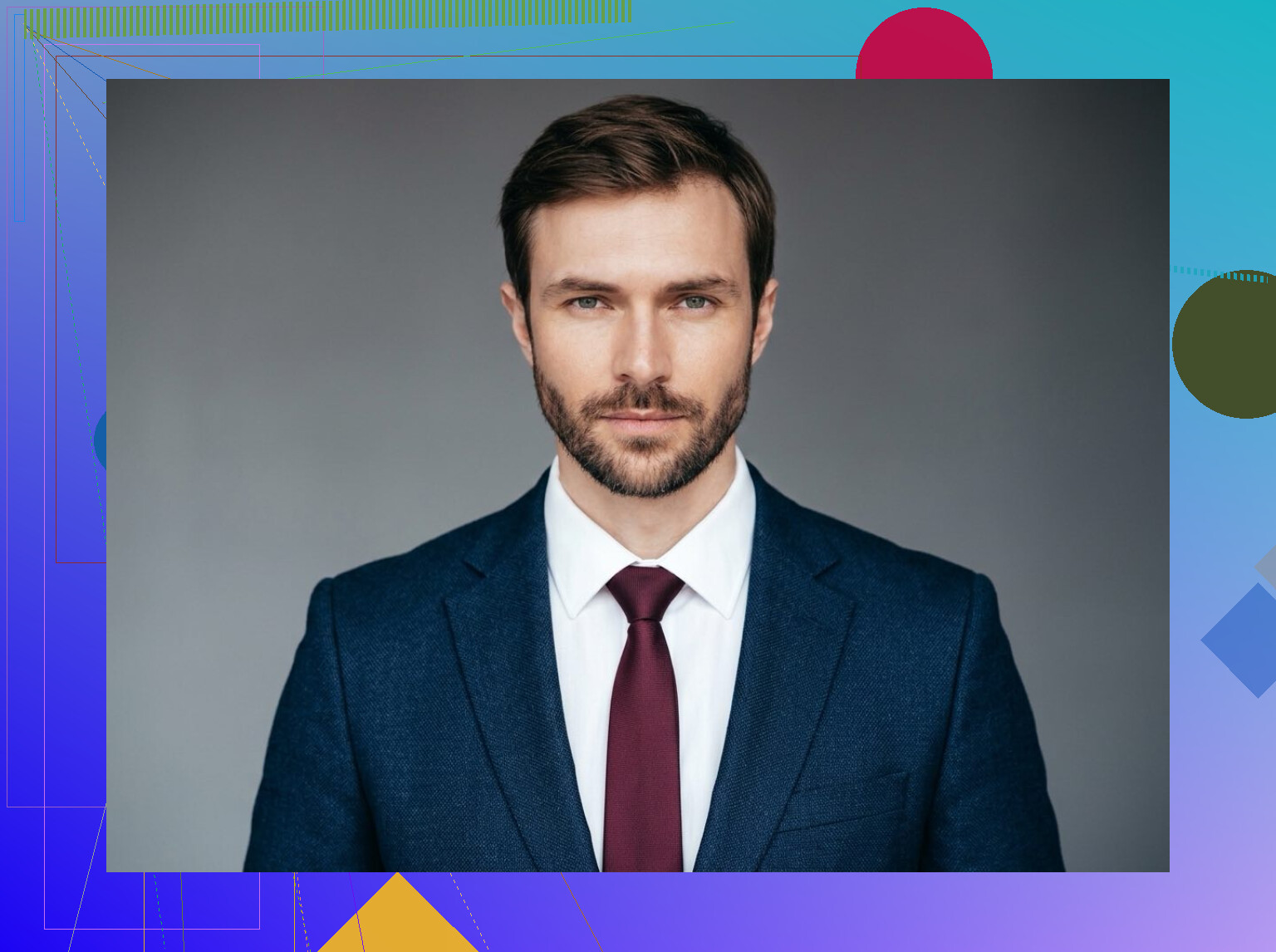
If you want to compare a few tools before picking one, these are the other names I kept seeing:
Aragon AI
This one gets mentioned a lot for business headshots. The results tend to lean polished and formal. If your goal is something fit for a corporate profile, this is one of the first tools people usually bring up.
HeadshotPro
I liked this one more for volume. It gives you a pile of options, different outfits, different backgrounds, different crops. If you’re picky, or your team wants choices, it helps.
A few things made a difference when I was trying to get a lawyer-type photo instead of a generic AI portrait:
Use clear selfies. Soft daylight worked better for me than dim indoor pics.
Wear plain business clothes. A blazer, button-down, dark or neutral colors. Nothing busy.
Keep your expression simple. I got better results with a calm, direct look than with big smiles or angled poses.
Pick plain backgrounds. Office-style setups or blank walls looked more believable.
If I were doing it again and wanted one place to start, I’d still try Eltima AI Headshot Generator first. It felt easy, and the output looked professional enough without getting too glossy. If the results feel off, then Aragon AI would be the next one I’d test.
I’d focus less on the app first, more on the source images and prompt control. @mikeappsreviewer covered headshot tools well, but I think some of them over-polish by default, which is where the fake law-firm look starts.
What usually fixes it:
-
Feed 12 to 20 photos, not 3 to 5.
More angles. Same face shape. No sunglasses. No heavy filters. Mix indoor and window light. -
Use a prompt with constraints.
Try:
“Realistic professional headshot of a lawyer, age 30 to 45, natural skin texture, neutral expression, direct eye contact, navy or charcoal suit, white shirt, soft studio lighting, plain gray office background, 85mm lens look, shallow depth of field, minimal retouching, authentic corporate portrait, LinkedIn style”
Negative prompt:
“airbrushed skin, beauty filter, extra teeth, asymmetrical eyes, plastic texture, glamor lighting, fashion pose, cartoon look, oversharpening, excessive blur”
-
Pick the right framing.
Head and upper torso works best. Too close looks synthetic. Too wide looks like stock photo junk. -
Lower stylization.
If your tool has settings like stylize, creativity, likeness, or prompt strength, keep stylize low and likeness high. Mid creativity at most. This part matters a lot. -
Fix details after generation.
Most fails come from teeth, ears, collar lines, and glasses. If one image is 90 percent right, retouch those spots instead of regenerating 50 more. Face swap helps too, if done lightly. -
Skip trendy backgrounds.
Bookshelves and fake office windows often look cheap. Plain gray, beige, or muted office walls read more proffesional.
Tools wise, I’d test one headshot app plus one manual image model like Midjourney or Flux, so you control the prompt better. Headshot apps are fast. Manual tools often look less “templatey.” If your outputs keep looking edited, your input set is prolly the issue, not the model.
I’d actually push back a little on the “just prompt it better” angle from @waldgeist. Prompting helps, sure, but for lawyer photos the bigger issue is usually that people are chasing “perfect” instead of “credible.” Law firm headshots are supposed to look slightly boring. That’s a feature, not a bug.
What tends to make them look fake:
- skin too smooth
- smile too big
- jawline weirdly sharpened
- dramatic lighting
- fake luxury office background
Also, I wouldn’t overdo the 85mm cinematic portrait vibe. Sometimes that makes it look like a dating app pic in a suit. For legal profiles, flatter lighting and a very standard crop usually reads more trustworthy.
My take:
- generate a plain business headshot first
- then do minimal cleanup in Photoshop or even Lightroom
- add a tiny bit of skin texture/noise back in if it looks plasticky
- slightly desaturate the image
And this is where I sorta agree with @mikeappsreviewer: dedicated headshot tools can save time. But if one app keeps giving you “AI face,” switch workflows instead of endlessly rerolling. A mediocre source photo set will keep producing meh results no matter what.
Honestly, the most realistic lawyer AI photo is the one that looks a little unexciting. That’s probly what you want.