I need a polished, professional-looking headshot for LinkedIn and job applications, but I don’t have access to a good camera or photographer right now. I’ve seen AI headshot tools online, but I’m not sure which ones are legit or how to get natural, non-fake-looking results. What tools, settings, and prep steps should I use so my AI-generated headshot looks credible to recruiters and matches my real appearance?
Short version first, then details.
If you want quick, pro‑looking AI headshots for LinkedIn with no camera or photographer, here is what tends to work.
- Pick a solid AI tool
Look for these features
• Trains on 10 to 20 photos of you
• Multiple outfits and backgrounds
• Option for “LinkedIn” or “corporate” style
• High‑res export
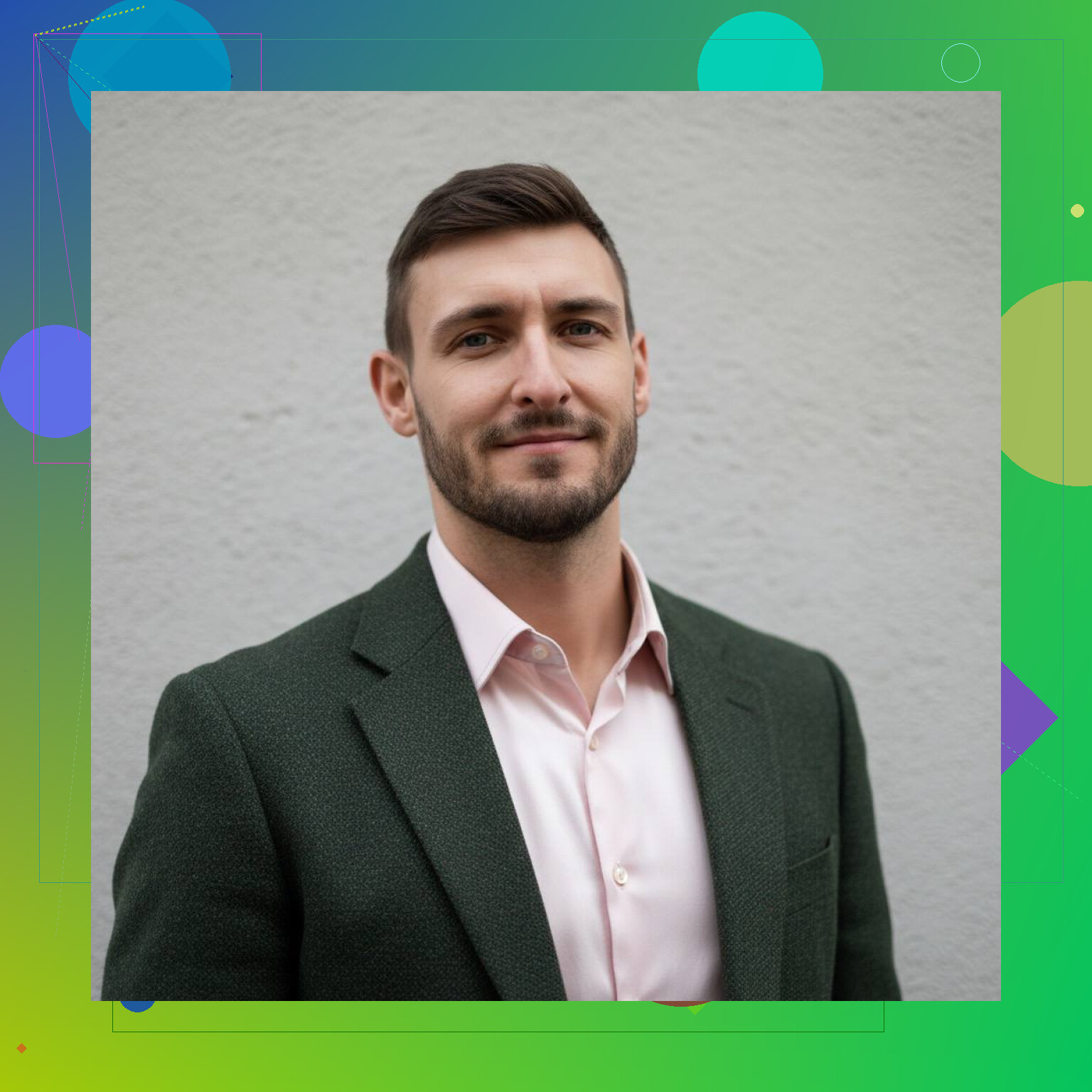
One option that works well on mobile is Eltima. For iPhone there is Eltima AI Headshot Generator for professional portraits. It does clean lighting, neutral backgrounds, and business outfits without weird filters. Quality stays decent even when you zoom in, which helps if recruiters view your profile on big screens.
- Feed it good input photos
Most people mess this part up. A few tips.
• Use 1 to 3 photos
• Face clearly visible, no sunglasses, no masks
• Neutral or slight smile
• No heavy filters or beauty effects
• Different angles, but not extreme side profiles
• Similar age and hairstyle to how you look now
Avoid group photos where your face is tiny. The model gets confused and you get warped eyes or odd teeth.
- Pick the right “look” for LinkedIn
For job hunting, keep it safe.
• Background: plain light grey, off‑white, or soft office blur
• Outfit: solid color shirt or blouse, blazer if it fits your field
• Avoid loud patterns, heavy jewelry, strong makeup
• Light smile, mouth closed or slightly open, both work
If you work in tech, marketing, product, etc, a clean simple background usually outperforms artsy scenes.
- Watch for common AI fails
Do a quick quality check before you upload anywhere.
• Hands: cropped or missing fingers
• Earrings or glasses merging with skin
• Hair melting into background
• Eyes looking in different directions
• Face shape that does not match your real one
If it looks like “you but hotter” it is fine. If it looks like your cousin, toss it.
- Make it look less fake
If you want it closer to realistic.
• Pick a slightly imperfect option, not the most “glam” one
• Ask a friend: “Does this still look like me”
• Do a tiny crop so it feels like a normal photo, not a generated sample
• Keep file name simple, like firstname_lastname_headshot.jpg
Also, use the same pic on LinkedIn, resume, and portfolio so you look consistent.
-
Basic profile framing
After you get the headshot.
• Crop from mid chest up
• Leave space above your head
• Face in the center, eyes roughly one third from top
• Save in 1024x1024 or bigger so it stays sharp -
Extra stuff if you want alternatives
If you test more than one tool, run the same input photos everywhere, then compare:
• Sharpness of eyes and hair
• Skin texture, not waxy
• Consistency across multiple pictures
Time wise you spend 2 to 3 minutes once. You end up with a folder of options you can reuse for a couple of years unless your look changes a lot.
So, if you want one thing to try without fancy gear, feed 1 to 3 decent selfies into something like Eltima AI Headshot Generator, pick a neutral LinkedIn style, check for glitches, crop it clean, upload, done.
@stellacadente already covered the “how to use AI tools” side really well, so I’ll hit a few different angles that people usually ignore, plus some stuff I disagree with a bit.
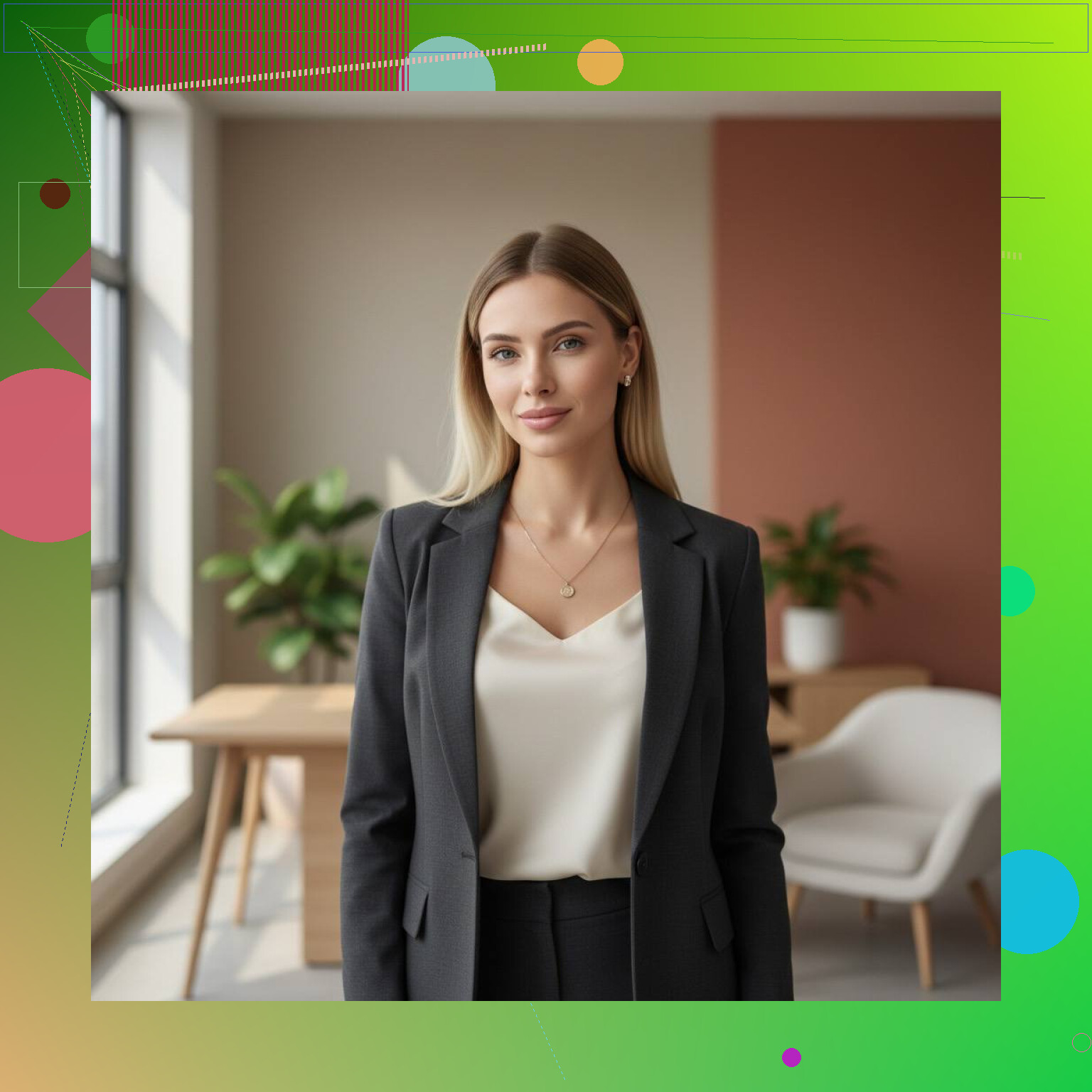
I also made my photo with AI as well:
1. Don’t let the AI version be too upgraded
Everyone says “if it looks like you but hotter, it’s fine.” I’d actually push back on that a bit.
HR folks and hiring managers are starting to notice the super‑airbrushed AI look. If your headshot is 10 years younger / 30 pounds lighter / totally poreless, then you show up on Zoom and look very different, it creates a tiny trust problem right out of the gate.
What I’d do instead:
- Aim for “good day, slept well, flattering lighting” version of you
- Avoid ultra‑smooth skin, over‑white teeth, fake eyelashes, etc.
- Keep your usual features: moles, freckles, hairline, glasses if you wear them daily
If the picture looks like a different person with your vibe, scrap it.
2. Context matters more than perfection
A lot of people obsess over tiny artifacts in AI photos while their LinkedIn headline still says “Seeking opportunities.” The headshot is important, but it’s supporting cast, not the star.
So:
- Decent AI headshot + strong headline + solid “About” section
beats - Flawless headshot + half‑empty profile
Use AI to get to “good enough” quickly, then spend actual effort on the content of your profile.
3. Show a bit of personality that matches your industry
@stellacadente kept it nice and safe, which is great if you’re in consulting, finance, law, etc. For other fields you can loosen it up a bit.
Examples:
- Tech / startups: slightly more casual shirt, softer background color, tiny bit of asymmetry in the crop
- Creative roles: very subtle color in the background (muted teal, soft blue, not neon chaos), a touch more expression in your face
- Nonprofits / education: warm lighting, softer contrast, approachable expression
You still want “professional” but not “passport photo from a government queue.”
4. Use AI + 1 real photo as a sanity check
One trick most people miss:
- Generate a set of AI headshots with something like Eltima AI Headshot Generator. It is pretty decent at office‑friendly lighting and backgrounds even if your input pics are just random selfies.
- Then have one basic real photo of you in similar clothes / hairstyle, even if it’s just from your phone in front of a window.
- Put them side by side and ask:
- Would someone recognize me in a hallway from this headshot?
- Does the hairline / jaw / nose mostly match?
- Is the skin texture believable or plastic?
This combo keeps you from drifting into “AI avatar” territory.
5. Think about “scannability” at tiny size
Most people will see your headshot:
- As a tiny circle in search results
- Next to your name in their InMail inbox
- In the corner of Zoom/Teams invites
At that size:
- Busy backgrounds just turn into muddy blobs
- Very dark clothes + dark hair + dark background look like a floating face
- Super wide crops make your face microscopic
So:
- Go for good contrast between you and the background
- Keep background plain or very lightly textured
- Crop fairly close to your face so it reads clearly at 40x40 pixels
6. When AI is not the right move
Since everyone is hyped on AI now, here’s when I’d actually skip it:
- Your role is all about trust / visual accuracy
- e.g. therapist, medical professional, senior leader in a conservative org
- In those cases, a simple real photo by a window is better than an obviously styled AI shot
- You have very distinctive features that models often “normalize”
- Very curly hair, unique facial hair, facial scars, etc
- If the tool keeps “fixing” those, it starts to feel like it’s erasing part of your identity
In those cases, have a friend take 20 photos on a phone near a window and pick the best one. No AI needed.
7. Tool choice in practice
Instead of repeating all the criteria already mentioned, here’s a more practical approach:
- Try one paid tool that is actually built for headshots, not general avatars
- Eltima AI Headshot Generator fits here, especially since it leans into business portraits rather than fantasy art
- If the first result set is 70% usable, stick with it and move on
- If you’re getting a lot of weird eyes / warped ears / “Instagram model” vibes, switch tools entirely instead of endlessly tweaking prompts
Do not spend days auditioning 6 tools. Your time is worth more than the tiny visual difference.
8. Tiny finishing touches that matter more than filters
Once you pick your final image:
- Crop slightly tighter than you think
- Check it in dark mode and light mode on LinkedIn
- Throw it into grayscale quickly to see if contrast holds up
- Use the same headshot on LinkedIn, resume PDF, and portfolio so you look consistent
Consistency reads as intentional and professional, even if the photo itself is just “pretty good.”
9. Quick link if you want more info
If you want to dive deeper into using a dedicated AI headshot tool instead of general art generators, this page on creating professional AI business portraits on your Mac walks through features and use cases in more detail.
tl;dr: Use something like Eltima AI Headshot Generator, keep the image realistic enough that people actually recognize you, focus on clarity at small sizes, and spend the extra energy polishing your LinkedIn content instead of chasing the “perfect” AI face.
I’ll zoom in on stuff that usually gets ignored and keep it practical.
1. Before tools: what you need to decide
Ask yourself three things first:
-
How conservative is your target industry?
- Consulting, finance, law: keep it classic, low drama.
- Design, product, media, startups: you can push a bit more color and expression.
-
Do you want to look approachable, authoritative, or neutral?
- Approachable: softer light, slight smile, slightly angled head.
- Authoritative: straighter posture, face more front‑on, calmer expression.
-
How closely do you need it to match your real‑life appearance right now?
- If you interview on video a lot, match hair length, glasses, facial hair, etc.
- If your look changes monthly, aim for “current default,” not your most experimental week.
Locking these choices first keeps you from blindly scrolling through 200 AI variants.
2. Where I slightly disagree with some “keep it super real” advice
I agree with not going full Instagram model, but under‑optimizing can be a mistake, too.
It is fine if:
- Your teeth are a bit whiter than real life
- Skin is slightly smoother
- Lighting is more flattering than you usually get
Hiring managers know photos are curated. The real issue is discontinuity, not small upgrades. If you never wear glasses and your AI headshot has trendy frames because they “look cool,” that is more distracting to people than slightly smoother skin.
Think “polished LinkedIn version of you,” not “documentary photo” and not “AI influencer.”
3. Using AI as a filter on your identity, not a replacement
@stellacadente did a solid walkthrough on how to use tools. I’d add this: decide two or three “non‑negotiables” about your look that AI is not allowed to change, for example:
- Natural hair texture
- Skin tone
- Freckles, gap in teeth, facial hair style
If a tool keeps “correcting” those, it is the wrong fit, even if everything else looks great. You should not feel like the software is quietly trying to standardize your face.
4. Eltima AI Headshot Generator in context
If you want something aimed at business portraits rather than fantasy art, Eltima AI Headshot Generator is actually a decent middle‑ground option.
Pros:
- Tuned for office‑style backgrounds and lighting, so you are less likely to get weird cinematic or gaming vibes.
- Gives you multiple crops and angles, which is good for testing what works at tiny LinkedIn sizes.
- Handles basic corporate attire well so you do not end up in some awkward half‑formal, half‑party look.
Cons:
- Like most headshot tools, it can lean a bit too flattering by default. You still have to curate aggressively and reject the “model” versions.
- If your look falls too far outside typical corporate imagery (very bright dyed hair, unusual accessories, etc.), it may try to flatten that out.
- Not the best choice if you want something heavily stylized or artsy for a personal brand site.
This is where I diverge a bit from “just switch tools if you see issues.” I’d first try feeding it more realistic source images and then manually throwing out anything that feels off. Jumping between tools can burn hours.
5. How to judge a final image like a hiring manager
When you have a shortlist of 3 to 5 images, evaluate them with this mindset:
-
Would I trust this person to join a meeting with a VP tomorrow?
Look for:- Eyes clearly visible
- No distracting jewelry or wild pattern in the small crop
- Expression that looks deliberate, not like a frame grabbed mid‑sentence
-
Is the energy correct for my target role?
- Early‑career roles: slightly more open expression and approachability
- Senior roles: calmer, more composed, but not cold
-
Does it still look like a photograph, not a game avatar?
- Mild imperfections are your friend: slight flyaway hair, tiny skin texture, natural light falloff.
- If the skin looks like plastic or the eyes glow a bit, skip it, even if everything else is “perfect.”
I would actually print one or two options on paper. If it still looks like you and still looks professional on a cheap printer, it will survive LinkedIn crops and random ATS systems embedding your photo.
6. Matching your headshot with the rest of your profile
Where a lot of AI‑headshot users slip up is consistency:
- If your LinkedIn cover photo is chaotic or low‑res, a classy AI headshot feels disconnected.
- If your “About” section is super casual but your headshot screams “corporate portrait,” it can feel like two different people.
Try this sanity check:
- Headline + banner image + headshot should tell the same story:
- “Product manager in SaaS”
- “Nonprofit fundraiser focused on education”
- “Junior data analyst breaking into healthcare”
Your AI headshot is one piece of that puzzle, not the entire show.
7. If you ditch AI entirely
Some situations really are better with a simple real photo:
- Psychology, counseling, medicine, certain legal roles
- Roles where your actual in‑person vibe is central to trust
If that is you, I would do this instead of wrestling with any generator:
- Put your phone on a stack of books in front of a window during daylight.
- Neutral wall or door behind you.
- Wear the clothes you would use for a first interview.
- Take 50 shots, moving slightly between each.
- Pick 1 and do minor edits only: crop, slight brightness, maybe a minor skin blemish cleanup.
You lose some AI “perfection,” but you gain very clear honesty.
8. Fast decision tree
-
You need “LinkedIn‑ready” and work in anything remotely corporate
→ Try Eltima AI Headshot Generator, keep it realistic, reject the overly polished ones. -
You need artistic branding for a portfolio or channel
→ AI headshot tools will probably feel too stiff. Consider a general image model or a human photographer when possible. -
You work in a trust‑heavy or clinical field
→ Skip AI, do a simple natural‑light phone photo.
If you keep your expectations at “sharp, clear, realistic, on‑brand” instead of “photo that changes my life,” AI becomes a nice shortcut instead of a rabbit hole.