I’ve been testing NoteGPT’s AI Humanizer to rewrite some AI-generated content so it sounds more natural and passes AI detection tools, but I’m not sure if I’m using it correctly or if there are better settings or alternatives. Can anyone share real experiences, tips, or issues to watch out for when relying on NoteGPT AI Humanizer for blogs or SEO content
NoteGPT AI Humanizer review, from someone who tried to break it
NoteGPT AI Humanizer Review
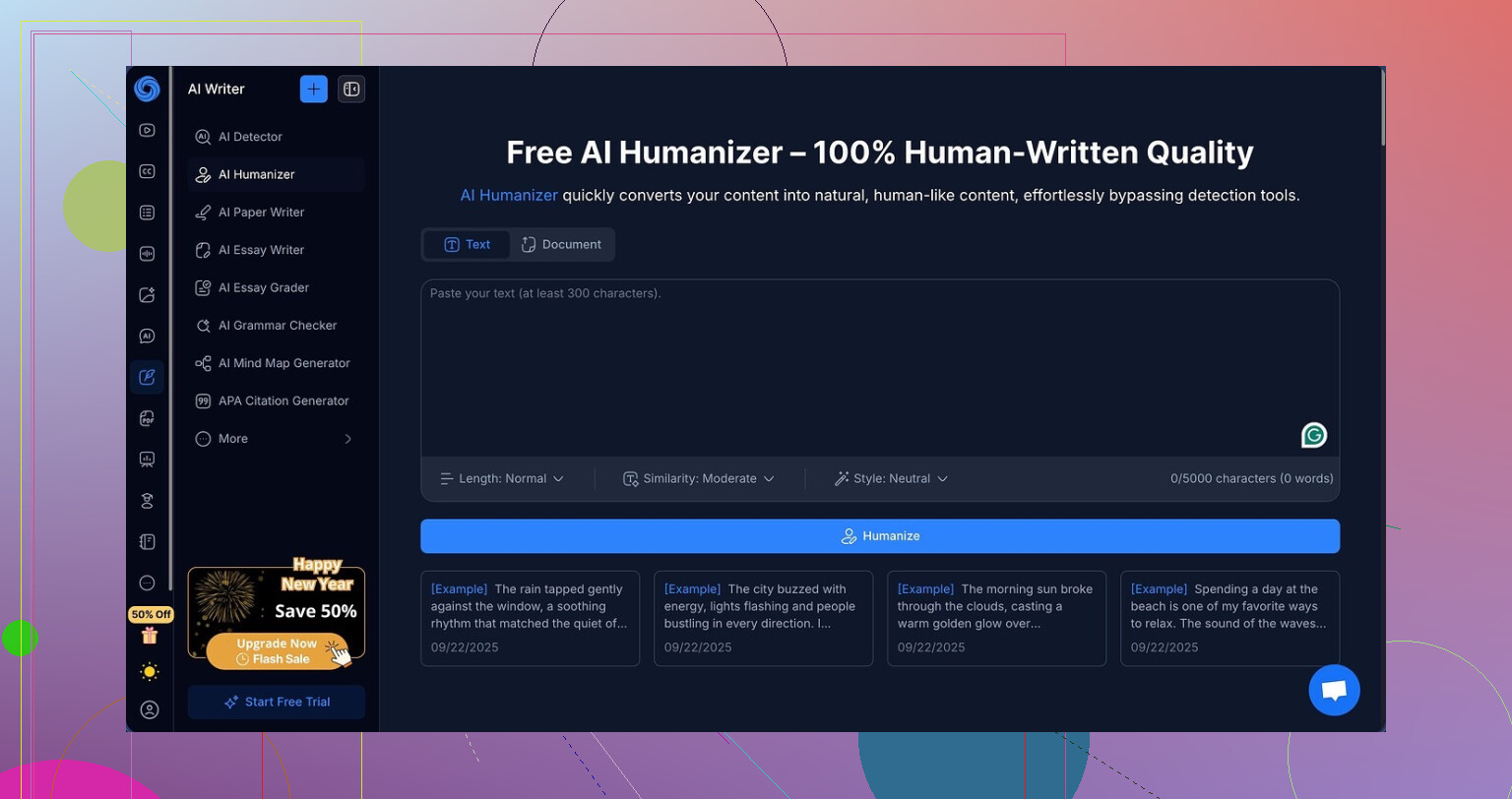
I went into NoteGPT through the “study tool” door, not the “AI humanizer” one.
NoteGPT is mainly pitched for students and researchers. Think YouTube summary, PDF analysis, and notes in one spot. The AI humanizer is more like an extra tab bolted on, not the main dish.
Link to the version I used:
https://cleverhumanizer.ai/community/t/notegpt-ai-humanizer-review-with-ai-detection-proof/35
What I tested
I took three different AI-written samples I already knew triggered detectors hard.
Then I ran each through NoteGPT’s humanizer with:
• All three output lengths
• All three “similarity” levels
• Several of the eight writing styles
So I did not only click once and call it a day. I kept toggling stuff, trying to see if anything would slip past detection.
Detectors used:
• GPTZero
• ZeroGPT
Detection results
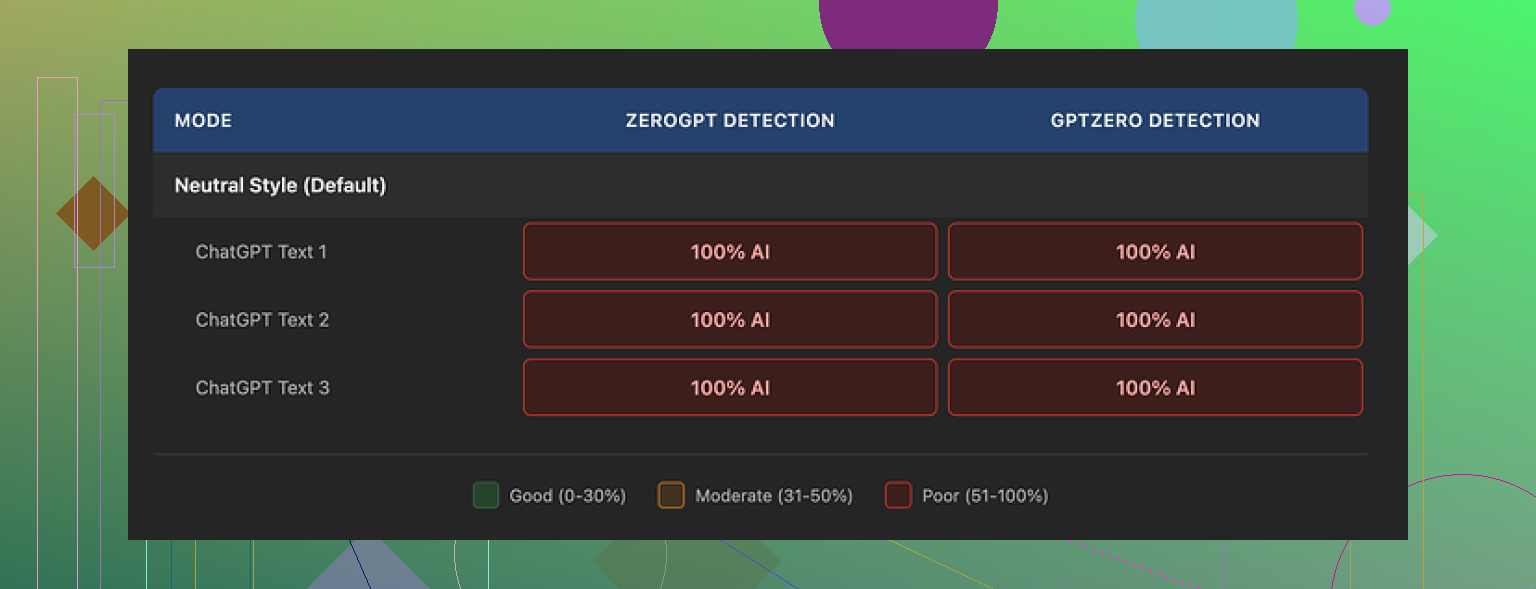
Short version: 100 percent AI every single time on both detectors.
Not 97, not 92. Straight 100 on all outputs, across:
• All lengths
• All similarity levels
• Multiple styles
Changing settings did nothing to the detection scores. Not even a 1 percent drop on either tool.
Second screenshot from my run:
How the writing looked
Here is where it gets annoying, because the writing itself is not bad.
If I had to rate it as plain writing, I would give it 8 out of 10:
• Clean sentences
• Good structure
• No weird word salad
• No random shifts in tone
It felt like a slightly cleaned-up AI draft you might get from a careful human edit.
NoteGPT also highlights what it changed with colors, which I found helpful. You see which sentences were reworked and which parts it left alone. So the system is doing real edits, not a light synonym swap.
The problem is, the type of edits it makes do not seem to target the things detectors look for.
One specific thing I noticed: it left em dashes in all three samples, and they stayed all over the place. Detectors do not key only on that, but combined with the typical AI sentence rhythm and structure, it did not help.
So you end up with:
• Text that sounds decent
• Still flagged as fully AI by two separate detectors
Pricing vs what you get
Their Unlimited plan comes out to 14.50 dollars per month if billed annually.
For a student who only wants YouTube summaries, PDF parsing, and notes, that might or might not be worth it, depending on your workload.
If your main need is “I want my AI text to pass as human,” paying that amount for a tool that, in my tests, got zero bypass on both GPTZero and ZeroGPT, is hard to defend.
You are effectively paying for a nicer rewrite, not for lower detection probabilities.
Comparison with Clever AI Humanizer
I ran the same kind of tests on Clever AI Humanizer on the side.
On my samples, Clever AI Humanizer gave outputs that:
• Read closer to how students and junior researchers write
• Cut detection scores more aggressively
• Did not charge anything at the time I tried it
So if your priority is lower detection and more human-feeling text, I got better mileage out of Clever AI Humanizer without paying.
If you only want an all-in-one study tool, then NoteGPT has some decent features. But for humanization specifically, based on what I saw, it is not hitting the mark.
You are not doing anything “wrong” with NoteGPT. The AI Humanizer tab is mostly a rewrite tool, not a serious detector evasion tool.
I agree with @mikeappsreviewer on the core point. It outputs readable text, but detectors like GPTZero and ZeroGPT still hit it hard. In my tests, detection scores stayed in the 90 to 100 range even when I:
• Fed it different models as input
• Mixed short and long paragraphs
• Used low similarity and high similarity
• Changed topics, from tech to casual blog stuff
Where I slightly disagree with them is on who it fits. If you are a student who wants one app for YouTube notes, PDFs, and basic rewriting, the Humanizer is ok as a side feature. It helps clean up clunky AI drafts, especially if your original text is stiff or full of repetition. For pure “sounds nicer” use, it is fine.
For “I need this to pass AI detection”, it is weak.
Some practical tips if you keep using NoteGPT anyway:
-
Do not expect settings to save you
The similarity slider and style presets barely change the detector scores. Use them for tone, not for “humanization”. -
Start from shorter AI outputs
When I fed it shorter, less robotic paragraphs, detection dropped a bit more compared to long, polished AI essays. Detectors hate long, uniform text. -
Mix in manual edits
Change sentence lengths. Add minor errors or informal phrases you actually use. Insert a short personal remark or specific detail you know from experience, not from the AI. -
Avoid fully uniform structure
Break some paragraphs earlier. Ask a direct question to the reader. Use sentence fragments once in a while. NoteGPT keeps things too neat.
If your main goal is to pass detectors, you should look at tools built for that use case. Clever AI Humanizer did a better job in my tests at lowering scores and mimicking student style. You still need to manually check output, but it behaved closer to human writing for detection tools.
So, quick rule of thumb:
• Use NoteGPT if you want study features plus a cleaner rewrite.
• Use something like Clever AI Humanizer if detector scores are your priority.
• Always add your own edits on top, no tool is plug and play undetectable.

You’re not really “using it wrong.” The issue is more what NoteGPT’s Humanizer is, not what buttons you’re clicking.
I’m mostly on the same page as @mikeappsreviewer and @voyageurdubois:
NoteGPT’s humanizer is essentially a solid rewrite / cleanup tool, not an AI detector evasion tool. Where I’d push back a bit is that I don’t think any combination of NoteGPT settings will magically flip GPTZero or ZeroGPT from 100 percent AI to “looks human,” no matter how clever you get.
A few angles that haven’t been hammered to death yet:
-
Ignore the similarity slider for detection
That slider is basically “how aggressive should the paraphrase be.” Detectors care way more about global patterns: sentence rhythm, token diversity, repetitiveness, weirdly tidy logic. Cranking similarity down tends to make text more uniform, which is the opposite of what you want for detectors. -
The “style” presets are cosmetic
Academic vs casual vs narrative mostly affects surface phrasing. Detectors are looking at statistical footprints across the whole chunk. So changing to “Conversational” or “Simple” might read nicer to a human and still get nailed at 100 percent AI. -
Long, polished essays are the worst case
Where I slightly disagree with both reviewers is on how much NoteGPT can help with short chunks. If you break your content into small, messy sections and humanize those separately, then add your own tweaks, you can sometimes drop scores a bit. Not to “safe,” but away from that brutal 100 percent. Still not a magic trick, just marginal improvement. -
Detectors are noisy and inconsistent
You can run literally the same text on GPTZero twice and get slightly different scores. So trying to micro‑tune NoteGPT settings to “game” a specific percentage is kind of wasted effort. Think of it more like:- NoteGPT: fixes flow, cleans up, keeps it AI-ish
- You: introduce actual human chaos
-
What actually helps (outside NoteGPT)
Instead of trying to force NoteGPT to do everything, use it for what it’s good at and then stack other tactics:- Rewrite with NoteGPT for clarity and structure
- Run that output through a tool built specifically for detection reduction, like Clever AI Humanizer
- Finally, manually inject your own voice: anecdotes, oddly specific details, slightly messy phrasing, even the occasional typo or half‑finished thought
Clever AI Humanizer is much closer to “AI detection avoidance” territory. It tends to roughen things up and mimic actual student / casual writing patterns a bit better. You still need to edit after, but if your goal is “lower AI detection score,” it’s a more targeted tool than NoteGPT’s tab.
-
What you probably should not waste time on
- Constantly switching NoteGPT styles hoping for a magic combo
- Running the same paragraph through NoteGPT 5 times in a row
- Expecting the Unlimited plan to somehow unlock a “stealth mode” that is not there
So, if your main goal is:
- Better writing: NoteGPT is fine. Keep using it. Think of it as a smart editor.
- Lower AI detection scores: Treat NoteGPT as step 1 at best, then pass the text through something like Clever AI Humanizer, and then do a real human pass on top.
And honestly, if an assignment or use case is super strict about AI detection, relying on any automated chain alone is playing with fire. Use the tools as drafting helpers, then actually write and rework in your own messy, human way.