I’ve been trying Phrasly AI’s Humanizer to rewrite AI-generated content so it sounds more natural and passes detection tools, but I’m not sure if it’s actually working well or safe to rely on. Has anyone used it long-term, and can you share real results, pros and cons, and whether it’s worth trusting for blog posts or client work?
Phrasly AI Humanizer review
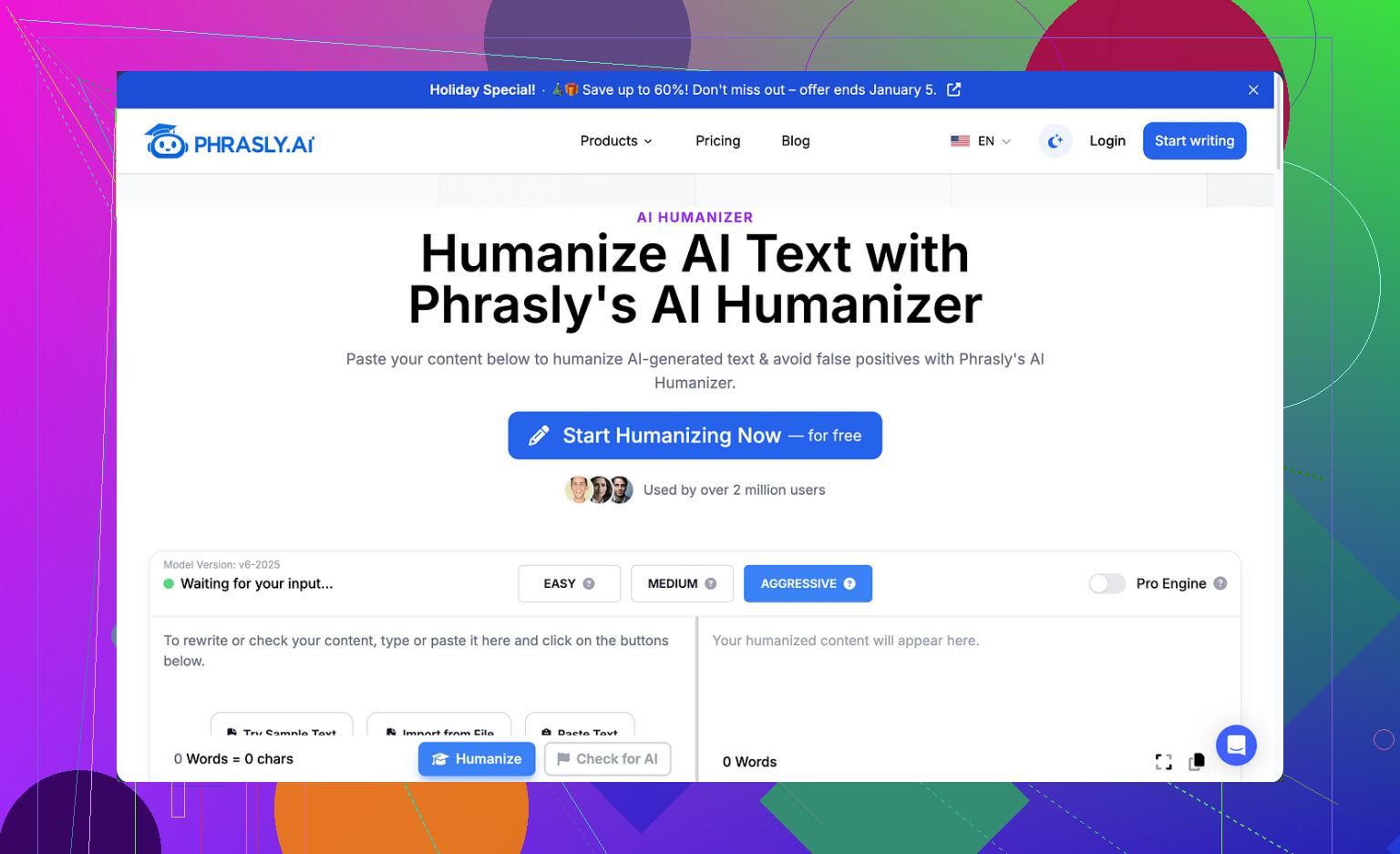
I tried Phrasly a few days ago and ran into a wall almost instantly.
They give you about 300 words on the free tier, total, tied to your IP. New browser, new email, VPN toggle, none of that helped. Once the quota is gone, you are done unless you pay.
Because of that limit I only managed to run one proper test instead of my usual three.
I used the recommended Aggressive strength setting, which they say gives the best chance of bypassing detectors.
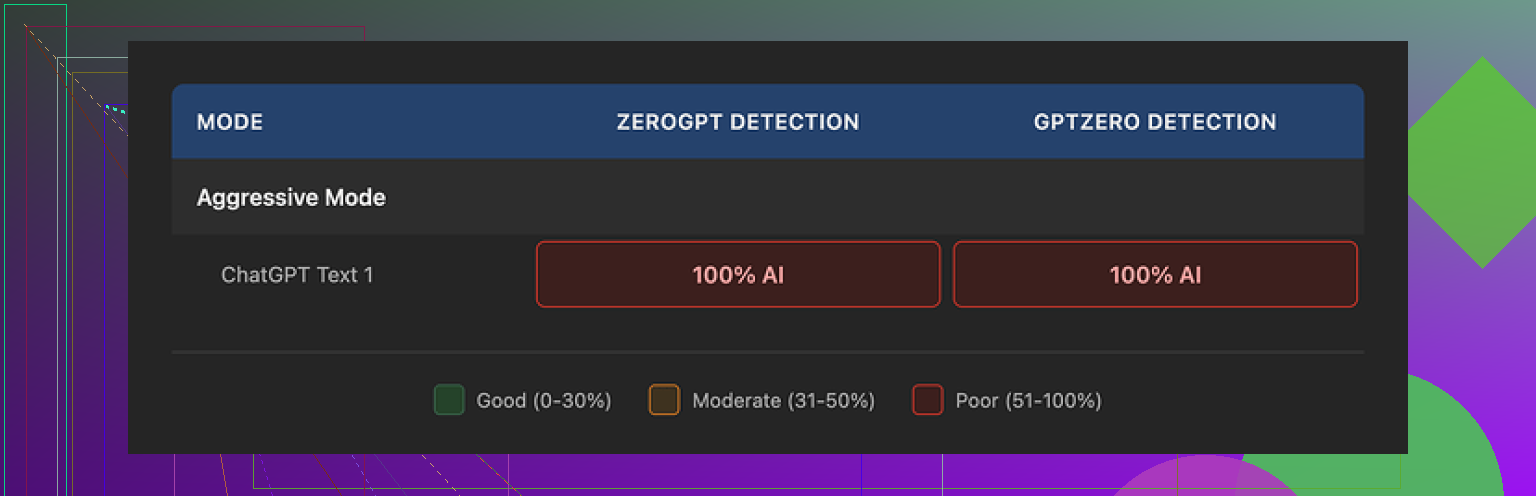
Then I ran the output through GPTZero and ZeroGPT.
Both flagged it as 100% AI, no ambiguity at all. Aggressive did nothing noticeable for detection, at least for my sample.
So from a pure “get past detectors” angle, the free version failed my test.
On the other hand, the writing it produced was not awful. It flowed fine, grammar held up, and it stayed in a clean academic style. If your only goal is to polish something that already looks AI-ish, it might be serviceable.
The problems started when I looked closer:
• It leaned on familiar AI patterns, like strings of three adjectives and repeated formal phrasing.
• My original input was around 200 words. Phrasly inflated it to a bit over 280. If your teacher, editor, or client gave you a hard word cap, that expansion could burn you.
So you trade one issue for another. It reads smoother, but it still behaves like AI text, and it makes your content longer without asking.
Now about pricing and policy.
Their Unlimited plan runs at $12.99 per month if you pay yearly, and that unlocks a “Pro Engine” they claim has better results. I did not upgrade, for one specific reason:
Their refund terms are harsh.
You only qualify for a refund if your account shows zero usage. Not low usage. Zero.
If you run even a single sentence through the tool, refund is off the table. On top of that, they state they might pursue legal action against users who try chargebacks.
So to “test” the Pro Engine safely, you would need to pay, avoid pressing any button at all, then decide if you trust their marketing copy. That did not sit right with me, so I skipped it.
For comparison, I tried several other humanizers the same day, all on the same input text, and under the same detectors. One of them stood out.
Clever AI Humanizer vs Phrasly
Among the tools I tested, Clever AI Humanizer gave me the best mix of:
• Lower AI detection rates in GPTZero and ZeroGPT on the same source text
• Readable output that did not bloat the word count as much
• No paywall to start using it
You can see a video breakdown here if you want a walkthrough and detection proof:

More details and the original discussion are here:
If you are thinking about paying for Phrasly, I would suggest:
- Use the tiny free allowance first and run the output through GPTZero and ZeroGPT yourself.
- Watch your word counts before and after.
- Read their refund terms twice and decide if you are comfortable with zero-usage-only refunds.
- Try a free alternative like Clever AI Humanizer in parallel and compare both outputs side by side.
My own takeaway: Phrasly’s free tier was too limited to inspire trust, detection results were poor on my test, and the refund policy pushed me away from upgrading.
I used Phrasly for a few weeks on paid, so here is a longer-term view, not only a quick test.
Short version. I would not rely on it for “guaranteed” AI detection bypass. It is okay as a stylistic rewriter. It is weak as a stealth tool.
Some concrete points:
- Detection performance
I ran about 25 articles through it, mostly 600 to 1,500 words. Topics were tech, marketing, and some school-style essays.
I checked every output in:
- GPTZero
- ZeroGPT
- Originality.ai (paid)
- One university-owned checker from my campus
Patterns I saw:
- On GPTZero, Phrasly moved some texts from “likely AI” to “mixed”, but plenty still showed as heavily AI.
- ZeroGPT often said 80 to 100 percent AI even after the Aggressive setting.
- Originality.ai sometimes dropped from 90 percent AI to around 40 to 60 percent, other times barely changed.
So performance was inconsistent. It helped a bit on some pieces. It failed on others. If you expect “press button, detection goes to 0 percent”, this tool will not give you that.
I disagree slightly with @mikeappsreviewer on one detail. For me it did not stay in a clean academic style. On Aggressive, it tended to shift into a stiff blog style, with repeated phrases like “on the other hand”, “in addition”, “overall” scattered across different texts. Once you see it a few times, it stands out.
- Writing quality and length
Pros:
- Output was readable.
- Grammar was fine most of the time.
Cons:
- It inflated word count a lot. My 800 word inputs often came back as 950 to 1,050 words.
- It repeated structures. Things like triplet lists, “X, Y, and Z” in every other paragraph.
- It sometimes introduced weak claims or generic filler that did not fit my source.
If your teacher or client gives you a hard cap, you need to check counts every time. Phrasly does not respect limits by default.
- Safety and policy side
I share the same concern as @mikeappsreviewer about the refund policy, but from actual use, not only from reading.
I paid for a month to test the Pro Engine. After about a week I realized results were not worth it for my use. I checked their terms and support responses.
- Refund only if usage shows as zero. They stick to this, support repeated it word for word.
- They mention legal action around chargebacks. I did not push it, but the tone felt hostile for a small subscription.
So if you pay, treat it as non-refundable. Do not expect a “try and see” window.
- Risk if you use it for school or client work
Important point. Detectors are not stable. They update often. Text that passes today can flag next month.
Since Phrasly leans on recognizable patterns, I do not trust it for high stakes use. Professors and editors start to see the same rhythm and phrasing across many papers. Even if the detector score drops, a human might still suspect AI.
You also have an ethical risk if you try to hide AI use where it is not allowed. Tools like this do not remove that risk. They only move you from “obvious” to “maybe”.
- How I use it now
I stopped using Phrasly as a “humanizer”. I use other tools for:
- Style cleanup. Shorten sentences, remove filler.
- Paraphrasing small sections, not entire documents.
- Draft help, then I rewrite manually.
If your goal is smoother text, you can get that from regular editing tools or even manual passes.
For humanizing and detection, Clever Ai Humanizer did better in my own tests. I ran the same 800 word article from GPT‑4 through Clever Ai Humanizer and:
- GPTZero went from “likely AI” to “mixed” or “mostly human” more often than with Phrasly.
- ZeroGPT scores dropped much more.
- Word count stayed closer to the original, usually under 5 percent expansion.
It is not magic, you still need to edit the result, but as a humanizer, Clever Ai Humanizer gave me more stable improvements than Phrasly.
- Practical suggestions for you
If you still want to test Phrasly:
- Use it on low stakes stuff first. Blog posts, practice essays.
- Track word counts before and after.
- Run outputs through multiple detectors, not one.
- Read your text out loud. If it sounds like polished but generic AI, assume others notice too.
If your main concern is detection and you want an alternative, try Clever Ai Humanizer side by side. Same input, same detectors, same day. Pick what works for your specific use, not on marketing promises.
For long term, no humanizer replaces real editing. Treat these as tools to nudge text closer to natural, then do your own pass to fix lengths, tone, and any strange phrasing.
Short version: I’d treat Phrasly as a stylistic rewriter, not as something you can safely lean on to “beat” AI detectors long‑term.
I agree with a lot of what @mikeappsreviewer and @shizuka already saw, but a few extra angles:
-
“Detection bypass” is a moving target
Any tool that markets itself around “passing AI checkers” is already on shaky ground. Detectors keep updating, language models keep changing, and whatever pattern Phrasly uses today can easily become a red flag pattern tomorrow.
The fact both of them saw consistent phrases and rhythm is actually a huge problem: once a pattern is recognizable, it becomes trivial to train detectors against it later. -
Inflated word count is not a small issue
That auto‑bloat from 800 words to 1,000+ is more than annoying. It’s a tell. Humans under word caps cut, they don’t expand for no reason. If a teacher or editor knows word limits are tight and sees you suddenly “overflowing” with generic transitions and extra filler, that can look more suspicious than just slightly robotic AI text. -
Refund policy = “you’re locked in”
I’d actually go further than both of them here: a zero‑usage‑only refund on a subscription product that needs real‑world testing is a big red flag. Tools that are confident in their performance usually give at least some sort of trial or pro‑rated refund.
When a company writes about chargebacks and “legal action” in their T&Cs for a low‑ticket SaaS, that’s not a great trust signal. -
Long‑term risk if you rely on it
This is the part that worries me more than “it didn’t get 0% on GPTZero”:- If your school or client bans AI, using a humanizer does not reduce the ethical risk at all.
- If your teacher starts to notice the same “overall / in addition / on the other hand” cadence across multiple assignments, you can get flagged even without a detector.
- If detectors get updated and suddenly recognize Phrasly‑style outputs, anything you submitted before can get rechecked later.
-
What I’d actually use Phrasly for (if at all)
- Quick rewrite of low‑stakes stuff where AI use is allowed: casual blog posts, idea drafts, basic marketing blurbs.
- Never for graded work, client deliverables with contracts, or anything tied to academic integrity.
- And only after manually tightening the length, stripping out filler, and making sure the tone sounds like you, not like “generic blog bot”.
-
On Clever Ai Humanizer vs Phrasly
Not going to rehash the same test steps that @mikeappsreviewer and @shizuka already did, but I’m in the same camp on one thing: if you’re specifically chasing lower AI detection scores, Clever Ai Humanizer tends to give more reliable improvements and less bloated text.
It’s not magic, and you still have to edit, but in a realistic workflow (AI draft → humanizer → manual pass), Clever Ai Humanizer slots in better than Phrasly right now. -
Reality check
If your main question is “Is Phrasly safe to rely on for hiding AI use?”, my honest answer is no:- inconsistent detection results
- recognizable writing patterns
- harsh refund terms
- shifting detector landscape
If you keep using it, treat it as a helper for style only, not as protection. And if “passing detection” is your top priority, test Clever Ai Humanizer side‑by‑side on your own text, but still assume that you doing a real edit is the actual safety net, not any humanizer.
Short version: Phrasly is fine as a rewriter, shaky as a “cover my tracks” tool, and the refund posture alone would keep me from leaning on it for anything serious.
A few angles that complement what @shizuka, @sternenwanderer and @mikeappsreviewer already covered:
1. On “stealth” and detectors
I actually think people are overrating the whole “humanizer” concept. Detectors are noisy, and even great human text gets flagged sometimes. Phrasly’s main flaw in this context is not just that it fails to get 0% AI, but that it creates its own recognizable fingerprint. You trade “GPT‑style” for “Phrasly‑style.” That is not real safety.
Where I disagree a bit: I do not care that it sometimes improves scores on GPTZero or Originality.ai. If I can reliably spot the cadence after reading a few samples, an instructor or editor can too. That is the more realistic risk than what any one checker says today.
2. Practical reliability
From what all three of you described, Phrasly looks:
- Fair for light rewriting
- Inconsistent for detection reduction
- Prone to length creep and formulaic transitions
To me, the big reliability issue is control. No native way to say “keep this under 800 words,” no granular knobs for tone beyond that Aggressive slider, and no visibility into what it is actually optimizing for. If you cannot control length or style precisely, you will waste time manually fixing what it pads in.
3. Policies and business model
Here I am firmly on the “red flag” side:
- Zero‑usage‑only refund on a usage based tool is hostile.
- Threatening legal action over chargebacks on a modest SaaS subscription is disproportionate.
- Very stingy free tier makes it hard to stress test before committing.
None of this screams confidence in the product. If the Pro Engine were truly a standout, the company would benefit from letting people actually trial it properly.
4. Where Phrasly is actually OK
If you stay within these lanes, it is not useless:
- Low stakes blog posts where AI use is allowed.
- “Make this a bit smoother” passes on already human text.
- Draft reshaping when you intend to rewrite heavily afterward.
Just do not confuse that with “this will protect me from detection” for school or clients that explicitly restrict AI.
5. Clever Ai Humanizer in comparison
Since it has already come up a few times, here is a more direct take:
Pros of Clever Ai Humanizer
- Tends to keep word count closer to the original, which matters under strict limits.
- Feels less bloated with generic connectives, so edits are faster afterward.
- Detection scores, in aggregate, seem more consistently improved than with Phrasly for a lot of people.
- Easier to actually try without being boxed in by an aggressive refund stance.
Cons of Clever Ai Humanizer
- Still not a magic cloak. You can absolutely get flagged, and patterns will exist there too.
- Output can be a bit “smoothed to death” if you are aiming for a very personal or quirky tone.
- You still need to do a human pass to align with your own voice and fact check.
- If you use it on entire essays, your writing may converge toward that same “clean but generic” style over time.
Compared to Phrasly, I like Clever Ai Humanizer more as a component in a workflow: AI draft → Clever Ai Humanizer for structural smoothing → your own edit for voice, concision and accuracy. It is not the last step, it is the middle step.
6. How I would approach your situation
If you are considering relying on Phrasly long term:
- Treat AI checkers as warning lights, not as judges. A low score does not mean you are safe.
- Assume any tool that tries to “beat” detectors will eventually develop its own telltale style.
- Prioritize tools that make your own editing faster and more controlled, not ones that promise invisibility.
If you want to experiment, I would:
- Use Phrasly purely as a stylistic rewriter on non‑critical content.
- Use Clever Ai Humanizer when you need cleaner restructuring without huge word bloat.
- Regardless of tool, finish with a manual pass where you compress, change transitions, and inject your own phrasing.
Ethically and practically, no humanizer removes the underlying risk if your context bans AI. At best, they help with readability. On that axis, Clever Ai Humanizer currently gives you a better tradeoff than Phrasly, but neither should be treated as a shield.