I need realistic, professional-looking headshots for LinkedIn and job applications, but I don’t have access to a professional photographer right now. I’ve tried a couple of AI photo apps on my iPhone, but the results looked fake or distorted. Can anyone recommend a reliable AI headshot generator app for iOS that produces natural, high-quality portraits and is safe to use with personal photos?
Best AI Headshot Generator: What I Tried, What Worked, What Sucked
I hit the point where my LinkedIn photo looked like it was taken during the Obama administration, and I did not feel like paying a real photographer a few hundred bucks.
Also, my feed is now 50% AI headshots, so I took a weekend and tested a stupid amount of tools. Web apps, iOS apps, Android apps, plus the “I want this for free” route with ChatGPT and Gemini.
Below is what I used, how it went, and what I would repeat.
No sponsorships. No affiliate stuff. I paid or used free tiers like a normal person.
Eltima AI Headshot Generator (iOS)
This one surprised me the most, so I will start here.
Eltima AI Headshot Generator App
App Store: Eltima AI Headshot Generator App - App Store
Product page:
Video demo:

I kept seeing people talk about it in random Reddit and Quora threads, so I tried it last, expecting some overhyped thing. Ended up using it the most.
What it gives you
• One free photo generation each day
• Uses one good selfie to start, then you can add more
• Group headshots, up to 3 people
• AI headshot photos and some video stuff
• Over 800 templates for outfits, backgrounds, vibes
How it performed for me
• Realism: Best out of everything I tried on mobile. My face stayed my face. No weird Barbie-skin, no strange teeth, no uncanny eyes. Beauty mode is there, but not insane.
• Styles: This is where it won. I could go from “neutral LinkedIn” to “startup founder with black turtleneck” to “casual hoodie with shallow depth of field” without touching prompts.
• Speed: Under a minute for me in most runs.
• Price: 7.99 per week or 49.99 per year. Daily free image if you do not want a subscription.
My experience
I threw in a mix of selfies, some with glasses, some without, different lighting. After a few batches it locked on my face shape and did not derail. I used 3 of those results on:
• LinkedIn
• My portfolio site
• Slack / internal tools
No one commented “AI?” which is the whole point.
If you want to try only one iPhone app and you are okay with a subscription or slow-drip free use, this is the one I would start with.
“Big Web” Headshot Services
I checked the obvious top search results in Google: Canva, Aragon AI, HeadshotPro. Not sponsored, just what shows up when you search “AI headshot” and scroll a bit.
Canva
Site: https://www.canva.com/
I already use Canva for random work stuff, so this felt natural to test.
What I did
• Uploaded a few selfies
• Chose some of the portrait presets
• Let it run, then did some tweaking afterward
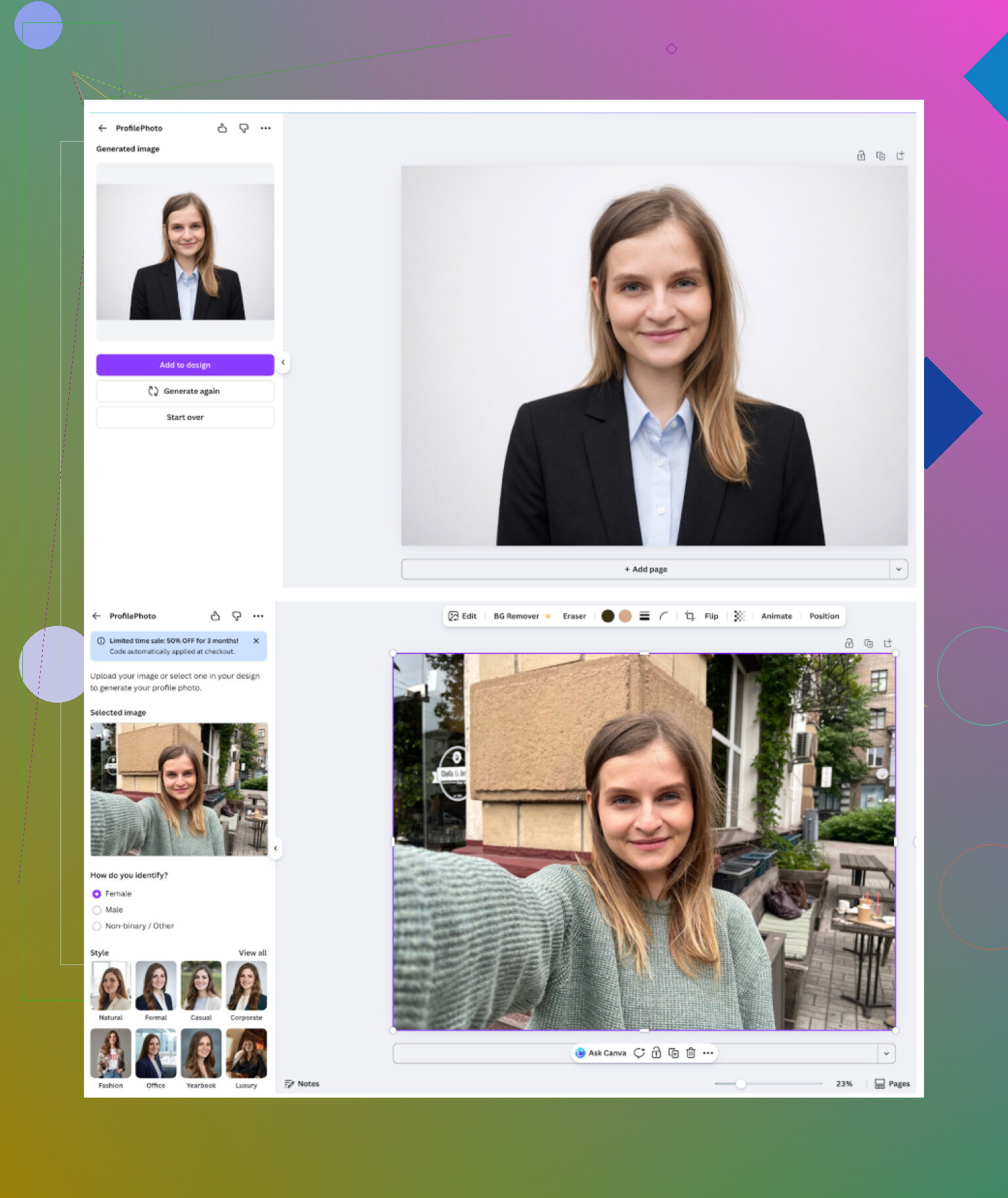
What it felt like
-
General feel
More like “design tool that added AI portraits” than a headshot specialist. If you already pay for Canva, it is handy. -
What worked
• Good for simple professional photos
• Built-in presets and editing tools are strong
• You can retouch stuff after generation without switching apps -
What annoyed me
• Faces sometimes got that plastic, smoothed-out texture
• To get higher quality runs or more variations, the cost adds up in credits/plan
• Price for full access is around 120+ per year, though they often run sales or bundle it
My conclusion for Canva
If you are already on Canva Pro, sure, use it. If all you need is headshots and nothing else, I would not start your search here. Results are decent, but not top tier for realism.
Aragon AI
Site: https://www.aragon.ai/
Seen this name constantly on Reddit whenever headshots come up.
First impressions
• It greeted me with a long profile setup, with a bunch of questions about role, industry, where I plan to use photos.
• Then it wanted a decent batch of reference photos. I had to pull like 6+ selfies to make it happy.
• No free generation, straight to paid packs.
<img alt=‘Part 4: The ‘Free’ Way (ChatGPT, Gemini, & Hustle)’ src=‘https://clarkconnect.com/forum/uploads/default/original/image-1768927078.png’ height=‘537’ width=‘381’ alt=‘Part 4: The ‘Free’ Way (ChatGPT, Gemini, & Hustle)’>
How accurate it was
• Likeness: It looked like me. Not a “beautified cousin,” but me after 2 days of sleep and a good camera.
• Lighting and poses: Very “studio done,” consistent backdrops, clean suits, neutral expressions.
Pros
• People online do not hype it for nothing, face similarity is solid
• Turnaround is quick once you feed it enough photos
Cons
• Needs a decent number of uploads to work well
• Paywall is immediate, no safe “free try” for a real batch
• Pricing starts around 12 to 25 depending on pack
Good option if you want a clean one-and-done set of corporate-type photos and do not mind paying once.
HeadshotPro
Site: https://www.headshotpro.com/
This one markets itself directly to companies. Think “take headshots for everyone in your company at once” type of pitch.
Positioning
• Emphasis on data security and consistency
• Used for corporate ID cards, intranet profiles, etc
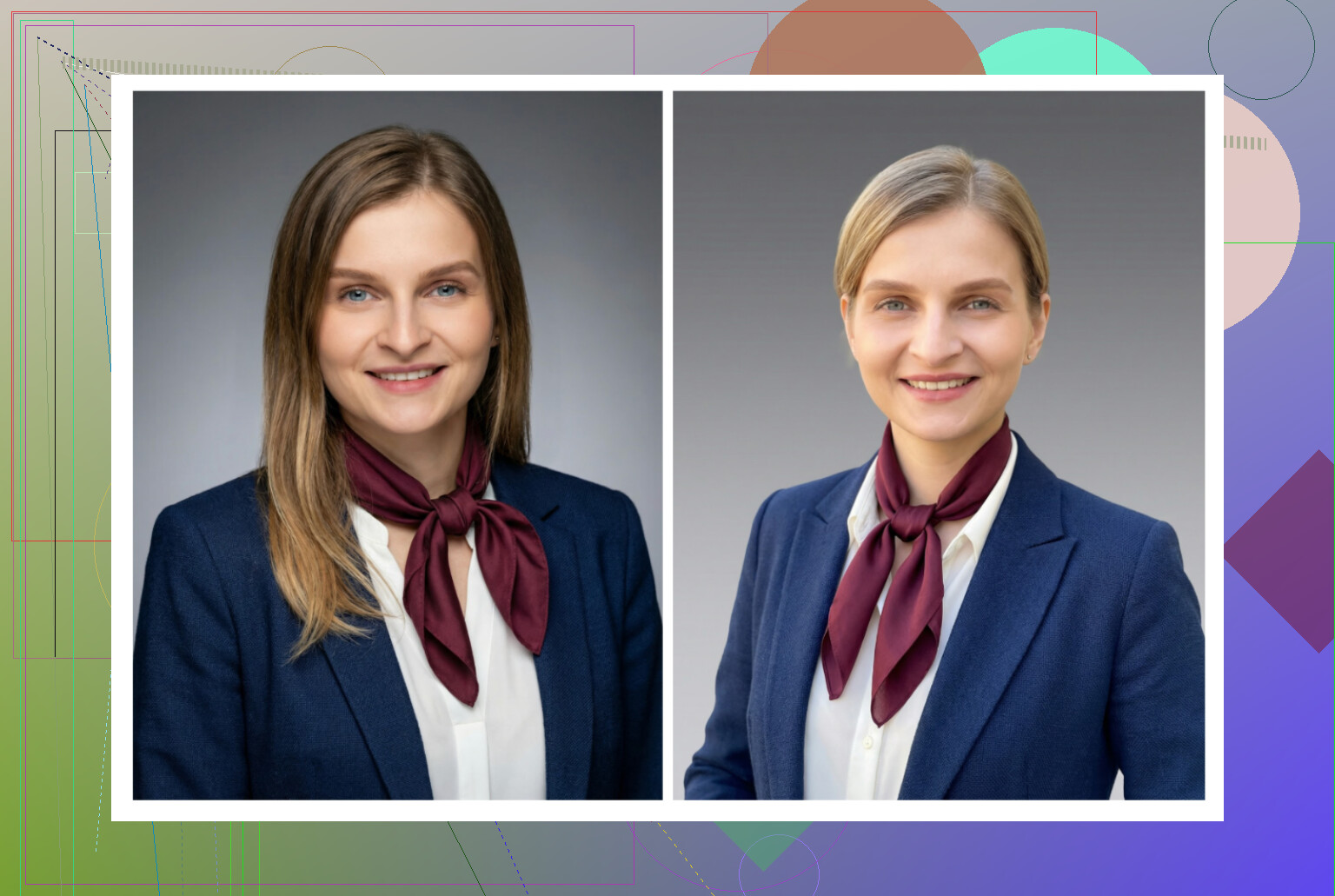
What I got
-
Overall feel
Everything looks like it belongs on an “About Us” page for a consultancy or bank. -
Where it works
• If you need safe, neutral, boring-in-a-good-way photos
• Lighting is consistent across all photos, so full teams look coordinated -
Downsides
• Not playful, not creative
• Limited style range, all in the same business lane -
Price
Starts around 29 and goes up with packages and team usage.
If you are doing headshots for an entire team in a heavier industry, this fits. For personal social or more interesting LinkedIn photos, I would pick something else.
iOS: Headshot Apps I Tried
I tested these on iPhone:
• Remini
• Fotorama AI Photo Generator
• Collart AI Photo Generator
• IRMO AI Photo Generator
• Eltima AI Headshot Generator
I looked at:
- Ease of use
- How close the face was to reality
- Style variety
- Pricing and free options
- Speed
Quick reviews below.
Remini (iOS)
App Store: Remini - AI Photo Enhancer App - App Store
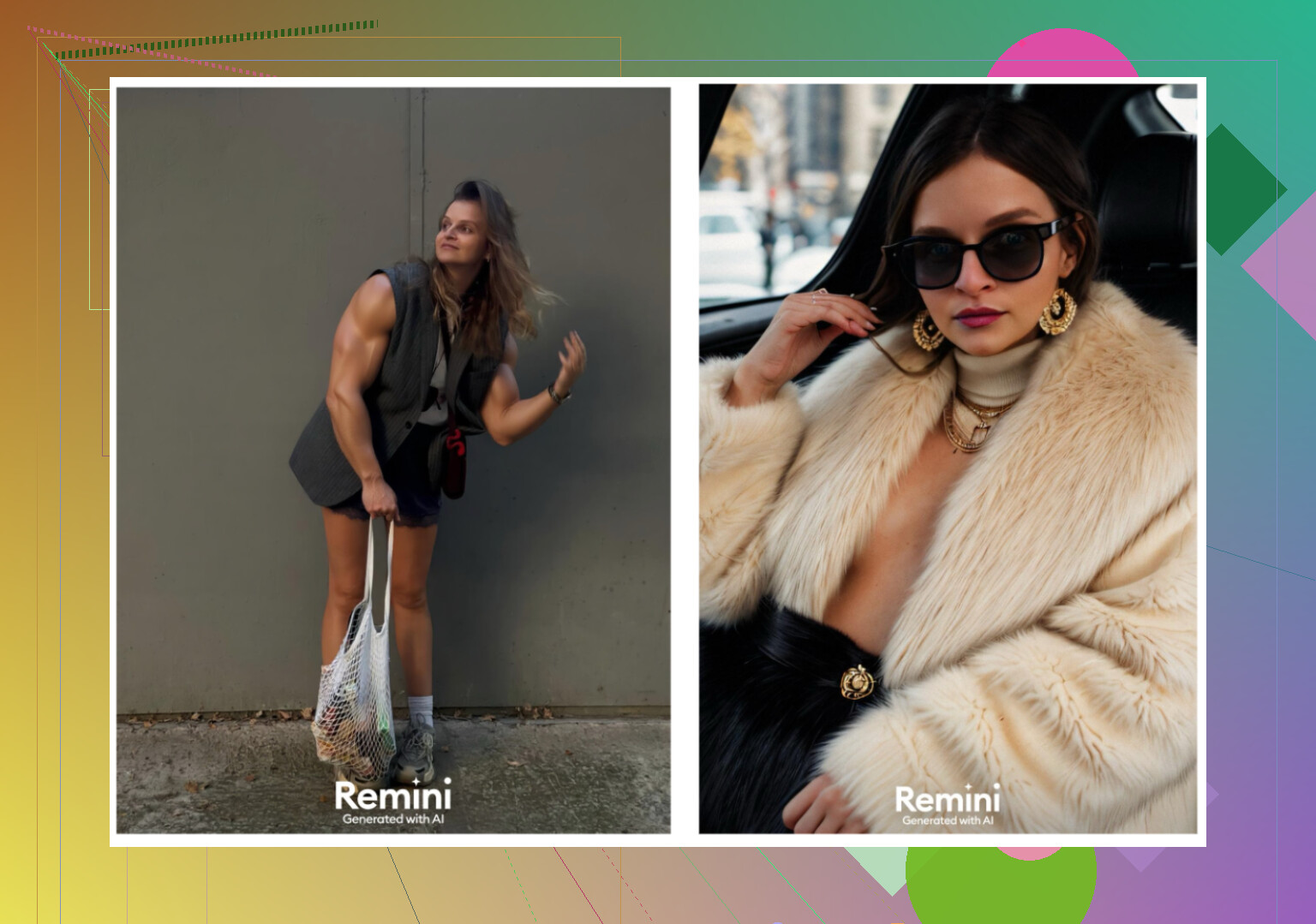
What I noticed
• Interface is simple. No confusion, you tap, upload, pick a mode, wait.
• Besides enhancement, it has an AI avatar / headshot feature.
• It also turns photos into short “video portraits.”
Problems
• That video feature went off the rails for me. At one point it produced a clip where it turned my photo into me holding a kid under some stairs. Looked wrong and not realistic.
• Faces in videos looked processed and fake, with heavy smoothing.
• Clothes would warp or merge with the background.
For headshots specifically
• You can make something that passes for a LinkedIn photo, but you need to sift through duds.
• Results were inconsistent. Some sets looked okay, others looked like a filter overload.
Pricing and speed
• 9.99 per week or 79.99 per year, free trial week
• One of the slowest in my testing, first video took around 13 minutes
I ended up not trusting it for professional use. I still keep it on my phone only for restoring old family photos, not my own headshots.
Fotorama AI Photo Generator
App Store: AI Photo Generator - Fotorama App - App Store

Initial use
• Interface is clean enough.
• Uploading and picking styles is simple.
Where it lost me
• First generation took around 30 minutes.
• I closed the app out of annoyance, and it still ate my coins. No image.
Pricing and styles
• 11.99 per week or 79.99 per year
• Nice range of styles, including fashion / “magazine shoot” vibes and character-style results
But the speed plus the coin drain killed it for me. Waiting half an hour hoping it does not glitch is not worth it if you are trying to tune your LinkedIn or send a quick headshot to HR.
Collart AI Photo Generator
App Store: AI Photo Generator - Collart App - App Store
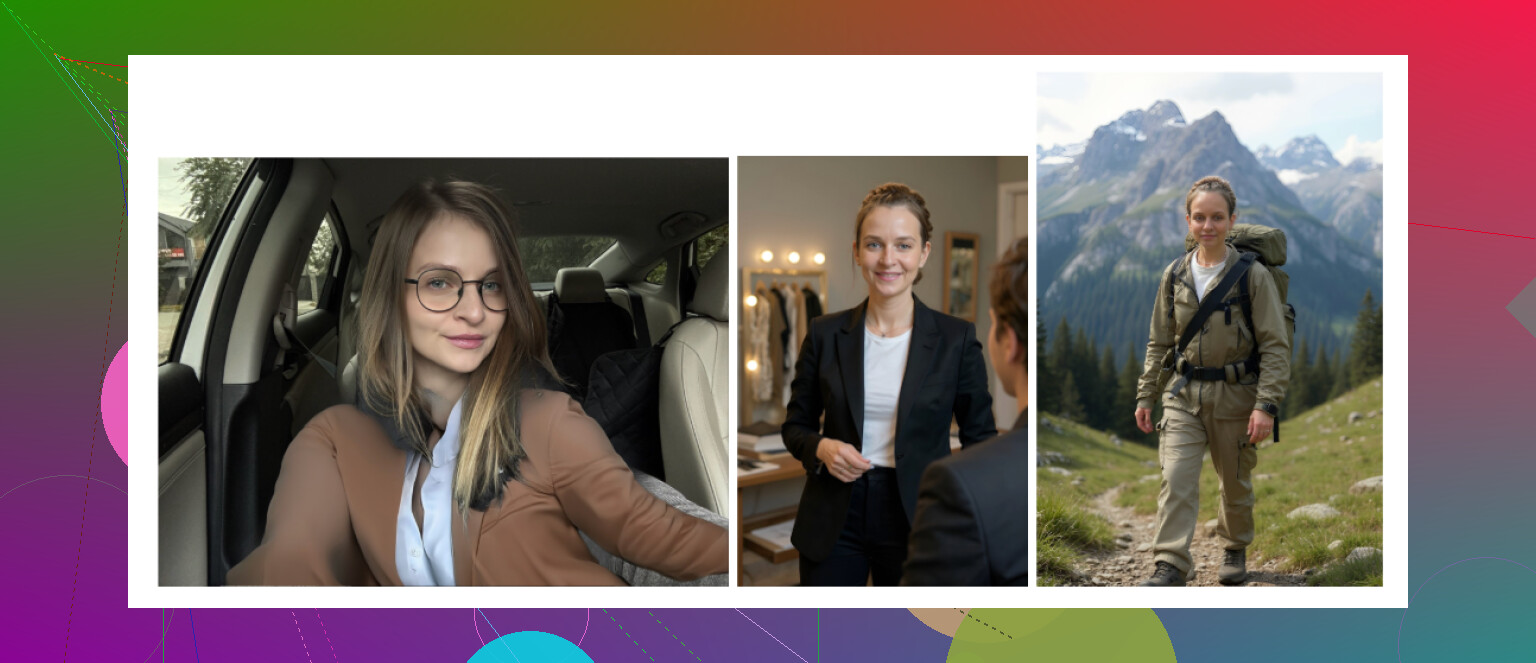
How it works
• Simple layout, easy to find features
• It animates photos and has lots of creative modes
Result quality
• Uses only one reference photo for headshots
• My outputs were mostly “Who is this person?” instead of me
• Faces drifted from my features a lot, especially eyes and jawline
Pricing and speed
• 3.99 per week or 59.99 per year
• Generation is fairly quick
Feels more like a toy than a reliable headshot solution. Fun if you want stylized versions loosely based on your face, not great for serious profiles.
IRMO AI Photo Generator
App Store: AI Photo Video Generator: IRMO App - App Store
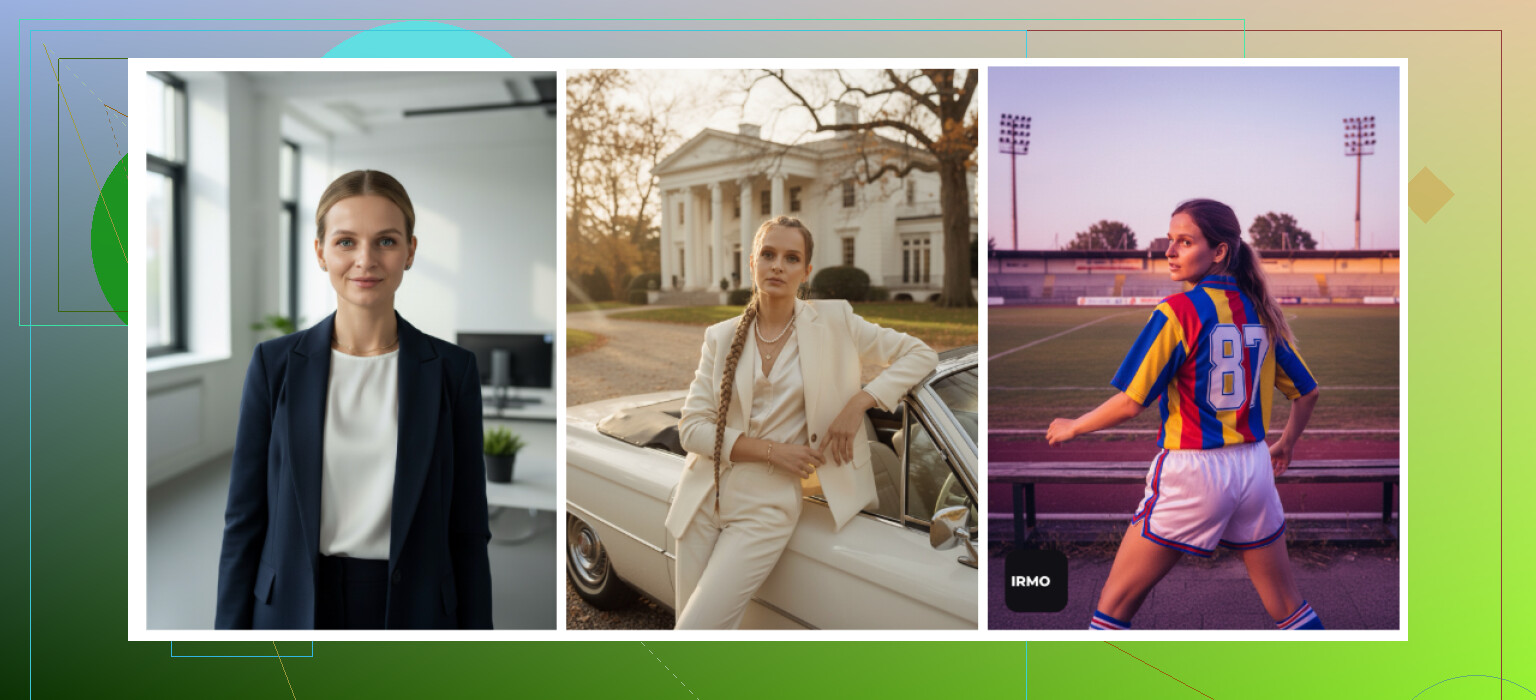
My experience
• App is straightforward, no learning curve.
• It makes both photos and videos.
The catch
• It only lets you upload one reference photo per generation.
• That means the AI never builds a strong model of your face, and it shows. Things look like a cousin or a similar stranger.
Details
• Price: 5.99 per week or 99.99 per year
• Speed: roughly 2 to 6 minutes per image
• Styles: plenty of themes, outfits, angles
I treated this as “fun filters.” It did not give anything I would confidently drop into a CV or professional profile.
Eltima AI (iOS) recap
App Store: Eltima AI Headshot Generator App - App Store
Among the iOS apps, Eltima was the only one that kept both realism and consistency, plus a big template library. The daily free photo is handy to slowly build a set without paying right away.
Android Headshot Apps
On Android I focused on three options that looked less sketchy than the usual Play Store chaos.
- Remini
- GIO: AI Headshot Generator
- Momo
Remini (Android)
Google Play:
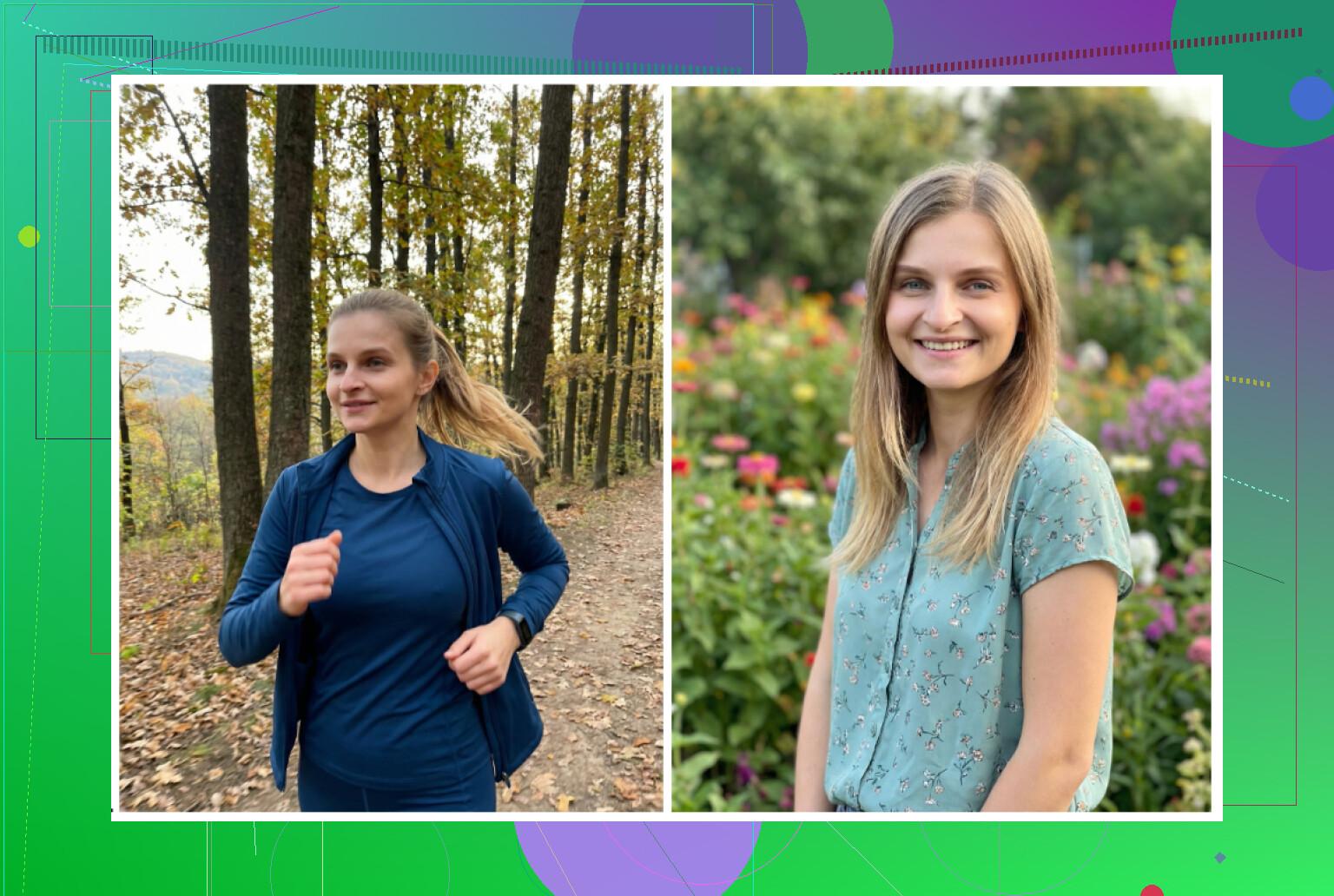
How it behaved
• Same story as iOS: quick to use, upload selfies, choose avatar type.
• Setup is minimal, no fuss.
Output
• Often “beautifies” too much.
• Even on professional settings, it sharpened my jaw, smoothed skin, and added this subtle “Instagram filter” vibe.
I would use it for social media profile pics or dating apps, not for a conservative job.
GIO: AI Headshot Generator
Google Play:
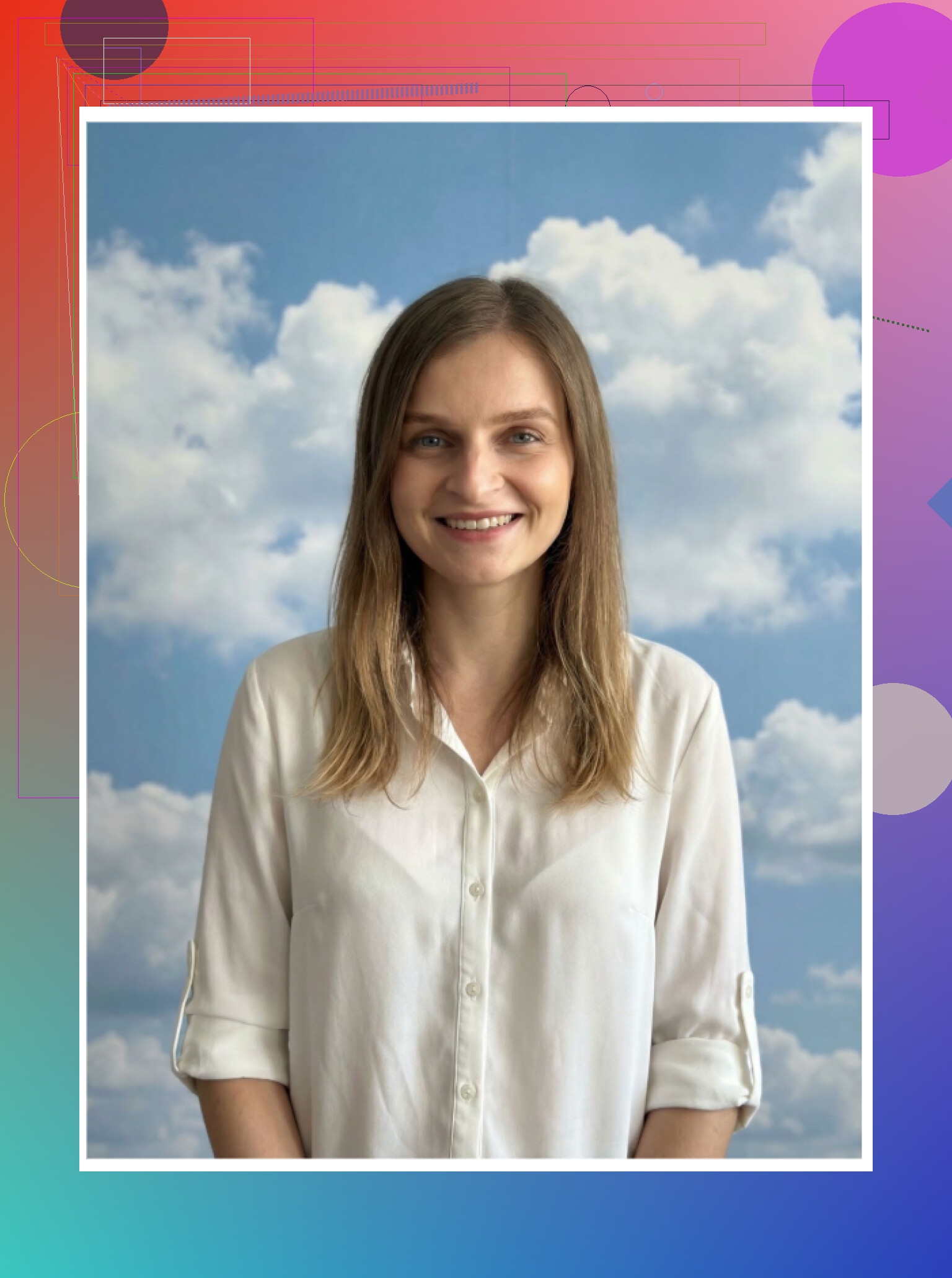
What felt better than Remini
• Less plastic look, more natural faces when it works
• Clothing swap feature did a decent job of changing outfits to suits or business casual
Where it tripped up
• Lots of failed generations
• Some faces had weird artifacts or asymmetry
• Quality of individual photos jumped up and down between batches
Verdict for me
Good alternative if Remini makes you look too artificial, but still not at the level of a solid web service or Eltima on iOS. Some of the outputs looked fine, others looked broken.
Momo
Google Play:

What it did decently
• Better than GIO in my runs
• Most photos were at least usable without glaring glitches
Where it failed for me
• Pricing felt a bit high given the output
• When I compared it side by side with Remini on best results, Remini still won for overall polish, even if it was more “beautified”
If you are on Android and stuck, Momo sits in the middle: not terrible, not amazing, kind of an “okay if discounted” tool.
The “Free” Method Using ChatGPT & Gemini
You can generate something close to a headshot without paying anything if you have access to image models on ChatGPT and Gemini. It is more manual, and you need some patience.
I used this method:
The “description loop” trick
Works on:
• ChatGPT with DALL·E (I used the latest available at the time)
• Gemini with image generation (like the Nano Banana Pro model mentioned in the UI)
Steps I followed
-
Find a reference photo
• Not your own, but something close to the look you want. Maybe a stock headshot or a public image. -
Ask the model to describe it
• Paste the reference image into ChatGPT or Gemini.
• Ask for a detailed description: clothes, background, lighting, expression, camera angle. -
Start a fresh chat
• Copy that description into a new session so you have it clean, without the original image. -
Upload your selfie
• In that new chat, upload your own best selfie and paste the description. -
Ask the model to “recreate this scene with this person”
• Use simple language like:
“Use this description for style, background, lighting and outfit, but keep the face and identity from my selfie.” -
Use their image model
• On Gemini: pick an image-capable mode (for example the “Nano Banana Pro” label if that is what shows).
• On ChatGPT: select the DALL·E image tool.
You will probably need a couple of tries per platform.
Results I got

ChatGPT (DALL·E)
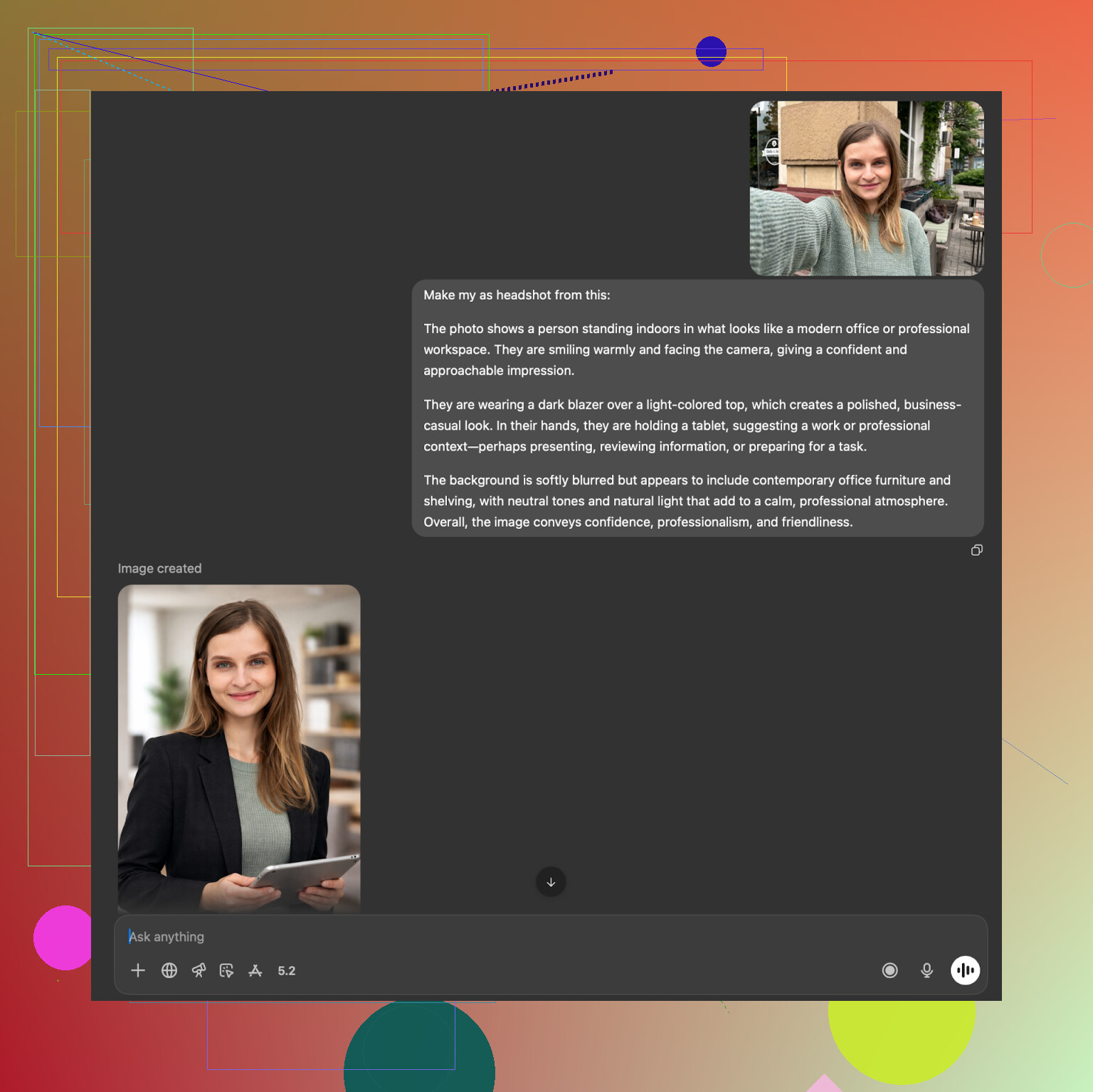
Site: https://chatgpt.com/
• It gave me someone who looked related to me. Same rough features, but not exact.
• It kept the outfit, pose, and background style from the description pretty well.
• Faces drifted toward the model’s built-in aesthetic.
Gemini (Nano Banana Pro)

Site: Nano Banana Pro - AI-beeldgenerator en foto-editor van Gemini
• It did better with photorealistic textures.
• Sometimes refused to generate certain images if it thought they were too close to real people.
• When it worked, likeness was slightly better than DALL·E for me, but still not as locked-in as dedicated headshot apps that train on your multiple photos.
This approach works as a free experiment if you want to get a rough “professional photo with your vibe” without paying. It is not good enough for something like a corporate ID where you need strict resemblance.
Extra links from the original thread I used
Reddit thread that sent me down this path:
Where I ended up using what
After a bunch of tests, here is how I split usage in practice:
• LinkedIn and portfolio:
Eltima on iOS, plus a couple of Aragon outputs.
• Slack, Discord, less serious profiles:
Some Remini results, slightly edited in Canva.
• Fun / not professional:
Collart, IRMO, Fotorama experiments that looked more stylized than realistic.
• Free experiments / concepting looks:
Gemini and ChatGPT description loop, then if I liked a style, I tried to match it in Eltima or a paid service with real face training.
What I would tell a friend in a hurry
If you have an iPhone
• Start with Eltima:
Eltima AI Headshot Generator App - App Store
Use the daily free generations first.
If you want a one-time, web-based pack
• Aragon AI:
https://www.aragon.ai/
If you are on Android and do not mind some smoothing
• Try Remini first:
https://play.google.com/store/apps/details?id=com.bigwinepot.nwdn.international&pcampaignid=web_share
If you want to pay zero and have time
• Use Gemini and ChatGPT with the description loop, accept that the face will be “close enough,” not exact.
I ended up with more usable headshots from AI in one weekend than I have ever gotten from real photographers across multiple years. That said, you still need to filter aggressively and pick outputs where you look like yourself on a good day, not someone else altogether.
I had the same “my LinkedIn photo is from a past life” problem and went down the iPhone AI rabbit hole too. Results looked fake, over-smoothed, or like my younger cousin.
Short version for iPhone only:
If your priority is realistic, neutral, professional headshots, Eltima AI Headshot Generator App is the one I would start with, even after reading what @mikeappsreviewer wrote and testing others myself.
Here is how I would approach it, based on what you need.
- Start with Eltima AI Headshot Generator App
– Works from a single good selfie, but you get better consistency if you give it 3 to 5 photos.
– It keeps your face structure. Less of that “Instagram filter” look than Remini.
– Styles cover LinkedIn type shots, corporate, startup casual, etc, without you writing prompts.
– You get one free generation per day, so you can test it without paying right away.
If you try it, do this to improve results:
– Use selfies with natural light, no harsh shadows.
– Use photos where your face angle is similar, not lots of extreme side angles.
– Avoid heavy filters or beauty mode in the input photos.
– Pick one “lane” first, for example simple blazer, neutral background, then branch out.
- What to skip for serious LinkedIn photos
This is where I disagree a bit with some takes.
Remini on iOS
– Good for making an old or blurry photo sharper.
– For AI headshots it often over-smooths skin and tweaks facial features.
– In side by side comparisons, people called my Remini results “filter-y” fast.
I would not trust it as your main LinkedIn picture if you want to look like you in person.
Collart, IRMO, Fotorama
– Fun apps, but not ideal if recruiters need to recognize you in a Zoom call.
– Most outputs I got were “inspired by me” instead of accurate.
Use them for social profiles, not for CVs.
- If you want a one-time web pack
You said iPhone, but if you are ok leaving the phone and going to a browser:
Aragon AI
– Better likeness than most iPhone apps, more “studio” feel.
– Needs a batch of input photos and is paywalled from the start.
– Works for a one-and-done set of corporate looking photos.
HeadshotPro
– Strong if you work in a conservative field and need that company-site vibe.
– Styles are stiff. Good for banks, consultancies, not so good if you want a bit of personality.
- Quick workflow that worked for me
Here is how I would do it in your case, step by step.
-
Take 5 to 10 new selfies in one session.
– Neutral expression, light smile.
– Plain wall, daylight from a window.
– No hats, minimal glare on glasses. -
Load 3 to 5 of those into Eltima AI Headshot Generator App.
– Pick 2 “standard corporate” styles, 1 “business casual” style.
– Ignore crazy templates at first. -
Generate over 2 to 3 days using the daily free option.
– Each day pick only 1 or 2 outputs that look like you.
– Save those to a separate album on your phone. -
Do light edits only.
– Tiny brightness/contrast tweaks in iOS Photos.
– Do not reshape face, do not over-sharpen. -
Ask 2 or 3 people who know you in real life.
– “Which of these looks most like me in person and still professional?”
– Use that one for LinkedIn and job apps.
If that still looks off, then I would switch to a web service like Aragon once, get a batch, and be done.
You do not need a pro photographer for a solid LinkedIn headshot, but you do need two things:
good input selfies and an app that respects your face. For iPhone, Eltima Ai Headshot Generator App is the one that did that most consistently for me.
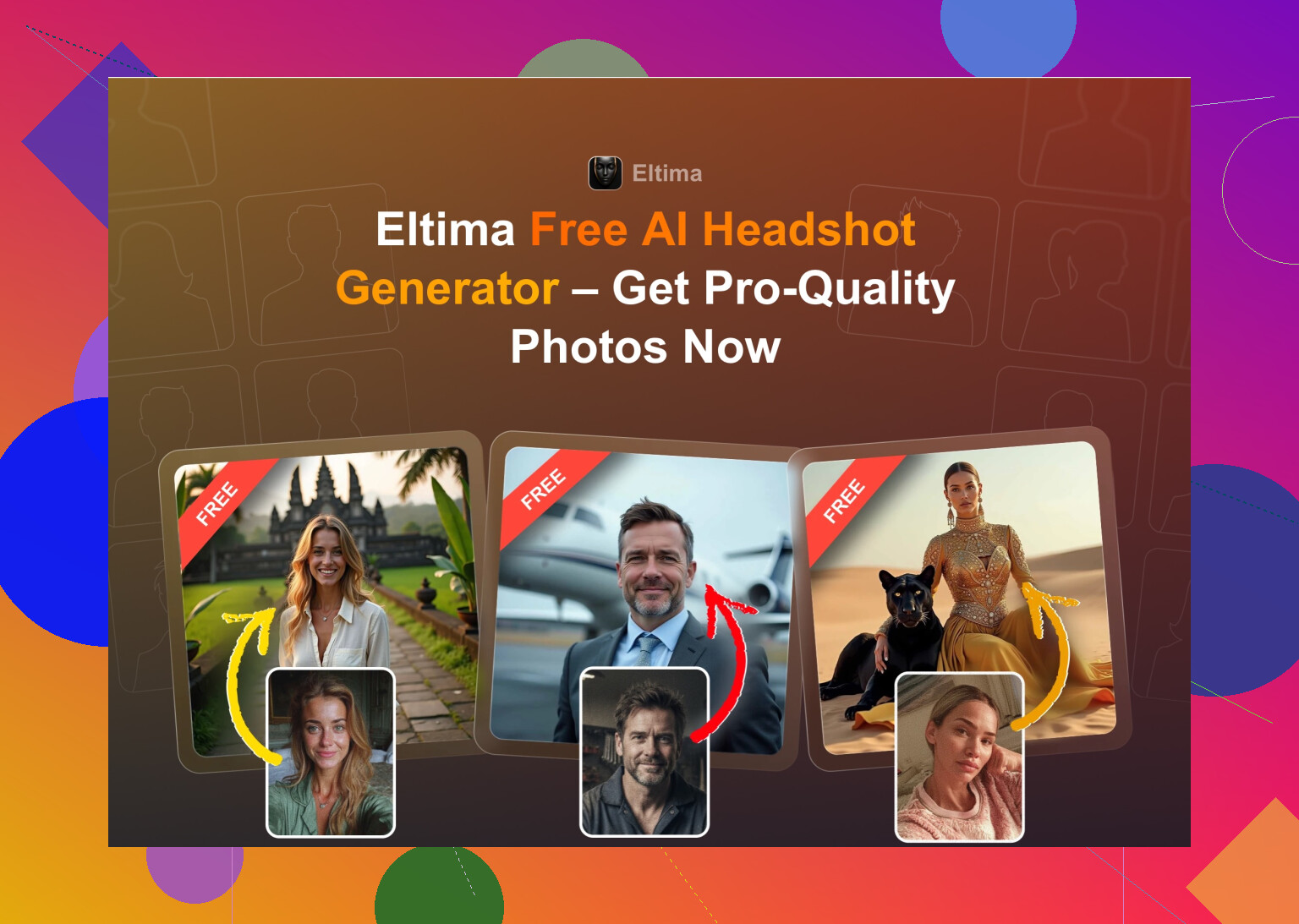

Eltima Ai Headshot Generator App is probably the only iPhone app I’ve tried that didn’t make me look like a wax figure or a de-aged Marvel extra, so on that point I’m with @mikeappsreviewer and @viaggiatoresolare. But I wouldn’t call it an instant “install and you’re done” solution either.
Where I slightly disagree with them: if you just toss in any random selfies, Eltima’s results can still look a bit “AI-ish.” The app is solid, but it is picky about inputs. I only started getting real “this could have been shot in a studio” LinkedIn pics after I did a little prep:
- I used 4–6 new photos, all taken in the same room with window light, no overhead light.
- I kept glasses on in most of them so the model stopped randomly removing or mutating them.
- I avoided big expressions and side profiles; straight-on or slight angle only.
After that, Eltima’s pro templates (simple blazer, solid background) looked more believable than anything I could push out of Remini or Collart. Remini still wins for fixing old photos, but for generating new headshots it over-smooths like crazy and recruiters will notice.
If you absolutely need something that screams “real photographer,” the web options like Aragon AI still come out a touch more consistent, but then you are off the phone and paying up front. On iPhone-only, for realistic, professional headshots where people can actually recognize you on Zoom, Eltima Ai Headshot Generator App is the closest I’ve gotten to a proper LinkedIn-ready result without booking an actual photoshoot.
If your iPhone tests all looked plastic or “AI-obvious,” you’re not alone. Here’s the no-nonsense breakdown based on what’s already been shared in the thread.
Short answer for iPhone:
Eltima Ai Headshot Generator App is the best balance of realism + control right now, but it is not magic if you feed it junk selfies.
Why Eltima stands out (vs the usual iOS suspects)
Pros
- Face consistency: Like @mikeappsreviewer said, your face actually stays your face. Compared to Remini, you do not get the “FaceApp filter” vibe as often.
- Template variety that is actually useful: Where @viaggiatoresolare focused on realism, I think the real win is the range of professional looks: neutral LinkedIn, subtle blur backgrounds, simple blazers, darker techy backgrounds, etc., without messing with prompts.
- Low-commitment testing: One free generation per day is perfect if you want to iterate slowly instead of paying upfront for a big pack.
- Handles mixed inputs better than most apps: Glasses, slight angle changes, different lighting still end up recognizable once the model has “learned” your face from a few runs.
Cons
- Input quality is everything: I actually disagree a bit with @cacadordeestrelas here. You do not need a whole mini shoot with perfect controlled lighting, but you do need:
- 3–6 clear selfies
- No heavy filters
- Fairly neutral expressions
If you toss in cropped party shots, it will look AI-ish. That is on the user more than the model, but it matters.
- Subscription friction: Weekly pricing adds up fast. If you only need a handful of solid headshots for LinkedIn and CV, remember to cancel once you are done.
- Occasional “beauty pass”: It still softens skin a bit. For conservative fields (law, finance), pick the most natural-looking outputs and avoid anything where you look obviously airbrushed.
How I would actually use it for LinkedIn / job apps
Instead of repeating the full workflows others gave:
- Take 4–6 new selfies in front of a window, neutral top, no harsh indoor lighting.
- Load those into Eltima Ai Headshot Generator App and stick to clean, minimal “corporate / business casual” presets first.
- Kill anything where:
- Teeth look strange
- Eyes are too bright or off-center
- Hairline suddenly changes
- Keep 2 versions:
- One conservative (plain background, small smile) for applications
- One slightly more modern (soft blur, nicer lighting) for LinkedIn.
If after that everything still looks fake, that is usually a sign your reference selfies are low quality or heavily shadowed, not that the app is useless.
Where competitors fit in
- Remini: Good for fixing old photos, not great for generating new professional headshots. Over-smooths and sometimes gets weird with clothes and backgrounds, which matches what others mentioned.
- Canva / similar web tools: Handy if you already use them for design, but I agree with the others that they feel like “AI filter inside a design app” rather than a true headshot generator.
- Aragon / HeadshotPro–type web services: Slightly more “studio perfect” and consistent if you upload a big batch of photos, but you are off phone-only and paying upfront. I would only bother if you need lots of images or very corporate branding.
If your goal is “looks like I paid a mid-range photographer” without leaving your iPhone, Eltima Ai Headshot Generator App is the only one in this thread that consistently lands close, as long as you put a tiny bit of effort into the source selfies and do a harsh pass deleting the uncanny ones.