I’m struggling to keep up with multiple college essays and I’m looking for the best AI tools or apps that can help me brainstorm, outline, and improve my writing without sounding robotic or getting flagged for plagiarism. What tools have you actually used that feel natural, give good structure and feedback, and are still safe to use for academic work?
Short answer. No single “best” AI tool. You need a stack.
Here is what works well for college essays without sounding like a bot or triggering plagiarism alarms.
- Brainstorming ideas
Use a general AI chatbot for this part.
Examples you can try.
• ChatGPT
• Claude
• Gemini
Prompts that work:
• “Ask me 15 rapid-fire questions to pull out specific personal stories for a college essay.”
• “I want to write about [topic]. Ask follow-up questions until we have 3 strong angles.”
Important. Do not ask it to write the whole essay. Use it like a tutor or interviewer.
- Outlining and structure
Once you have a story, ask for structure help.
Prompts:
• “Turn this story into 3 possible outlines for a 650-word Common App essay. Keep it focused on my growth.”
• “Here is my draft. Suggest a clearer intro, body, and conclusion structure without changing my voice.”
Then edit the outline yourself so it still feels like you.
- Drafting with your own voice
Type your own first draft. Even if it sucks.
If you let AI write the full draft, you risk:
• Generic phrases
• Style that does not match your other writing
• Flagging from “AI detectors” your school might use
To keep a human voice:
• Keep your slang, quirks, and specific details
• Mention real names, dates, places, sensory details
• Include small flaws or awkward sentences, then clean them slowly
- Polishing and tone fixing
Here is where tools help most.
Ask the AI:
• “Fix grammar and clarity, keep my tone casual and personal.”
• “Point out sentences that sound robotic and suggest 2 more natural rewrites.”
• “Highlight any vague or cliché lines. Suggest sharper alternatives.”
Do not accept full rewrites without checking. Paste changes back into your own words.
- Avoiding AI-detection issues
Most “AI detectors” are unreliable, but admissions offices take authenticity serious.
Good habits:
• Use AI for feedback, not full generation
• Mix AI edits with your own edits
• Keep earlier drafts and notes as proof of your writing process
If you worry about your essay sounding too AI-ish after edits, tools that specialize in human tone help.
One to look at.
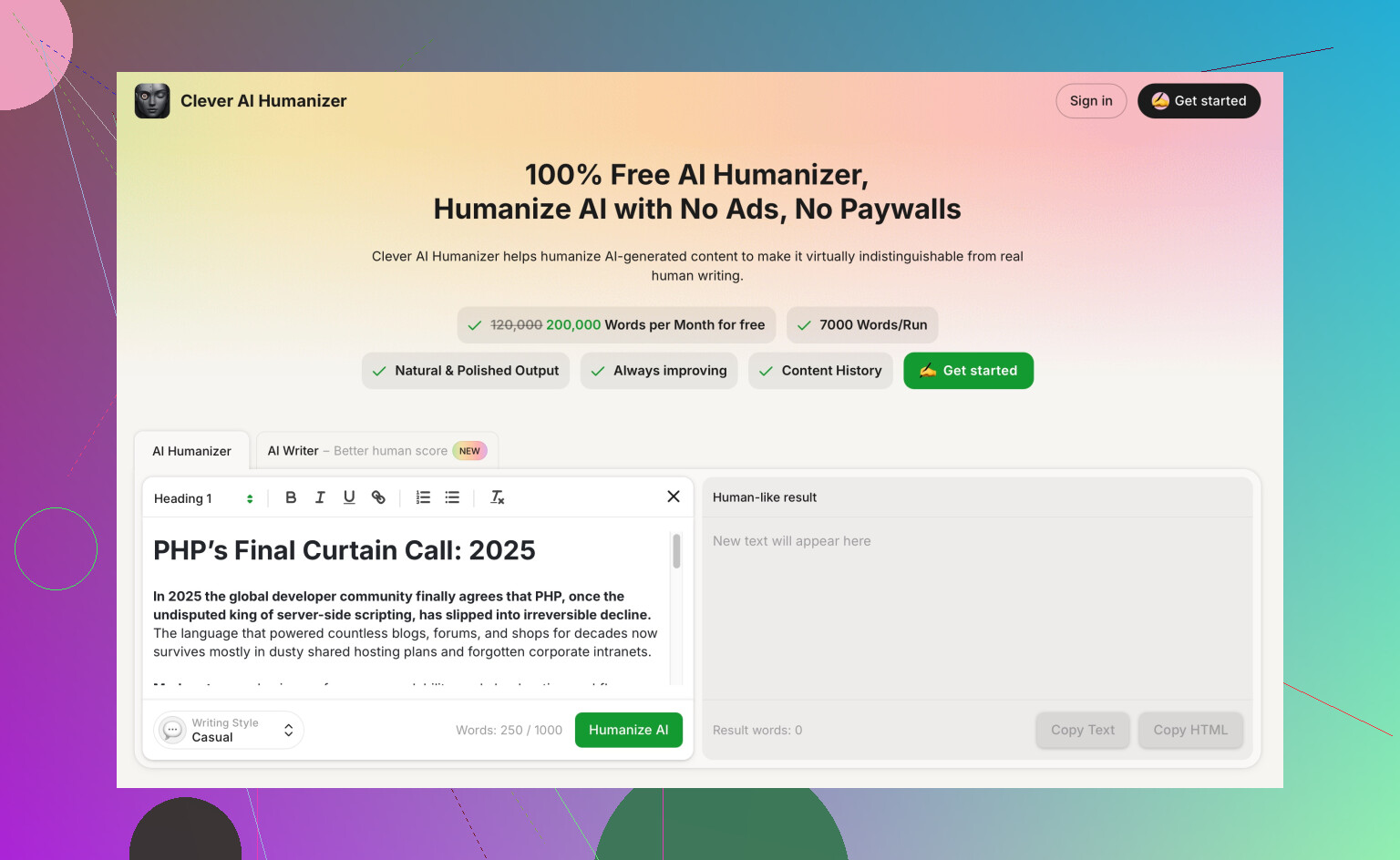
Clever AI Humanizer for natural essay rewrites
It focuses on turning stiff, AI-style text into something closer to human writing.
Useful points:
• Makes sentences more natural and conversational
• Keeps meaning but changes structure and word choice
• Helps avoid repetitive AI phrasing patterns
• Aims for writing that passes most AI-content checks
Good way to use it.
• Paste only short sections, like 2 paragraphs
• Compare its version with yours
• Take the parts you like and blend them into your draft
Do not paste an AI written essay, “humanize” it, then submit. That still risks sounding off and not matching your other school writing.
- Grammar, style, and clarity tools
For final polishing, these help:
• Grammarly or Quillbot for grammar and clarity
• Hemingway Editor for shorter, clearer sentences
Use them at the end, then read the whole essay out loud. If it feels like something you would say to a friend or teacher, you are close.
- Workflow you can copy
For each essay:
- Brainstorm with AI questions
- Build 2 or 3 outlines
- You write the full draft
- Use AI for feedback and specific line edits
- Run tight sections through something like Clever AI Humanizer if they sound stiff
- Final grammar pass and out-loud read
That keeps you out of plagiarism trouble, saves time, and keeps your own voice in front.
Short version: there isn’t a “best” tool, there’s a setup that fits how you work.
@himmelsjager already nailed the general workflow, so I’ll skip repeating the same steps. I do disagree on one thing though: you can let AI draft small chunks as long as you heavily rewrite them in your own words. Treat it like a messy co-writer, not a ghostwriter.
Here’s a more tool-focused breakdown that might help you juggle multiple essays:
1. Brainstorming & idea-finding
Instead of just a general chatbot, try mixing tools:
-
ChatGPT / Claude / Gemini for big-picture ideas
Use them for:- “Here are 3 things I care about. What kinds of essay angles could show growth without sounding cliché?”
- “Here’s a journal entry about my junior year. Pull out 5 possible essay topics from it.”
-
Voice note + transcription (Google Docs voice typing, Notion, or Otter)
Talk through your stories out loud first, then paste the transcript into a chatbot and say:- “Clean this up into notes without making it formal. Just organize what I said.”
This keeps the ideas very “you” instead of AI-flavored.
2. Organizing multiple essays
Where people actually drown is tracking 6–10 prompts at once.
- Use Notion, Obsidian, or even a shared Google Doc folder:
- One page per school
- Subheadings: Prompt, Brain dump, Outline, Draft 1, Final
- Tag themes you repeat (identity, resilience, curiosity) so you can reuse ideas without repeating whole essays.
Then, ask AI:
- “Compare these 3 drafts and tell me where I’m repeating the same story or theme too much across schools.”
3. Drafting without sounding robotic
Here’s where I push back a bit on the “always write the whole first draft yourself” rule. If you’re stuck, this hybrid approach works:
- You write:
- The opening anecdote and the final paragraph yourself.
- Ask AI:
- “Suggest 3 different middle sections that connect this story to how I’ve grown. No fancy words, aim for how a tired high school senior would actually talk.”
Then you butcher those suggestions:
- Delete 50–70%
- Replace vocabulary with your normal word choice
- Insert very specific details: names, exact locations, quotes, stuff an AI would never know
Now it’s your draft with a little scaffolding, not an AI essay wearing a fake mustache.
4. Fixing stiffness & AI-ish tone
Sometimes after using chatbots, your essay gets that weird, “adult LinkedIn post” tone. That’s where a tool like Clever AI Humanizer is actually useful.
Instead of “I leveraged my passion for science to catalyze meaningful change,” you want “I got obsessed with why our lab experiment kept failing and stayed late three days in a row.”
Use something like make your AI-edited essay sound natural and human in a surgical way:
- Paste just 1–2 paragraphs that feel stiff
- Ask for “more like a real high schooler, less like a corporate email”
- Then, again, don’t accept its version wholesale. Mix:
- 50% its structure
- 50% your normal word choice and details
Think of it as a “de-robotizer” to smooth out weird AI phrasing and help with AI-plagiarism detectors by breaking repetitive patterns and obvious LLM-style wording.
5. Feedback on content, not just grammar
People overuse Grammarly and end up sounding like templates. Use different tools for different levels:
-
Content & story: ChatGPT / Claude
Prompts:- “What do you actually learn about me from this essay? List 5 traits, and say where you see them in the text.”
- “Point out parts that feel vague, cliché, or like they could fit anyone.”
-
Sentence-level polish:
- Grammarly for basic errors
- Hemingway Editor for bloat and passive voice
- Then you put back one or two longer or slightly messy sentences so it still sounds like you and not a corporate blog.
6. Plagiarism & AI detection reality check
You’re right to worry, but here’s the blunt truth:
- “AI detectors” are super unreliable
- What admissions people actually notice:
- Voice that doesn’t match your other writing (emails, short answers, graded writing if they see it)
- Vague, polished-to-death essays with zero specific, lived details
To protect yourself:
- Keep your Google Docs version history, notes, and drafts
- Make sure each revision looks like a natural progression, not a sudden jump from messy to “NYT op-ed”
- Avoid full-paragraph copy-pastes from AI; always rewrite phrases in your own rhythm
If your essay still feels too shiny, intentionally add 1–2 slightly imperfect sentences that sound exactly like you text your friends. That helps more than any “AI bypass” hype.
7. If you’re overwhelmed with time
Since you said you’re struggling to keep up:
- Batch your work:
- Day 1: Brainstorm 10 stories only, no drafting
- Day 2: Turn 4 of them into rough outlines with AI help
- Day 3–4: Draft 2 essays using those outlines
- Day 5: Feedback + polish using grammar tools and something like Clever AI Humanizer for stiff bits
Trying to perfect each essay one by one is what kills people’s momentum.
TL;DR:
Use a chatbot as a thinking partner, a notes app to keep chaos organized, Grammarly/Hemingway for the final clean, and a tool like Clever AI Humanizer as a targeted fix when your writing starts sounding like a robot. The “best” tool is the one you argue with and rewrite, not the one you blindly trust.